

Morpheus
Administrators
-
Joined
-
Last visited
Everything posted by Morpheus
-
The MODDER.VBS is only included in the software support pack.
-
All the tests went as instructed during install? Did you run the modder.vbs file? What happens when you open a CMD terminal window and type "hostname' (less the outside quotes)? Attach the configuration files: 1) php.ini 2) snort.conf 3) base.conf.php 4) barnyard2.conf
-
To access our step-by-step installation guides, simply click the Tutorials link in the main menu bar. Supported Operating Systems WinIDS is officially supported only on 64-bit (x64) architectures for the following operating systems: Desktop: Windows 10 and 11 Professional Server: Windows Server 2016SE, 2019SE, 2022SE and 2025SE Choosing Your Tutorial Winsnort.com offers six distinct tutorials based on your deployment goals. For the best experience, always start with a fresh operating system installation. Option A: Master (Stand-Alone) System We offer four full tutorials for a complete, standalone WinIDS installation. To choose the right one, you only need to make two decisions: Web Server: Microsoft Internet Information Services (IIS) OR Apache2 Database Server: MySQL OR PostgreSQL Option B: Slave Sensors We offer two tutorials for deploying remote slave sensors. To choose the right one, you only need to make one decision: Remote Database Target: Will the sensor send events to a MySQL OR PostgreSQL database? (Note: Regardless of your choices, a multitude of necessary supporting programs will be automatically installed throughout the process.) Getting Support Each tutorial is paired with its own dedicated support forum. During Installation: Click the "Get Support" button at the top of your chosen tutorial to open the correct forum. Please keep all installation-related questions in that specific thread until your system is fully functional and events are successfully reaching the WinIDS security console. Post-Installation: Once your WinIDS deployment is verified and running, please post any general operations or troubleshooting questions in the Client Forum. Need Help Now? If you have questions before diving in, simply reply to this topic. This thread is actively monitored by our administrators and moderators. While we usually respond much faster, please allow up to 24 hours for a reply. Don't be surprised if our fantastic community members jump in to help you sooner! Good luck, and happy WinSnorting!
-
Scheduling and Updating the Rules with optional settings Windows 10 / 11 / 2016 SE / 2019 SE / 2022 SE / 2025 SE Last Date Revised: May 12, 2026 Written by: Michael E. Steele Get Community Support! ➜ Introduction This tutorial provides the basic instructions on how to schedule and update rules on the Windows Intrusion Detection System (WinIDS). Copyright Notice This document is Copyright © 2003-2026 Michael Steele. All rights reserved. Permission to distribute this document is hereby granted providing that distribution is electronic, no money is involved, and this copyright notice is maintained. Other requests for distribution will be considered. Use the information in this document at your own risk. Michael Steele disavows any potential liability of this document. Use of the concepts, examples, and/or other content of this document is entirely at your own risk. This tutorial is written in the hope that it will be useful, but without any warranty; without even the implied warranty of merchantability or fitness for a particular purpose. All copyrights are owned by their owners, unless specifically noted otherwise. Third-party trademarks or brand names are the property of their owners. Use of a term in this document should not be regarded as affecting the validity of any trademark or service mark. Naming of particular products or brands should not be seen as endorsements. Get Support All general support questions related to a specific tutorial MUST be directed to the specific forum for that particular tutorial. If there is any confusion, simply click the 'Get Community Support' button at the top of each tutorial to be transported to the correct forum! By request, a premium fee service is available for one-on-one support. If you have not acquired this tutorial directly from the winsnort.com website, then you most likely do not have the latest revision of this tutorial! Scheduling a Rules update and the optional features for an existing Windows Intrusion Detection System (WinIDS) Pulledpork is a powerful rule management tool used in managing the Windows Intrusion Detection System rules. Any changes to the rules will require the rules to be processed to activate those changes. During the initial setup of the Windows Intrusion Detection System, the first set of rules was installed and manually processed using Pulledpork. The Rules Updater is a hook into Pulledpork with a couple of extra options added. I won't get into all the ins and outs of Pulledpork, as it is extensive. The desktop shortcut for the Rules Updater will process the rules locally by default, and the progress will output to the open console window. Remote and Master sensors should be scheduled with the directions below, or rules updates will need to be activated manually with the desktop shortcut. If scheduling has been activated, then the sendmail feature should also be activated if a valid SMTP server is available. If the rules update is scheduled, then email will be the only way to be notified of the status (completed successfully, not needed, or failed) of the rules update. As another feature, the emails will include the sensor name in the subject of the email where the rules update occurred. Scheduling a Rules update for the Windows Intrusion Detection System (WinIDS) The Rules Updater usually takes less than a minute to process if no updates are available, and could take up to several minutes if an update is available. The Rules Updater takes into account success and failure. The Rules Updater will restore the backup if an update happens and fails the validation process. The console will display the failure, and/or an email report will be sent if sendmail is active. After a successful Rules update, the Snort process cycles, which means that Snort will not log alerts for approximately 15 seconds while Snort reboots (reloads the configuration and rereads all the rules). There are several optional settings available in the Rules Updater: The Rules Updater can be scheduled The Rules Updater can run silently Configuring wrong (snort -v -ix) Note: If the Rules Updater is only going to be run manually from the desktop, then there is no reason for any configuration change. Open a CMD window with Administrator privileges and type 'notepad2 d:\winids\activators\winruleup.ps1' (without the outside quotes) and tap the 'Enter' key. Use the Find option in Notepad2 to locate and change the variables below, and follow the comments in the script. Configurations $sendmail = 0 # Turn off (0) sending email or turn on (1) sending email $silent = 0 # Turn off (0) silent mode or turn on (1) silent mode if scheduling SMTP Email Configurations $smtpServer = "" # Insert a valid SMTP Server address between the quotes $smtpPort = 587 # Insert a valid SMTP Port (25 non-SSL), (587 SSL), (465 SSL) $smtpUser = "" # Insert a valid SMTP Username between the quotes - Use caution in keeping it secure! $smtpPassword = "" # Insert a valid SMTP Password between the quotes - Use caution in keeping it secure! $from = "" # Insert a valid From email address between the quotes $to = "" # Insert a valid To email address between the quotes Save the file and exit Notepad2. Scheduling Rules Updates At the CMD prompt, type 'taskschd.msc' (without the outside quotes), tap the 'Enter' key, and the Task Scheduler opens. In the right-hand pane under Actions, left-click "Create Task..." and the "Create Task" window opens. In the "Name:" dialog box, type "Update WinIDS Rules". To the left of "Run with highest privileges", left-click to place a check mark. To the left of "Hidden", left-click to place a check mark. To the right of "Configure for:", use the drop-down menu and select "Windows 10" (for all installs). A popup notification may appear stating "You must enter..." — just left-click "OK". Left-click the "Actions" tab and left-click the "New..." button. To the right of "Action:", left-click the drop-down menu and select "Start a program". In the field under "Program/script", type "powershell.exe" (without the outside quotes). In the "Add arguments (optional)" field, type "-ExecutionPolicy Bypass -NoProfile -WindowStyle Hidden -File D:\winids\activators\winruleup.ps1" (without the outside quotes) and left-click "OK". Left-click the "Triggers" tab and left-click the "New..." button. To the right of "Begin the task:", use the drop-down menu and select "At startup". To the left of "Repeat task every:", left-click to place a check mark. To the right of "Repeat task every:", use the drop-down menu and select "1 hour". To the right of "for a duration of:", use the drop-down menu and select "indefinitely". Note: The "Repeat task every:" and "for a duration of:" options are only suggestions and can be adjusted as needed. The above settings will check for a new rule update every hour for an indefinite period of time, sending an email after each run. To the left of "Enabled", make sure it is checked, and left-click "OK" to complete adding the task. Note: To test the script, under "Name" there should be an "Update WinIDS Rules" task listed. Left-click to highlight the "Update WinIDS Rules" task, and on the right under "Selected Item", left-click "Run". It usually takes about a minute to send an email result if no rules update has happened, and several minutes if one has. If no email has been received, then there is an issue with the SMTP configuration or the interface setting in the script. To test email when a new rules update has happened, delete all the files in the "D:\winids\script\temp" folder and run the script. An email should be received in less than 5 minutes with the results. In Conclusion Congratulations! Rules can now be automatically updated using a scheduled task with email as the reporting method, or manually by running the script via the desktop icon, which outputs directly to an open console window. Optional Companion Documents Be SURE to check out the available 'Companion Add-on Documents' to enhance the Windows Intrusion Detection System (WinIDS) experience. How to add Event Logging to a local Syslog Server. This tutorial will show how to configure Snort to send events to a local Syslog Server on an existing Windows Intrusion Detection System (WinIDS). How to add Event Logging to a remote Syslog Server. This tutorial will show how to configure Snort to send events to a remote Syslog Server from an existing Windows Intrusion Detection System (WinIDS). How to add Email Alerting to an existing Windows Intrusion Detection System (WinIDS) This tutorial will show how to email user-defined priority events on an existing Windows Intrusion Detection System (WinIDS). How to schedule automatic rules updating This tutorial is a simple-to-understand process on how to schedule automatic rules updating. How to compile Barnyard2 on Windows using Cygwin This tutorial is a simple-to-understand, step-by-step guide for compiling Barnyard2 on Windows using Cygwin (UNIX emulator). How to build and deploy a passive Ethernet tap This tutorial will show how to build and deploy a passive Ethernet tap. Updating the Windows Intrusion Detection System (WinIDS) Major components How to update the Snort Intrusion Detection Engine This tutorial will show how to update the Snort Intrusion Detection Engine. How to update the Windows Intrusion Detection System rules This tutorial will show how to update the Windows Intrusion Detection System rules. Debugging Installation errors Check the Event Viewer, as most of the support programs will throw FATAL errors into the Windows Application log. General tutorial issues For general problem issues that pertain to this specific tutorial, left-click the 'Get Community Support' button at the top of this tutorial, or manually navigate to the correct community support forum pertaining to this specific tutorial. Feedback I would love to get feedback from you about this tutorial. For any recommendations or ideas, please leave feedback HERE. Michael E. Steele | Microsoft Certified Systems Engineer (MCSE) Email Support: support@winsnort.com Snort: Open Source Network IDS - www.snort.org
-
Morpheus posted a tutorial in Installing a Windows Intrusion Detection System (WinIDS) Companion add-onConstruction and Use of a Passive Ethernet Tap Windows 10 / 11 / 2016 SE / 2019 SE / 2022 SE / 2025 SE Last Date Revised: May 12, 2026 Written by: Michael E. Steele Get Community Support! ➜ Introduction These tutorials gives the basic instructions on how to build and deploying an Ethernet tap to an existing network. Copyright Notice This document is Copyright © 2003-2026 Michael Steele. All rights reserved. Permission to distribute this document is hereby granted providing that distribution is electronic, no money is involved, and this copyright notice is maintained. Other requests for distribution will be considered. Use the information in this document at your own risk. Michael Steele disavows any potential liability of this document. Use of the concepts, examples, and/or other content of this document are entirely at your own risk. This guide is written in the hope that it will be useful, but without any warranty; without even the implied warranty of merchantability or fitness for a particular purpose. All copyrights are owned by their owners, unless specifically noted otherwise. Third-party trademarks or brand names are the property of their owners. Use of a term in this document should not be regarded as affecting the validity of any trademark or service mark. Naming of particular products or brands should not be seen as endorsements. Hardware Requirements A single 4-port Ethernet housing such as the Versatap AT44 Surface Jack Housing from Allen Tel Products 4 Category 5e modular snap-in jacks such as the AT55 Category 5e Modular Snap-In Jacks from Allen Tel Products A small section, about 6 inches, of Category 5e cable Construction Figure 1 represents the AT55 Category 5e jack. The wire termination pin positions and associated wire color codes are also shown. Figure 1: AT55 Category 5e Jack This diagram is usually included with new Category 5e jacks from any other vendor. Disassemble the section of Category 5e wire that you have into eight separate wires. These wires should have the same color codes as in Figure 1. The next step should be to partially assemble the Ethernet housing with the four jacks. These should snap into position easily. Once mounted, begin wiring the first jack position using the solid orange wire. Use the next diagram as a guide. The wires can be inserted with a small screwdriver or some other small flat tool. Once you have terminated all eight wires, trim off any excess wire that remains. Snap the housing closed, and you should now have a completed passive Ethernet tap (see Figure 2). Figure 2: Passive Ethernet Tap Instructions for Use Place the passive Ethernet tap inline between a host machine and the Ethernet switch using the two outside positions labeled "HOST". Verify that the link status indicators on your host Ethernet interface and the Ethernet switch are connected again. You may now connect the Ethernet port of your sniffer or IDS sensor into the Tap A and/or Tap B connectors of the passive Ethernet tap. Keep in mind that when you have a full-duplex Ethernet connection, Tap A will show half-duplex traffic and Tap B will show the remaining traffic. You will need to use two Ethernet interfaces to examine both halves of the full-duplex signal. If you use Sun Trunking software, the traffic can be reassembled. See sun.com for information on Sun Trunking software. Optional Companion Documents Be SURE to check out the available 'Companion Add-on Documents' to enhance the Windows Intrusion Detection System (WinIDS) experience. How to add Event Logging to a local Syslog Server. This tutorial will show how to configure Snort to send events to a local Syslog Server on an existing Windows Intrusion Detection System (WinIDS). How to add Event Logging to a remote Syslog Server. This tutorial will show how to configure Snort to send events to a remote Syslog Server from an existing Windows Intrusion Detection System (WinIDS). How to add Email Alerting to an existing Windows Intrusion Detection System (WinIDS) This tutorial will show how to email user-defined priority events on an existing Windows Intrusion Detection System (WinIDS). How to schedule automatic rules updating This tutorial is a simple-to-understand process on how to schedule automatic rules updating. How to compile Barnyard2 on Windows using Cygwin This tutorial is a simple-to-understand, step-by-step guide for compiling Barnyard2 on Windows using Cygwin (UNIX emulator). How to build and deploy a passive Ethernet tap This tutorial will show how to build and deploy a passive Ethernet tap. Updating the Windows Intrusion Detection System (WinIDS) Major components How to update the Snort Intrusion Detection Engine This tutorial will show how to update the Snort Intrusion Detection Engine. How to update the Windows Intrusion Detection System rules This tutorial will show how to update the Windows Intrusion Detection System rules. Debugging Installation errors For general problem issues that pertain to this specific tutorial, left-click the get community support button at the top of this tutorial, or manually navigate to the correct community support forum pertaining to this specific tutorial. Michael E. Steele | Microsoft Certified System Engineer (MCSE) Email Support: support@winsnort.com Snort: Open Source Network IDS - www.snort.org
-
Morpheus posted a tutorial in Installing a Windows Intrusion Detection System (WinIDS) Companion add-onCompiling Barnyard2 on Windows using the Cygwin UNIX emulator Windows 10 / 11 / 2016 SE / 2019 SE / 2022 SE / 2025 SE Last Date Revised: May 12, 2026 Written by: Michael E. Steele Get Community Support! ➜ Introduction Barnyard2 will not compile on a 32-bit operating system using this tutorial! This tutorial provides the basic instructions on how to compile Barnyard2 on Windows using the Cygwin UNIX emulator for MySQL/PostgreSQL database support. Copyright Notice This document is Copyright © 2003-2026 Michael Steele. All rights reserved. Permission to distribute this document is hereby granted providing that distribution is electronic, no money is involved, and this copyright notice is maintained. Other requests for distribution will be considered. Use the information in this document at your own risk. Michael Steele disavows any potential liability of this document. Use of the concepts, examples, and/or other content of this document is entirely at your own risk. This guide is written in the hope that it will be useful, but without any warranty; without even the implied warranty of merchantability or fitness for a particular purpose. All copyrights are owned by their owners, unless specifically noted otherwise. Third-party trademarks or brand names are the property of their owners. Use of a term in this document should not be regarded as affecting the validity of any trademark or service mark. Naming of particular products or brands should not be seen as endorsements. Support Questions and Help All support questions related to this specific tutorial MUST be directed to the specific forum in which this Windows Intrusion Detection System (WinIDS) tutorial resides! By request, a premium fee service is available for one-on-one support. If you have not acquired this tutorial directly from the winsnort.com website, then you most likely do not have the latest revision of this tutorial! How to use this guide It is important when asked to 'Open a CMD window with Administrator privileges' that it is done, or the install will fail. It is also important when asked to 'Close a CMD window' that it is done, or the install will fail. Note: The user installing this tutorial MUST be a member of the Administrators group. Note: If the User Account Control dialog box appears at ANY time during this install, ALWAYS left-click 'Yes' to continue, or the install will fail. Instructions on starting a command prompt as an Administrator In the Windows Search box, type cmd, and then press CTRL+SHIFT+ENTER. Operating System and Configuration Setup Using any 64-bit version of Windows with the latest service pack installed will suffice to compile Barnyard2. This tutorial provides two options for compiling Barnyard2 on Windows using the Cygwin UNIX emulator. It supports automatically or manually compiling Barnyard2 for either the PostgreSQL or the MySQL database. 1) There is a scripted process that, if set up properly, will automatically compile Barnyard2 into an executable. The scripted process isn't anything fancy. It compiles Barnyard2, leaving the assimilated and compressed 'Barnyard2' file in the root of drive 'd:\'. 2) The option to manually do a step-by-step compile is also available. The manual install will give the installer some basic understanding of how the Unix environment works, as it uses Cygwin, which is a Unix-like environment and command-line interface for Microsoft Windows. This tutorial will run on ANY modern 64-bit Microsoft Windows operating system and comes assimilated with all the necessary files to compile Barnyard2 on Windows. This tutorial and the automated script both deal with hard-coded paths. Prepping for the Windows Intrusion Detection System (WinIDS) Tutorial Downloading and extracting the 'WinIDS - Barnyard2 Software Development Pack' It is imperative to only use the files included in the 'WinIDS - Barnyard2 Software Development Pack' below. These files have been thoroughly tested and found compatible with all the supported Windows Intrusion Detection Systems (WinIDS) tutorials. Download The 'WinIDS - Barnyard2 Software Development Pack' to a temporary location. Open File Explorer and navigate to the location of the 'winids-b2sdp.zip' file. Right-click the 'winids-b2sdp.zip' file, highlight and left-click 'Extract all...'. In the 'Files will be extracted to this folder:' dialog box, type 'd:\by2temp' (without the outside quotes). Left-click and uncheck the 'Show extracted files when complete' check box. Left-click 'Extract'. In the 'Password:' dialog box, type 'w1nsn03t.c0m' (without the outside quotes). Left-click 'OK', and exit File Explorer. Downloading additional and required support files for all supported databases It is imperative to only use the files downloaded from the URL links below. The files have been verified as compatible with this particular Windows Intrusion Detection System (WinIDS) tutorial. There are two database options below, so pick the appropriate application file, and download it into the folder (d:\by2temp) that was created when the files from the above 'WinIDS - Barnyard2 Software Development Pack' were extracted. MySQL 8.0.46: Download and save the file to the d:\by2temp folder. PostgreSQL 18.3: Download and save the file to the d:\by2temp folder. How to compile Barnyard2 on Windows using the Cygwin UNIX emulator for MySQL/PostgreSQL database support The automated process for compiling Barnyard2 on Windows using the Cygwin UNIX emulator Note: For the automated process, it doesn't matter what version is dropped in. The smart detection will detect the version and process. If it only detects the MySQL source code file, it will compile for MySQL only If it only detects the PostgreSQL source code file, it will compile for PostgreSQL only If it detects both MySQL and PostgreSQL source code files, it will compile for both If multiple versions of the same source code are present, the smart detection will abort. Open a CMD window with Administrator privileges, type 'cd /d d:\by2temp' (without the outside quotes), and tap the 'Enter' key. At the CMD prompt, type 'powershell -NoProfile -ExecutionPolicy Bypass -NoExit -File "Compile-Barnyard2.ps1"' (without the outside quotes), tap the 'Enter' key, and make your choice. Note: It may take from 10 to 60 minutes for the automated process to complete, depending on the resources (RAM/CPU) available and which option was selected. This tutorial can now be closed. Follow any instructions coming from the script! The manual process for compiling Barnyard2 on Windows using the Cygwin UNIX emulator Installing Cygwin Open an Explorer window and navigate to the 'd:\by2temp' folder. Double left-click the 'setup-x64.exe' file to run the Cygwin installer, and close the Explorer window. The 'Cygwin Setup' page opens. Left-click 'Next'. At the 'Cygwin Setup - Choose Installation Type' page, leave the default 'Install from Internet' selected, and left-click 'Next'. The 'Cygwin Setup - Choose Installation Directory' page opens. In the 'Select Root Install Directory' dialog box, type 'd:\cygwin' (without the outside quotes), and left-click 'Next'. The 'Cygwin Setup - Select Local Package Directory' page opens. In the 'Select Local Package Directory' dialog box, type 'd:\cygwin\downloads' (without the outside quotes), and left-click 'Next'. An error message will appear stating 'Directory d:\cygwin\downloads does not exist, would you like me to create it?' Left-click 'Yes'. The 'Cygwin Setup - Select Connection Type' page opens. Left-click 'Next'. The 'Cygwin Setup - Choose Download Site(s)' page appears. There will be a list of package download sites under 'Choose A Download Site'. Left-click to highlight 'http://cygwin.mirrors.hoobly.com', and left-click 'Next'. The 'Cygwin Setup' page appears and the default packages will be installed. Installing required Cygwin packages The 'Cygwin Setup - Select Packages' page appears. Under 'Select Packages', and to the right of 'View', left-click and select 'Full'. In the 'Search' dialog, type 'unzip'. Under 'Package', to the right of 'unzip', left-click the down arrow, and left-click to select the latest stable version. In the 'Search' dialog, type 'zip'. Under 'Package', to the right of 'zip', left-click the down arrow, and left-click to select the latest stable version. In the 'Search' dialog, type 'bison'. Under 'Package', to the right of 'bison', left-click the down arrow, and left-click to select the latest stable version. In the 'Search' dialog, type 'automake'. Under 'Package', to the right of 'automake', left-click the down arrow, and left-click to select the latest stable version. In the 'Search' dialog, type 'cmake'. Under 'Package', to the right of 'cmake', left-click the down arrow, and left-click to select the latest stable version. In the 'Search' dialog, type 'gcc-core'. Under 'Package', to the right of 'gcc-core', left-click the down arrow, and left-click to select the latest stable version. In the 'Search' dialog, type 'gcc-g++'. Under 'Package', to the right of 'gcc-g++', left-click the down arrow, and left-click to select the latest stable version. In the 'Search' dialog, type 'libtool'. Under 'Package', to the right of 'libtool', left-click the down arrow, and left-click to select the latest stable version. In the 'Search' dialog, type 'libicu'. Under 'Package', to the right of 'libicu-devel', left-click the down arrow, and left-click to select the latest stable version. Scroll down to 'libicu73', left-click the down arrow, and left-click to select the latest stable version. PostgreSQL Compile Only: In the 'Search' dialog, type 'flex'. Under 'Packages', to the right of 'flex', 'flex-debuginfo', and 'flexdll', left-click the down arrow for each one and left-click to select the latest stable version. In the 'Search' dialog, type 'make'. Under 'Package', to the right of 'make', left-click the down arrow, and left-click to select the latest stable version. In the 'Search' dialog, type 'libreadline-devel'. Under 'Package', to the right of 'libreadline-devel', left-click the down arrow, and left-click to select the latest stable version. In the 'Search' dialog, type 'zlib'. Under 'Package', to the right of 'zlib', left-click the down arrow, and left-click to select the latest stable version. In the 'Search' dialog, type 'zlib-devel'. Under 'Package', to the right of 'zlib-devel', left-click the down arrow, and left-click to select the latest stable version. In the 'Search' dialog, type 'perl'. Under 'Package', to the right of 'perl', left-click the down arrow, and left-click to select the latest stable version. In the 'Search' dialog, type 'patch'. Under 'Package', to the right of 'patch', left-click the down arrow, and left-click to select the latest stable version. In the 'Search' dialog, type 'libgmp-devel'. Under 'Package', to the right of 'libgmp-devel', left-click the down arrow, and left-click to select the latest stable version. In the 'Search' dialog, type 'libedit-devel'. Under 'Package', to the right of 'libedit-devel', left-click the down arrow, and left-click to select the latest stable version. MySQL Compile Only: In the 'Search' dialog, type 'libmariadb-devel'. Under 'Package', to the right of 'libmariadb-devel', left-click the down arrow, and left-click to select the latest stable version. MySQL Compile Only: In the 'Search' dialog, type 'mariadb-common'. Under 'Package', to the right of 'mariadb-common', left-click the down arrow, and left-click to select the latest stable version. At the bottom right, left-click 'Next'. The 'Cygwin Setup - Review and confirm changes' page opens. Left-click 'Next'. The 'Cygwin Setup - Progress' page opens, displaying the default packages being installed along with their dependencies. The progress is displayed at the top left, and this could take several minutes to complete. At the 'Cygwin Setup - Installation Status and Create Icons' page, left-click 'Finish'. Installing the support programs On the desktop, double left-click the 'Cygwin Terminal' icon to open the Cygwin Terminal Window. At the Cygwin CMD prompt, type 'unzip /cygdrive/d/temp/barnyard2-master.zip -d /cygdrive/d/cygwin' (without the outside quotes), and tap the 'Enter' key. At the Cygwin CMD prompt, type 'mv /cygdrive/d/cygwin/barnyard2-master /cygdrive/d/cygwin/source' (without the outside quotes), and tap the 'Enter' key. At the Cygwin CMD prompt, type 'unzip /cygdrive/d/temp/WpdPack_4_1_2.zip -d /cygdrive/d/cygwin' (without the outside quotes), and tap the 'Enter' key. At the Cygwin CMD prompt, type 'cp -Rf /cygdrive/d/cygwin/WpdPack/Lib/* /cygdrive/d/cygwin/lib' (without the outside quotes), and tap the 'Enter' key. At the Cygwin CMD prompt, type 'cp -Rf /cygdrive/d/cygwin/WpdPack/Include/* /cygdrive/d/cygwin/usr/include' (without the outside quotes), and tap the 'Enter' key. At the Cygwin CMD prompt, type 'unzip /cygdrive/d/temp/includes.zip -d /cygdrive/d/cygwin/usr/include' (without the outside quotes), and tap the 'Enter' key. At the Cygwin CMD prompt, type 'perl -pi -e 's/`ref_system_id`/ref_system_id/g;' /cygdrive/d/cygwin/source/src/output-plugins/spo_database_cache.h' (without the outside quotes), and tap the 'Enter' key. At the Cygwin CMD prompt, type 'mv /cygdrive/d/cygwin/lib/libwpcap.a /cygdrive/d/cygwin/lib/libpcap.a' (without the outside quotes), and tap the 'Enter' key. Prepping MySQL support for Barnyard2 Skip this section if PostgreSQL is the database option to be compiled for the Windows Intrusion Detection System (WinIDS)! It is important to be compiling Barnyard2 with the same version of the database that is running on the Windows Intrusion Detection System (WinIDS)! At the Cygwin CMD prompt, type 'tar -zxvf /cygdrive/d/temp/mysql-8.0.46.tar.gz -C /cygdrive/d/cygwin' (without the outside quotes), and tap the 'Enter' key. At the Cygwin CMD prompt, type 'perl -pi -e 's/AND NOT WIN32/AND WIN32/g' /cygdrive/d/cygwin/mysql-8.0.46/configure.cmake' (without the outside quotes), and tap the 'Enter' key. At the Cygwin CMD prompt, type 'sed -i '1s/^/SET(CMAKE_LEGACY_CYGWIN_WIN32=1)\n/' /cygdrive/d/cygwin/mysql-8.0.46/CMakeLists.txt' (without the outside quotes), and tap the 'Enter' key. At the Cygwin CMD prompt, type 'cd /cygdrive/d/cygwin/mysql-8.0.46' (without the outside quotes), and tap the 'Enter' key. At the Cygwin CMD prompt, type 'cmake . -DWITH_EDITLINE=system -DINSTALL_MYSQLTESTDIR=' (without the outside quotes), and tap the 'Enter' key. At the Cygwin CMD prompt, type 'make mysqlclient && make install' (without the outside quotes), and tap the 'Enter' key. Prepping PostgreSQL support for Barnyard2 Skip this section if MySQL is the database option to be compiled for the Windows Intrusion Detection System (WinIDS)! It is important to be compiling Barnyard2 with the same version of the database that is running on the Windows Intrusion Detection System (WinIDS)! At the Cygwin CMD prompt, type 'tar -zxvf /cygdrive/d/temp/postgresql-18.3.tar.gz -C /cygdrive/d/cygwin' (without the outside quotes), and tap the 'Enter' key. At the Cygwin CMD prompt, type 'cd /cygdrive/d/cygwin/postgresql-18.3' (without the outside quotes), and tap the 'Enter' key. At the Cygwin CMD prompt, type './configure' (without the outside quotes), and tap the 'Enter' key. At the Cygwin CMD prompt, type 'make && make install' (without the outside quotes), and tap the 'Enter' key. Assimilating the Barnyard2 executable and the support files At the Cygwin CMD prompt, type 'mkdir /cygdrive/d/barnyard2' (without the outside quotes), and tap the 'Enter' key. At the Cygwin CMD prompt, type 'mkdir /cygdrive/d/barnyard2/etc' (without the outside quotes), and tap the 'Enter' key. At the Cygwin CMD prompt, type 'mkdir /cygdrive/d/barnyard2/schemas' (without the outside quotes), and tap the 'Enter' key. At the Cygwin CMD prompt, type 'cp /cygdrive/d/cygwin/source/schemas/create* /cygdrive/d/cygwin/barnyard2/schemas' (without the outside quotes), and tap the 'Enter' key. At the Cygwin CMD prompt, type 'cp /cygdrive/d/cygwin/usr/local/bin/barnyard2.exe /cygdrive/d/cygwin/barnyard2' (without the outside quotes), and tap the 'Enter' key. At the Cygwin CMD prompt, type 'cp /cygdrive/d/cygwin/usr/local/etc/barnyard2.conf /cygdrive/d/cygwin/barnyard2/etc' (without the outside quotes), and tap the 'Enter' key. At the Cygwin CMD prompt, type 'cp /cygdrive/d/cygwin/bin/cygz.dll /cygdrive/d/cygwin/barnyard2' (without the outside quotes), and tap the 'Enter' key. At the Cygwin CMD prompt, type 'cp /cygdrive/d/cygwin/bin/cygwin1.dll /cygdrive/d/cygwin/barnyard2' (without the outside quotes), and tap the 'Enter' key. At the Cygwin CMD prompt, type 'cp /cygdrive/d/cygwin/bin/cygstdc++-6.dll /cygdrive/d/cygwin/barnyard2' (without the outside quotes), and tap the 'Enter' key. MySQL Compile Only: At the Cygwin CMD prompt, type 'cp /cygdrive/d/cygwin/bin/cygmariadb-3.dll /cygdrive/d/cygwin/barnyard2' (without the outside quotes), and tap the 'Enter' key. MySQL Compile Only: At the Cygwin CMD prompt, type 'cp /cygdrive/d/cygwin/bin/cygcrypto-1.1.dll /cygdrive/d/cygwin/barnyard2' (without the outside quotes), and tap the 'Enter' key. MySQL Compile Only: At the Cygwin CMD prompt, type 'cp /cygdrive/d/cygwin/bin/cygiconv-2.dll /cygdrive/d/cygwin/barnyard2' (without the outside quotes), and tap the 'Enter' key. MySQL Compile Only: At the Cygwin CMD prompt, type 'cp /cygdrive/d/cygwin/bin/cygssl-1.1.dll /cygdrive/d/cygwin/barnyard2' (without the outside quotes), and tap the 'Enter' key. PostgreSQL Compile Only: At the Cygwin CMD prompt, type 'cp /cygdrive/d/cygwin/usr/local/pgsql/lib/cygpq.dll /cygdrive/d/cygwin/barnyard2' (without the outside quotes), and tap the 'Enter' key. Creating the final compressed Barnyard2 At the Cygwin CMD prompt, type 'cd /cygdrive/d/cygwin/barnyard2' (without the outside quotes), and tap the 'Enter' key. At the Cygwin CMD prompt, type 'zip -r /cygdrive/d/barnyard2-2.1.14-b337.zip' (without the outside quotes), and tap the 'Enter' key. At the Cygwin CMD prompt, type 'exit' (without the outside quotes), and tap the 'Enter' key. The compiled, assimilated, and compressed 'Barnyard2' file can be found in the root of drive 'd:\'. Cleaning up the Barnyard2 compile process Open a CMD window with Administrator privileges and type 'rmdir /S /Q d:\cygwin' (without the outside quotes), and tap the 'Enter' key. At the CMD prompt, type 'RMDIR /S /Q "%PROGRAMDATA%\Microsoft\Windows\Start Menu\Programs\Cygwin"' (without the outside quotes), and tap the 'Enter' key. At the CMD prompt, type 'del %PUBLIC%\Desktop\Cygwin*' (without the outside quotes), and tap the 'Enter' key. At the CMD prompt, type 'exit' (without the outside quotes), and tap the 'Enter' key. In Conclusion Congratulations, you have just completed compiling your very own copy of Barnyard2 for Windows, using the Cygwin UNIX emulator for Windows, on Windows, for either the MySQL or PostgreSQL database. I hope this tutorial has been helpful to you. Please feel free to provide feedback, both issues you experienced and recommendations that you might have. The goal of this tutorial was not just for you to compile Barnyard2, but to understand how all the parts work together, and gain a deeper understanding of all the components so that you can troubleshoot, modify, and update your Windows Intrusion Detection System (WinIDS) with confidence. Optional Companion Documents Be SURE to check out the available 'Companion Add-on Documents' to enhance the Windows Intrusion Detection System (WinIDS) experience. How to add Event Logging to a local Syslog Server. This tutorial will show how to configure Snort to send events to a local Syslog Server on an existing Windows Intrusion Detection System (WinIDS). How to add Event Logging to a remote Syslog Server. This tutorial will show how to configure Snort to send events to a remote Syslog Server from an existing Windows Intrusion Detection System (WinIDS). How to add Email Alerting to an existing Windows Intrusion Detection System (WinIDS) This tutorial will show how to email user-defined priority events on an existing Windows Intrusion Detection System (WinIDS). How to schedule automatic rules updating This tutorial is a simple-to-understand process on how to schedule automatic rules updating. How to compile Barnyard2 on Windows using Cygwin This tutorial is a simple-to-understand, step-by-step guide for compiling Barnyard2 on Windows using Cygwin (UNIX emulator). How to build and deploy a passive Ethernet tap This tutorial will show how to build and deploy a passive Ethernet tap. Updating the Windows Intrusion Detection System (WinIDS) Major components How to update the Snort Intrusion Detection Engine This tutorial will show how to update the Snort Intrusion Detection Engine. How to update the Windows Intrusion Detection System rules This tutorial will show how to update the Windows Intrusion Detection System rules. Debugging Installation errors Check the Event Viewer, as most of the support programs will throw FATAL errors into the Windows Application log. General tutorial issues For general problem issues that pertain to this specific tutorial, left-click the 'Get Community Support' button at the top of this tutorial, or manually navigate to the correct community support forum pertaining to this specific tutorial. Feedback I would love to get feedback from you about this tutorial. For any recommendations or ideas, please leave feedback HERE. Michael E. Steele | Microsoft Certified Systems Engineer (MCSE) Email Support: support@winsnort.com Snort: Open Source Network IDS - www.snort.org
-
Morpheus posted a tutorial in Installing a Windows Intrusion Detection System (WinIDS) Companion add-onInstalling Event Email Alerting into an existing WinIDS Windows 10 / 11 / 2016 SE / 2019 SE / 2022 SE / 2025 SE Last Date Revised: May 12, 2026 Written by: Michael E. Steele Get Community Support! ➜ Introduction This tutorial provides the basic instructions on how to add priority email event alerting to all existing Windows Intrusion Detection Systems (WinIDS). Copyright Notice This document is Copyright © 2003-2026 Michael Steele. All rights reserved. Permission to distribute this document is hereby granted providing that distribution is electronic, no money is involved, and this copyright notice is maintained. Other requests for distribution will be considered. Use the information in this document at your own risk. Michael Steele disavows any potential liability of this document. Use of the concepts, examples, and/or other content of this document is entirely at your own risk. This guide is written in the hope that it will be useful, but without any warranty; without even the implied warranty of merchantability or fitness for a particular purpose. All copyrights are owned by their owners, unless specifically noted otherwise. Third-party trademarks or brand names are the property of their owners. Use of a term in this document should not be regarded as affecting the validity of any trademark or service mark. Naming of particular products or brands should not be seen as endorsements. Support Questions and Help All support questions related to this specific tutorial MUST be directed to the specific forum in which this Windows Intrusion Detection System (WinIDS) tutorial resides! By request, a premium fee service is available for one-on-one support. If you have not acquired this tutorial directly from the winsnort.com website, then you most likely do not have the latest revision of this tutorial! How to use this guide The Windows Intrusion Detection System (WinIDS) will fail if the default installation path is not implemented correctly! The default installation path noted above is hard-coded into this tutorial and is also hard-coded into some of the install scripts. Installers will need to make the appropriate changes in both places if the default installation path is anything other than 'd:\winids', or the support files are located anywhere other than the 'd:\temp' folder. The Windows Intrusion Detection System (WinIDS) will fail if the default installation path is not implemented correctly! It is important when asked to 'Open a CMD window with Administrator privileges' that it is done, or the install will fail. It is also important when asked to 'Close a CMD window' that it is done, or the install will fail. Note: The user installing this tutorial MUST be a member of the Administrators group. Note: If the User Account Control dialog box appears at ANY time during this install, ALWAYS left-click 'Yes' to continue, or the install will fail. Instructions on starting a command prompt as an Administrator In the Windows Search box, type cmd, and then press CTRL+SHIFT+ENTER. Mandatory prerequisites Access to a VALID outgoing SMTP server from the Windows Intrusion Detection System (WinIDS). A Master or Slave Windows Intrusion Detection System (WinIDS) has been installed. The files from the original Windows Intrusion Detection System (WinIDS) tutorial may be required for this tutorial. Installation will use the default path or paths as directed in the guide. Your paths may be different, so be sure to replace the paths we used with the paths you used. Prepping for the Windows Intrusion Detection System (WinIDS) Tutorial Downloading and extracting the WinIDS Companion Software Development Pack It is imperative to only use the files included in the 'WinIDS Companion Software Development Pack' below. These files have been thoroughly tested and are compatible with this particular Windows Intrusion Detection System (WinIDS) tutorial. /data/images/dload.png Download and save the 'WinIDS Companion Software Development Pack' to a temporary location. Open File Explorer and navigate to the location of the 'winids-csdp.zip' file. Right-click the 'winids-csdp.zip' file, highlight and left-click 'Extract all...'. In the 'Files will be extracted to this folder:' dialog box, type 'd:\temp' (without the outside quotes). Left-click and uncheck the 'Show extracted files when complete' radio box. Left-click 'Extract'. In the 'Password:' dialog box, type 'w1nsn03t.c0m' (without the outside quotes). Left-click 'OK', and exit File Explorer. How to add Email Alerting to an existing Windows Intrusion Detection System (WinIDS) Installing and Configuring EventWatchNT In File Explorer, navigate to the 'd:\temp' folder, right-click the 'eventwatchnt_v233.exe' file, and left-click 'Run as administrator'. The 'WinZip Self-Extractor' starts. In the 'Unzip to folder:' dialog box, type 'd:\winids\eventwatchnt', and left-click 'Unzip'. A confirmation window opens stating 'x file(s) unzipped successfully'. Left-click 'OK', and left-click 'Close' to exit the 'WinZip Self-Extractor'. In File Explorer, navigate to the 'd:\winids\eventwatchnt' folder, right-click the 'eventwatchnt.exe' file, and left-click 'Run as administrator'. If this is the first run, left-click 'I Agree' at the 'License Agreement for EventwatchNT' screen. The EventwatchNT Configuration wizard starts with some dialog boxes filled in. In the 'Sender Name:' dialog box, type the name of the WinIDS. In the next configuration, you will enter the actual domainname.com of this sensor. When you receive an Email Alert, this will be the originating address of the event. In the 'Sender Email Address:' dialog box, type 'eventwatch@yourdomain.com' (without the outside quotes). In the 'Recipients:' dialog box, type the email address where the events will be sent. In the 'SMTP Server:' dialog box, type the name or IP of the VALID outgoing SMTP server. Logged events have a priority range from 1 to 3. One (1) being the highest priority and three (3) being the lowest priority event. This section of the documentation will walk you through setting up the IDS for sending events based on the highest priority event. In the 'Email Subject:' field, type 'WinIDS Priority 1 Alert!' (without the outside quotes). In the 'Filter(s):' dialog box, type (including the brackets [ ] and must be typed exactly) '[Priority: 1]' (without the outside quotes). In the 'Type:' select box, choose 'Include'. At this point, you should be able to click the 'Test' button and send a test message to the 'Sender Email Address' that was selected above. In the 'Event logs to monitor' select box, only 'Application' needs to be ticked. In the 'Events to report' select box, only 'WARNING' needs to be ticked. In the 'Options' select box, only 'HTML Email' needs to be ticked. In the 'Installation' select box, left-click the 'Install' button. In the 'Service Control' select box, left-click the 'Start' button. Click the 'OK' button at the top right to exit the EventwatchNT application. Exit File Explorer. Open a CMD window with Administrator privileges and type 'eventvwr' (without the outside quotes), and tap the 'Enter' key. Expand 'Windows Logs', right-click 'Application', select 'Properties', and tick 'Overwrite events as needed'. Left-click the 'Apply' button, left-click 'OK', and exit the Event Viewer. Configuring the Snort Detection Engine for Application logging At the CMD prompt, type 'notepad2 d:\winids\snort\etc\snort.conf' (without the outside quotes), and tap the 'Enter' key. Use the Find tool in Notepad2 to locate and change the variables below. Original Line(s): # output alert_syslog: LOG_AUTH LOG_ALERT Change to: output alert_syslog: LOG_AUTH LOG_INFO Save the file and exit Notepad2. Testing the Snort configuration file At the CMD prompt, type 'd:\winids\snort\bin\snort -W' (without the outside quotes), and tap the 'Enter' key. The following is a partial example of what might be listed as valid Network Interface Cards. Index Physical Address IP Address ----- ---------------- ---------- 1 00:0C:29:25:B4:96 0000:0000:fe80:0000:0000:0000:ad63:31cf In the above list, the 'Index' number is important and will need to be remembered for later use in this tutorial. There may be several Network Interface Cards listed, and it will be up to the installer to determine the correct Network Interface Card (Index number) that will be monitoring the Windows Intrusion Detection System (WinIDS). The switch for the Network Interface Card will always be '-ix' (without the outside quotes), and the 'x' (without the outside quotes) will always represent the 'Index' number of the Network Interface Card that will be monitoring the Windows Intrusion Detection System (WinIDS). At the CMD prompt, type 'd:\winids\snort\bin\snort -c d:\winids\snort\etc\snort.conf -l d:\winids\snort\log -ix -T' (without the outside quotes), and tap the 'Enter' key. The above run line will require the 'Index' number of the monitoring Network Interface Card added to the 'x' above. This will start Snort in self-test mode for configuration and rule file testing. Depending on the resources used and/or available, it could take several minutes to run the self-test mode. If all the tests are passed, the following is a confirmation that the Snort configuration file and rules have tested successfully. Snort successfully validated the configuration! Snort exiting Do not proceed until 'Snort successfully validated the configuration!' At the CMD prompt, type 'shutdown -r -t 01' (without the outside quotes), and tap the 'Enter' key to reboot. After the system is rebooted, Barnyard2 will be running in a minimized window located in the Windows taskbar. It could take several minutes for Barnyard2 to initialize and start shuttling triggered events to the database. If everything is working correctly, all events with a '[Priority: 1]' (without the outside quotes) should be emailed to the specified account. In Conclusion Congratulations! You have just completed setting up the Windows Intrusion Detection System (WinIDS) to send out emails based on Priority-1 events. At this point, you are done with this tutorial. All events should be arriving into the Windows Application log in Event Viewer, and you should be receiving email alerts based on Priority-1 events. If no emails are being received, check the Application Log in the Event Viewer to verify the existence of any Priority-1 events. An example of what the events should look like in the email: ________________________________________ EVENT # : 2310 EVENTLOG : Application EVENT TYPE: WARNING (2) SOURCE : snort EVENT ID : 1 TIME : 3/4/2019 11:26:59 PM MESSAGE : [1:16282:4] PUA-P2P Bittorrent uTP peer request [Classification: Potential Corporate Privacy Violation] [Priority: 1] {UDP} 220.86.45.46:7388 -> 192.168.1.3:18318 ________________________________________ Optional Companion Documents Be SURE to check out the available 'Companion Add-on Documents' to enhance the Windows Intrusion Detection System (WinIDS) experience. How to add Event Logging to a local Syslog Server. This tutorial will show how to configure Snort to send events to a local Syslog Server on an existing Windows Intrusion Detection System (WinIDS). How to add Event Logging to a remote Syslog Server. This tutorial will show how to configure Snort to send events to a remote Syslog Server from an existing Windows Intrusion Detection System (WinIDS). How to add Email Alerting to an existing Windows Intrusion Detection System (WinIDS) This tutorial will show how to email user-defined priority events on an existing Windows Intrusion Detection System (WinIDS). How to schedule automatic rules updating This tutorial is a simple-to-understand process on how to schedule automatic rules updating. How to compile Barnyard2 on Windows using Cygwin This tutorial is a simple-to-understand, step-by-step guide for compiling Barnyard2 on Windows using Cygwin (UNIX emulator). How to build and deploy a passive Ethernet tap This tutorial will show how to build and deploy a passive Ethernet tap. Updating the Windows Intrusion Detection System (WinIDS) Major components How to update the Snort Intrusion Detection Engine This tutorial will show how to update the Snort Intrusion Detection Engine. How to update the Windows Intrusion Detection System rules This tutorial will show how to update the Windows Intrusion Detection System rules. Debugging Installation errors Check the Event Viewer, as most of the support programs will throw FATAL errors into the Windows Application log. General tutorial issues For general problem issues that pertain to this specific tutorial, left-click the 'Get Community Support' button at the top of this tutorial, or manually navigate to the correct community support forum pertaining to this specific tutorial. Feedback I would love to get feedback from you about this tutorial. For any recommendations or ideas, please leave feedback HERE. Michael E. Steele | Microsoft Certified Systems Engineer (MCSE) Email Support: support@winsnort.com Snort: Open Source Network IDS - www.snort.org
-
Morpheus posted a tutorial in Installing a Windows Intrusion Detection System (WinIDS) Companion add-onLogging Events to a Local Syslog Server Windows 10 / 11 / 2016 SE / 2019 SE / 2022 SE / 2025 SE Last Date Revised: May 12, 2026 Written by: Michael E. Steele Get Community Support! ➜ Introduction This tutorial provides the basic instructions on how to log events to a local Syslog Server running on the Windows Intrusion Detection System (WinIDS). Copyright Notice This document is Copyright © 2003-2026 Michael Steele. All rights reserved. Permission to distribute this document is hereby granted providing that distribution is electronic, no money is involved, and this copyright notice is maintained. Other requests for distribution will be considered. Use the information in this document at your own risk. Michael Steele disavows any potential liability of this document. Use of the concepts, examples, and/or other content of this document is entirely at your own risk. This guide is written in the hope that it will be useful, but without any warranty; without even the implied warranty of merchantability or fitness for a particular purpose. All copyrights are owned by their owners, unless specifically noted otherwise. Third-party trademarks or brand names are the property of their owners. Use of a term in this document should not be regarded as affecting the validity of any trademark or service mark. Naming of particular products or brands should not be seen as endorsements. Support Questions and Help All support questions related to this specific tutorial MUST be directed to the specific forum in which this Windows Intrusion Detection System (WinIDS) tutorial resides! By request, a premium fee service is available for one-on-one support. If you have not acquired this tutorial directly from the winsnort.com website, then you most likely do not have the latest revision of this tutorial! How to use this guide This installation is based on the installer being logged on with 'Administrator' privileges for the entire installation. The Windows Intrusion Detection System (WinIDS) will fail if the default installation path is not implemented correctly! The default installation path noted above is hard-coded into this tutorial and is also hard-coded into some of the install scripts. Installers will need to make the appropriate changes in both places if the default installation path is anything other than 'd:\winids', or if the support files are located anywhere other than the 'd:\temp' folder. The Windows Intrusion Detection System (WinIDS) will fail if the default installation path is not implemented correctly! Requires an existing Windows Intrusion Detection System (WinIDS) using one of the tutorials, either a standalone Windows Intrusion Detection System (WinIDS) or a remote Windows Intrusion Detection System (WinIDS). It is important when asked to 'Open a CMD window with Administrator privileges' that it is done, or the install will fail. It is also important when asked to 'Close a CMD window' that it is done, or the install will fail. Note: The user installing this tutorial MUST be a member of the Administrators group. Note: If the User Account Control dialog box appears at ANY time during this install, ALWAYS left-click 'Yes' to continue, or the install will fail. Instructions on starting a command prompt as an Administrator In the Windows Search box, type cmd, and then press CTRL+SHIFT+ENTER. Prepping for the Windows Intrusion Detection System (WinIDS) Tutorial Downloading the Visual Syslog Server software on the local Windows Intrusion Detection System (WinIDS) It is imperative to only use the files downloaded from the URL links below. All the files have been verified as compatible with this particular Windows Intrusion Detection System (WinIDS) tutorial. All the files below will need to be downloaded into the folder (d:\temp) that was created when the files from the above 'WinIDS - Software Support Pack' were extracted. Visual Syslog Server for Windows: Download and save the file to the d:\temp folder. Installing the Visual Syslog Server software on the local Windows Intrusion Detection System (WinIDS) Open a CMD window with Administrator privileges and type 'd:\temp\visualsyslog_setup.exe' (without the outside quotes), and tap the 'Enter' key. The 'Welcome to the Visual Syslog Server Setup Wizard' starts. Left-click 'Next'. The 'Select Destination Location' screen opens. In the change destination location dialog box, type 'd:\winids\visualsyslog' (without the outside quotes), and left-click 'Next'. The 'Select Start Menu Folder' screen appears. Left-click 'Next'. The 'Select Additional Tasks' screen appears. Left-click 'Next' to add an exception to the firewall opening port 514. The 'Ready to install' screen appears. Left-click 'Install', allowing the install to complete. The 'Completing the Visual Syslog Server Setup Wizard' screen appears. Left-click 'Finish' to complete the install. Configuring the Visual Syslog Server software on the local Windows Intrusion Detection System (WinIDS) The Visual Syslog Server application should have automatically started. In the upper-left side, left-click the 'Setup' icon, and the 'Setup' window appears. Left-click the 'Main' tab. In the 'UDP Syslog server' section, under 'UDP listener interface port', left-click the pull-down menu and select the IP address of the local Syslog Server. The default port should already be populated with 514. In the 'TCP Syslog server' section, under 'TCP listener interface port', left-click the pull-down menu and select the IP address of the local Syslog Server. The default port should already be populated with 514. Left-click 'OK' to close the setup configuration window, and exit the Visual Syslog Server application. The Visual Syslog Server will continue to run in the system taskbar as a Windows service. Testing for an open listening port on the local Syslog Server From the Windows Intrusion Detection System (WinIDS), go to the 'You Get Signal' website. The local IP address should already be populated in the 'Remote Address' dialog box. In the 'Port Number' dialog box, type 514, and left-click 'Check'. *** If the above response is CLOSED, then do not proceed until the status is OPEN. *** Configuring the Windows Intrusion Detection System (WinIDS) for Local Syslog logging Configuring Snort to include Syslog logging At the CMD prompt, type 'notepad2 d:\winids\snort\etc\snort.conf' (without the outside quotes), and tap the 'Enter' key. Use Find in Notepad2 to locate and change the variables below. Original Line(s): # output alert_syslog: LOG_AUTH LOG_ALERT Change to: output alert_syslog: host=SYSLOG_SVR_IP_ADDR:PORT, LOG_AUTH LOG_ALERT Make SURE the SYSLOG_SVR_IP_ADDR above reflects the IP Address of the local Syslog server, and the PORT above reflects the listening port of the local Syslog Server. Now save the file and exit Notepad2. Testing the Snort configuration file At the CMD prompt, type 'd:\winids\snort\bin\snort -W' (without the outside quotes), and tap the 'Enter' key. The following is a partial example of what might be listed as valid Network Interface Cards. Index Physical Address IP Address ----- ---------------- ---------- 1 00:0C:29:25:B4:96 0000:0000:fe80:0000:0000:0000:ad63:31cf In the above list, the 'Index' number is important and will need to be remembered for later use in this tutorial. There may be several Network Interface Cards listed, and it will be up to the installer to determine the correct Network Interface Card (Index number) that will be monitoring the Windows Intrusion Detection System (WinIDS). The switch for the Network Interface Card will always be '-ix' (without the outside quotes), and the 'x' (without the outside quotes) will always represent the 'Index' number of the Network Interface Card that will be monitoring the Windows Intrusion Detection System (WinIDS). At the CMD prompt, type 'd:\winids\snort\bin\snort -c d:\winids\snort\etc\snort.conf -l d:\winids\snort\log -ix -T' (without the outside quotes), and tap the 'Enter' key. The above run line will require the 'Index' number of the monitoring Network Interface Card added to the 'x' above. This will start Snort in self-test mode for configuration and rule file testing. Depending on the resources used and/or available, it could take several minutes to run the self-test mode. If all the tests are passed, the following is a confirmation that the Snort configuration file and rules have tested successfully. Snort successfully validated the configuration! Snort exiting Do not proceed until 'Snort successfully validated the configuration!' Configuring the Snort service run line for the Syslog Server logging At the CMD prompt, type 'net stop snort' (without the outside quotes), and tap the 'Enter' key. At the CMD prompt, type 'cd /d d:\winids\snort\bin' (without the outside quotes), and tap the 'Enter' key. At the CMD prompt, type 'snort /SERVICE /SHOW' (without the outside quotes), and tap the 'Enter' key. The output display will be the full run line that Snort uses at startup, and might look like the following: Snort is currently configured to run as a Windows service using the following command-line parameters: -c d:\winids\snort\etc\snort.conf -l d:\winids\snort\log -i1 At the CMD prompt, type 'snort /SERVICE /UNINSTALL' (without the outside quotes), and tap the 'Enter' key. The following is a confirmation that the Snort service was successfully removed from the services database. [SNORT_SERVICE] Attempting to uninstall the Snort service. [SNORT_SERVICE] Successfully removed registry keys from: \HKEY_LOCAL_MACHINE\SOFTWARE\Snort\ [SNORT_SERVICE] Successfully removed the Snort service from the Services database. The new Snort auto-start configuration line needs to be added that contains the switch to turn on the option to log all events to the Syslog Server. The Snort run line that should be entered below should be exactly what was displayed when the snort /SERVICE /SHOW command was run previously, except adding '-s' (without the outside quotes) to the end. At the CMD prompt, type 'snort /SERVICE /INSTALL -c d:\winids\snort\etc\snort.conf -l d:\winids\snort\log -i1 -s' (without the outside quotes), and tap the 'Enter' key. The following is a confirmation that the Snort service was successfully added to the services database. [SNORT_SERVICE] Attempting to install the Snort service. [SNORT_SERVICE] The full path to the Snort binary appears to be: D:\winids\snort\bin\snort /SERVICE [SNORT_SERVICE] Successfully added registry keys to: \HKEY_LOCAL_MACHINE\SOFTWARE\Snort\ [SNORT_SERVICE] Successfully added the Snort service to the Services database. At the CMD prompt, type 'sc config snortsvc start= auto' (without the outside quotes), and tap the 'Enter' key. The following is a confirmation that the Snort auto-start service has been successfully activated. [SC] ChangeServiceConfig SUCCESS At the CMD prompt, type 'net start snort' (without the outside quotes), and tap the 'Enter' key. At the CMD prompt, type 'exit' (without the outside quotes), and tap the 'Enter' key. In Conclusion At this point, it could take several minutes before seeing events arrive in the local Syslog Server. Optional Companion Documents Be SURE to check out the available 'Companion Add-on Documents' to enhance the Windows Intrusion Detection System (WinIDS) experience. How to add Event Logging to a local Syslog Server. This tutorial will show how to configure Snort to send events to a local Syslog Server on an existing Windows Intrusion Detection System (WinIDS). How to add Event Logging to a remote Syslog Server. This tutorial will show how to configure Snort to send events to a remote Syslog Server from an existing Windows Intrusion Detection System (WinIDS). How to add Email Alerting to an existing Windows Intrusion Detection System (WinIDS) This tutorial will show how to email user-defined priority events on an existing Windows Intrusion Detection System (WinIDS). How to schedule automatic rules updating This tutorial is a simple-to-understand process on how to schedule automatic rules updating. How to compile Barnyard2 on Windows using Cygwin This tutorial is a simple-to-understand, step-by-step guide for compiling Barnyard2 on Windows using Cygwin (UNIX emulator). How to build and deploy a passive Ethernet tap This tutorial will show how to build and deploy a passive Ethernet tap. Updating the Windows Intrusion Detection System (WinIDS) Major components How to update the Snort Intrusion Detection Engine This tutorial will show how to update the Snort Intrusion Detection Engine. How to update the Windows Intrusion Detection System rules This tutorial will show how to update the Windows Intrusion Detection System rules. Debugging Installation errors Check the Event Viewer, as most of the support programs will throw FATAL errors into the Windows Application log. General tutorial issues For general problem issues that pertain to this specific tutorial, left-click the 'Get Community Support' button at the top of this tutorial, or manually navigate to the correct community support forum pertaining to this specific tutorial. Feedback I would love to get feedback from you about this tutorial. For any recommendations or ideas, please leave feedback HERE. Michael E. Steele | Microsoft Certified Systems Engineer (MCSE) Email Support: support@winsnort.com Snort: Open Source Network IDS - www.snort.org
-
Building an IDS Node Event Pipeline: Integrating to a MySQL Host Windows 10 / 11 / 2016 SE / 2019 SE / 2022 SE / 2025 SE Last Date Revised: May 12, 2026 Written by: Michael E. Steele Get Community Support! ➜ Introduction Take Note: Winsnort has phased out support for the 32-bit architecture. During my research and development for the past 20-plus years, I have found many tutorials and blogs describing the installation process for the UNIX environment, but nothing specifically detailed for setting up an intrusion detection system in a Windows environment. In order to set up distributed sensors, one of the standalone, all-inclusive Windows Intrusion Detection Systems (WinIDS) listed below must be installed and converted into a MASTER sensor. There must also be an open network connection from the SLAVE sensor to the MASTER sensor. Installing an Apache2 Web Server logging events to a MySQL Database Installing an IIS Web Server logging events to a MySQL Database This tutorial provides all the basic instructions on how to create a distributed Windows Intrusion Detection System (WinIDS) SLAVE sensor. This tutorial will be converting an existing standalone, all-inclusive Windows Intrusion Detection System (WinIDS) into a MASTER sensor capable of receiving events from any distributed SLAVE sensor anywhere in the world. The goal of these tutorials was not just to create a Windows Intrusion Detection System (WinIDS) using the most advanced intrusion detection engine known as Snort, but to understand how all the parts work together and to gain a deeper understanding of all the components so that troubleshooting and modifying the Windows Intrusion Detection System (WinIDS) can be completed with confidence. If there are any doubts about which tutorial should be used, there is a posted topic HERE that will provide the basics so an informed decision can be made based on which combination of software packages is best suited for the installation. Copyright Notice This document is Copyright © 2003-2026 Michael Steele. All rights reserved. Permission to distribute this document is hereby granted providing that distribution is electronic, no money is involved, and this copyright notice is maintained. Other requests for distribution will be considered. Use the information in this document at your own risk. Michael Steele disavows any potential liability of this document. Use of the concepts, examples, and/or other content of this document is entirely at your own risk. This tutorial is written in the hope that it will be useful, but without any warranty; without even the implied warranty of merchantability or fitness for a particular purpose. All copyrights are owned by their owners, unless specifically noted otherwise. Third-party trademarks or brand names are the property of their owners. Use of a term in this document should not be regarded as affecting the validity of any trademark or service mark. Naming of particular products or brands should not be seen as endorsements. Get Support All general support questions related to a specific tutorial MUST be directed to the specific forum for that particular tutorial. If there is any confusion, simply click the 'Get Community Support' button at the top of each tutorial to be transported to the correct forum! There is a Client Only Lounge where all advanced questions or problems not related to the general installation of any of the tutorials should be posted. By request, a premium fee service is available for one-on-one support, including remote installs. If this tutorial has not been directly acquired from the winsnort.com website, then it is most likely not the latest revision of this tutorial! This is a basic Windows Intrusion Detection System (WinIDS) deployment for a SLAVE Sensor Microsoft's Windows operating systems are used exclusively for these tutorials. It is highly recommended to start with a fresh install of one of the supported Windows operating systems listed below. If this is a commercial installation and Windows 10 or Windows 11 is a requirement, it is recommended that the Windows Enterprise LTSC (Long Term Servicing Channel) version be used. With the LTSC servicing model, customers can delay receiving feature updates and instead only receive monthly quality updates on devices. Features that could be updated with new functionality, including Edge, are deferred. Make note that all in-box Universal Windows apps are not included in the LTSC channel updates. Feature updates are offered in new LTSC releases every 2–3 years instead of every 6 months, and organizations can choose to install them as in-place upgrades or even skip releases over a 10-year lifecycle. Microsoft is committed to providing bug fixes and security patches for each LTSC release during this 10-year period. The Long Term Servicing Channel is not intended for deployment on most or all of the PCs in an organization. The LTSC edition of Windows provides customers with access to a deployment option for their special-purpose devices and environments. These devices typically perform a single important task and do not need feature updates as frequently as other devices in the organization. These devices are also typically not heavily dependent on support from external apps and tools. Since the feature set for LTSC does not change for the lifetime of the release, over time there might be some external tools that do not continue to provide legacy support. See LTSC: What it is and when it should be used. Windows x64 10 Professional / LTSC Windows x64 11 Professional / LTSC Windows x64 Server 2016 Standard Edition Windows x64 Server 2019 Standard Edition Windows x64 Server 2022 Standard Edition Windows x64 Server 2025 Standard Edition All the operating systems listed above have been tested using this tutorial. However, any other Windows operating system listed above, under the same framework, will most likely work. Major support programs used in this install Npcap allows third-party applications such as Snort to capture and transmit network packets bypassing the protocol stack. Snort performs real-time traffic analysis and network packet logging on Internet Protocol (IP) network data streams. Barnyard2 is a dedicated spooler for Snort's unified2 binary output format and on-forwarding to a MASTER PostgreSQL database. Pulledpork automates the rule updating process. Strawberry Perl is everything needed to run Perl scripts (.pl) and applications such as Pulledpork. NSSM is the Non-Sucking Service Manager used to start Barnyard2 as a service. How this Hardware and Software was prepped for this Windows Intrusion Detection System (WinIDS) tutorial A fresh install of any version of Windows listed above is highly recommended. All available Service Packs and updates MUST be applied from the Microsoft Download Center. For this tutorial, there are two disks: C:/ (Disk1 - System) with 300GB and D:/ (Disk2 - WinIDS) with 1TB. Installed memory should be no less than 4GB (more is always better). For this tutorial, two disks are being used. Disk1: This is where the Windows operating system will be installed and should not require more than 100GB of space. Disk2: This is where the Windows Intrusion Detection System will be installed and will require at least 1TB of space as a starting point. Note: For Disk2, more space is always recommended for future growth. The default installation paths are hard-coded into this tutorial and are also hard-coded into some of the install scripts. If the default installation path for the Windows Intrusion Detection System is anything other than 'd:\winids', or the support files are located anywhere other than the 'd:\temp' folder, then the appropriate changes will need to be made to this tutorial and possibly any script that might need to be run in order to accommodate the non-standard folder locations. The Windows Intrusion Detection System (WinIDS) will fail if the default installation path is not implemented correctly! Prepping for the Windows Intrusion Detection System (WinIDS) SLAVE Sensor Tutorial Downloading and extracting the core Windows Intrusion Detection System (WinIDS) Software Support Pack It is imperative to only use the files included in the 'WinIDS - Core Software Support Pack' below. These files have been thoroughly tested and are compatible with this particular Windows Intrusion Detection System (WinIDS) tutorial. Download and save the 'WinIDS - Core Software Support Pack'. Open File Explorer and navigate to the location of the 'winids-core.zip' file. Right-click the 'winids-core.zip' file, highlight and left-click 'Extract all...'. In the 'Files will be extracted to this folder:' dialog box, type 'd:\temp' (without the outside quotes). Left-click and uncheck the 'Show extracted files when complete' radio box. Left-click 'Extract'. In the 'Password:' dialog box, type 'w1nsn03t.c0m' (without the outside quotes). Left-click 'OK' and exit File Explorer. Downloading additional and required support files for this tutorial It is imperative to only use the files downloaded from the URL links below. All the files have been verified as compatible with this particular Windows Intrusion Detection System (WinIDS) tutorial. All the files below will need to be downloaded into the folder (d:\temp) that was created when the files from the above 'WinIDS - Core Software Support Pack' were extracted. npcap-1.88: Download and save the file to the d:\temp folder. Snort 2.9.20: Download and save the file to the d:\temp folder. There are two items that are mandatory and require access to a registered account on the snort.org website. Without these two items, the Windows Intrusion Detection System (WinIDS) will fail. Item 1: Open a browser, navigate to the snort.org website, and either create an account or sign into an account that has already been created. Once signed in, on the left menu, there is an 'Oinkcode' button. Select that, and a window opens displaying the Oinkcode that is linked to the signed-in account. Either write that code down exactly as displayed or copy and paste it somewhere for later retrieval. That same code will be displayed every time the account is signed into. There is a regenerate button, and if selected, will remove the old Oinkcode and replace it with the new Oinkcode. If a new Oinkcode is generated, then it must be changed in the Pulledpork.conf file in order to continue getting new rules. Item 2: Sign into the snort.org website if not signed in. Minimize the browser to the taskbar but do not sign out. Continue to the next download (snortrules-snapshot-29200). Once the download is complete, the browser can be closed. Note: If the account is not signed into and active from the same place the download is initiated, the download will fail. snortrules-snapshot-29200: Download and save the file to the d:\temp folder. Pulledpork 8.0: Download and save the file to the d:\temp folder. Strawberry Perl 5.42.2.1: Download and save the file to the d:\temp folder. Installing the Modder files The modder file performs several tasks: Disables Universal Access Control (UAC) Installs Microsoft Visual C++ x86/x64 (VS18) 2017-2026 Installs Notepad2 Installs scripts and Tools Installs 7zip Inserts 'winids' hostname into hosts file Inserts 'IGMP and SCTP' into the protocol file for Snort rules Inserts 'Nodosfilewarning' into User ENV to suppress CYGWIN warning message when starting Barnyard2 Excludes '.rules' in Defender (seen as a virus) Sets TCP/IPv4 as the default protocol Enables Show File Extensions Reboots system At the Windows Desktop, press Win + R to open the Run dialog box. In the Run dialog box, type 'cmd' (without the outside quotes) and then press CTRL+SHIFT+ENTER to open a command window as Administrator. At the CMD prompt, type 'd:\temp\modder.bat' (without the outside quotes) and tap the 'Enter' key. Allow the script to automatically reboot the system! DO NOT INTERFERE! Configuring the Windows Intrusion Detection System (WinIDS) Master MySQL Sensor For this section of the tutorial, the installer MUST be logged into the existing MASTER Windows Intrusion Detection System (WinIDS) with Administrative privileges. Open a CMD window and type 'notepad2 d:\winids\mysql\my.ini' (without the outside quotes) and tap the 'Enter' key. Use the Find option in Notepad2 to locate and change the variables below. Original Line(s): bind-address=127.0.0.1 Change to: bind-address=0.0.0.0 Note: The above allows multiple connections from different sources to the database as long as the connection gets authenticated. Save the file and exit Notepad2. At the CMD prompt, type 'mysql -u root -pd1ngd0ng' (without the outside quotes) and tap the 'Enter' key to be dropped into the MySQL CMD prompt as Administrator. At the mysql CMD prompt, type 'grant INSERT,SELECT,UPDATE on snort.* to snort@'%' identified WITH mysql_native_password BY 'l0gg3r';' (without the outside quotes) and tap the 'Enter' key. Note: In the above, the IP has been set to '%' in order for multiple remote locations to access the master sensor database using the same account. At the mysql CMD prompt, type 'quit;' (without the outside quotes) and tap the 'Enter' key. At the CMD prompt, type 'net stop mysql & net start mysql' (without the outside quotes) and tap the 'Enter' key. Do not proceed until the MySQL Database has successfully restarted! At the CMD prompt, type 'exit' (without the outside quotes) and tap the 'Enter' key. Verifying there is an open MySQL port between the SLAVE and MASTER sensor For the remaining tutorial, the installer MUST be logged back into the SLAVE sensor with Administrative privileges. There MUST be an open MySQL database listening port on the MASTER Sensor, and the SLAVE Sensor MUST be able to connect. Open a CMD window and type 'portqry.exe -n x.x.x.x -e pppp' (without the outside quotes) and tap the 'Enter' key. x.x.x.x is the MASTER MySQL Database Server's IP address. pppp is the MASTER MySQL Database Server's listening port (default = 3306). The following is a confirmation that the port is listening. TCP port 3306 (unknown service): LISTENING Do not proceed until the port status shows LISTENING Installing the Windows Intrusion Detection System (WinIDS) SLAVE Sensor Installing Npcap Open a CMD window and type 'd:\temp\npcap-1.88.exe' (without the outside quotes) and tap the 'Enter' key. The 'License Agreement' window opens. Left-click 'I Agree'. The 'Installation Options' window opens. Make sure the only checked select box is 'Install Npcap in WinPcap API-compatible Mode' and left-click 'Install'. The 'Installation Complete' window opens. Left-click 'Next'. The 'Finished' window opens. Left-click 'Finish'. Installing Snort, the Traffic Detection and Inspection Engine At the CMD prompt, type 'd:\temp\Snort_2_9_20_Installer.x64.exe' (without the outside quotes) and tap the 'Enter' key. The 'License Agreement' window opens. Left-click 'I Agree'. The 'Choose Components' window opens. Left-click 'Next'. The 'Choose Install Location' window opens. In the 'Destination Folder' dialog box, type 'd:\winids\snort' (without the outside quotes). Left-click 'Next'. The install completes with 'Completed'. Left-click 'Close'. The install finishes with 'Snort has been successfully installed.' Left-click 'OK'. Installing Strawberry Perl At the CMD prompt, type 'd:\temp\strawberry-perl-5.42.2.1-64bit.msi' (without the outside quotes) and tap the 'Enter' key. The 'Welcome to the Setup Wizard for Strawberry Perl...' window opens. Left-click 'Next'. The 'End-User License Agreement' window opens. Left-click to check the 'I accept the terms...' check box and left-click 'Next'. The 'Destination Folder' window opens. In the 'Install Strawberry Perl to:' dialog box, type 'd:\winids\strawberry\' (without the outside quotes) and left-click 'Next'. The 'Ready to install Strawberry Perl...' window opens. Left-click 'Install'. The 'Install Strawberry Perl...' window opens. Allow the install to complete and left-click 'Next'. The 'Completed the Strawberry Perl...' window opens. Uncheck the 'Read README file.' check box and left-click 'Finish'. At the CMD prompt, type 'exit' (without the outside quotes) and tap the 'Enter' key. Open a CMD window and type 'cpan install Sys::Syslog' (without the outside quotes) and tap the 'Enter' key. Installing Pulledpork At the CMD prompt, type '7z x d:\temp\pulledpork-master.zip -od:\winids\' (without the outside quotes) and tap the 'Enter' key. At the CMD prompt, type 'ren d:\winids\pulledpork-master pulledpork' (without the outside quotes) and tap the 'Enter' key. At the CMD prompt, type 'mkdir d:\winids\pulledpork\temp' (without the outside quotes) and tap the 'Enter' key. Installing Barnyard2 At the CMD prompt, type '7z x d:\temp\barnyard2-2.1.14-b337.zip -od:\winids\barnyard2' (without the outside quotes) and tap the 'Enter' key. Prepping for configuring Snort, the Heart of the Windows Intrusion Detection System (WinIDS) At the CMD prompt, type '7z x d:\temp\snortrules-snapshot-29200.tar.gz -od:\temp' (without the outside quotes) and tap the 'Enter' key. At the CMD prompt, type '7z e d:\temp\snortrules-snapshot-29200.tar -aoa -od:\winids\snort\etc etc\*.*' (without the outside quotes) and tap the 'Enter' key. At the CMD prompt, type 'del d:\temp\snortrules-snapshot-29200.tar /Q' (without the outside quotes) and tap the 'Enter' key. At the CMD prompt, type 'perl -pi -e "s/include \$RULE\_PATH/# include \$RULE\_PATH/" d:\winids\snort\etc\snort.conf' (without the outside quotes) and tap the 'Enter' key. At the CMD prompt, type 'type NUL > d:\winids\snort\rules\white_list.rules' (without the outside quotes) and tap the 'Enter' key. At the CMD prompt, type 'type NUL > d:\winids\snort\rules\black_list.rules' (without the outside quotes) and tap the 'Enter' key. At the CMD prompt, type 'type NUL > d:\winids\snort\rules\winids.rules' (without the outside quotes) and tap the 'Enter' key. At the CMD prompt, type 'rd d:\winids\snort\preproc_rules /S /Q' (without the outside quotes) and tap the 'Enter' key. At the CMD prompt, type 'copy d:\winids\scripts\local.rules d:\winids\snort\rules\local.rules' (without the outside quotes) and tap the 'Enter' key. Verifying Snort is detecting Network traffic Snort monitors traffic on a specific NIC, and Npcap assigns Index numbers to every NIC. This procedure will determine which Index number Snort is attached to. Write it down, as it will be needed several times for testing and final configuration! At the CMD prompt, type 'd:\winids\snort\bin\snort -W' (without the outside quotes) and tap the 'Enter' key. The following is a partial example of what might be listed as valid Network Interface Cards. Index Physical Address IP Address Device Name Description ----- ---------------- ---------- ----------- ----------- 1 20:41:53:59:4E:FF disabled \Device\NPF_{78032B7E-4968-42D3-9F37-287EA86C0AAA} RAS Async Adapter 2 00:0C:29:27:2C:1F 0000:0000:fe80:0000:0000:0000:e0ef:e77d \Device\NPF_{A5EB8922-B7D4-49A8-A30D-E0C8863F1B2D} Intel(R) PRO/1000 MT Network Connection 3 00:00:00:00:00:00 disabled \Device\NPF_Loopback Adapter for loopback traffic capture Note: There may be several Network Interface Cards listed. Snort needs to know which Index number is attached to the NIC that is monitoring the network traffic. At the CMD prompt, type 'd:\winids\snort\bin\snort -v -ix' (without the outside quotes) and tap the 'Enter' key. Note: In the interface switch above (-ix), the x will be substituted for the Index number of the monitoring NIC. There should now be multiple packets passing through the CMD window (example packet below). If there is no traffic passing through, then open a web browser and generate some web traffic. If there is still no traffic passing through, then activate the CMD window, press CTRL+C to stop the Snort process, and try another Index number. =+=+=+=+=+=+=+=+=+=+=+=+=+=+=+=+=+=+=+=+=+=+=+=+=+=+=+=+=+=+=+=+=+=+=+=+=+ 10/08-12:12:32.131826 10.0.0.29:1068 -> 65.55.121.241:80 TCP TTL:128 TOS:0x0 ID:1586 IpLen:20 DgmLen:40 DF ***A**** Seq: 0x7430B82E Ack: 0x1850214F Win: 0xFAF0 TcpLen: 20 =+=+=+=+=+=+=+=+=+=+=+=+=+=+=+=+=+=+=+=+=+=+=+=+=+=+=+=+=+=+=+=+=+=+=+=+=+ If all Index numbers have been exhausted, then there could be a couple of issues: No Internet connection NIC not compatible NIC drivers need updating Configuring wrong (snort -v -ix) Note: In the interface switch above (-ix), the x will be substituted for the Index number of the monitoring NIC. After verifying the Index number, exit the web browser, activate the CMD window, and press CTRL+C to stop the Snort process, exiting back to the CMD prompt. Do not proceed until network traffic is being displayed in the CMD window. Processing task dependencies pre Snort configuration At the CMD prompt, type 'notepad2 d:\winids\snort\etc\snort.conf' (without the outside quotes) and tap the 'Enter' key. Use the Find option in Notepad2 to locate and change the variables below. Original Line(s): ipvar HOME_NET any Change to: ipvar HOME_NET 192.168.1.0/24 In the above HOME_NET example (192.168.1.0/24), using a CIDR of 24, the Windows Intrusion Detection System (WinIDS) will monitor addresses 192.168.1.1 - 192.168.1.254. It is important to specify the correct internal IP segment or segments of the Windows Intrusion Detection System (WinIDS) network that need monitoring and to set the correct CIDR. Original Line(s): var RULE_PATH ../rules Change to: var RULE_PATH d:\winids\snort\rules Original Line(s): var SO_RULE_PATH ../so_rules Change to: # var SO_RULE_PATH ../so_rules Original Line(s): var PREPROC_RULE_PATH ../preproc_rules Change to: # var PREPROC_RULE_PATH ../preproc_rules Original Line(s): var WHITE_LIST_PATH ../rules Change to: var WHITE_LIST_PATH d:\winids\snort\rules Original Line(s): var BLACK_LIST_PATH ../rules Change to: var BLACK_LIST_PATH d:\winids\snort\rules Original Line(s): dynamicpreprocessor directory /usr/local/lib/snort_dynamicpreprocessor/ Change to: dynamicpreprocessor directory d:\winids\snort\lib\snort_dynamicpreprocessor Original Line(s): dynamicengine /usr/local/lib/snort_dynamicengine/libsf_engine.so Change to: dynamicengine d:\winids\snort\lib\snort_dynamicengine\sf_engine.dll Original Line(s): decompress_swf { deflate lzma } \ Change to: decompress_swf { deflate } \ Original Line(s): # preprocessor sfportscan: proto { all } memcap { 10000000 } sense_level { low } Change to: preprocessor sfportscan: proto { all } memcap { 10000000 } sense_level { low } Original Line(s): # output unified2: filename merged.log, limit 128, nostamp, mpls_event_types, vlan_event_types Change to: output unified2: filename merged.log, limit 128 Original Line(s): # include $RULE_PATH/local.rules Change to: include $RULE_PATH/local.rules Just below the line 'include $RULE_PATH/local.rules', add the next three lines. include $RULE_PATH/winids.rules include $RULE_PATH/white_list.rules include $RULE_PATH/black_list.rules Save the file and exit Notepad2. Testing the Snort configuration file At the CMD prompt, type 'd:\winids\snort\bin\snort -c d:\winids\snort\etc\snort.conf -l d:\winids\snort\log -ix -T' (without the outside quotes) and tap the 'Enter' key. Note: In the interface switch above (-ix), the x will be substituted for the Index number of the monitoring NIC. This will test the Snort configuration. Depending on the resources used and/or available, it could take several minutes to run the self-test mode. If all the tests are passed, the following is a confirmation that the Snort configuration file and rules have tested successfully. Snort successfully validated the configuration! Snort exiting Do not proceed until 'Snort successfully validated the configuration!' Now to test a rule. Scrolling up through the output from the Snort configuration test in the CMD window should show 1 Snort rules read as shown in the example below. +++++++++++++++++++++++++++++++++++++++++++++++++++ Initializing rule chains... 1 Snort rules read 1 detection rules 0 decoder rules 0 preprocessor rules 1 Option Chains linked into 1 Chain Headers +++++++++++++++++++++++++++++++++++++++++++++++++++ At the CMD prompt, type 'd:\winids\snort\bin\snort -A console -q -c d:\winids\snort\etc\snort.conf -l d:\winids\snort\log -ix' (without the outside quotes) and tap the 'Enter' key. Note: In the interface switch above (-ix), the x will be substituted for the Index number of the monitoring NIC. Once Snort has started with the above command, go to another computer or open another CMD window and ping the IP address of the interface that Snort is listening on. Output similar to the below should appear in the CMD window if the ping was successful. 02/02-14:25:23.413383 [**] [1:10000001:1] ICMP test detected [**] [Classification: Generic ICMP event] [Priority: 3] {ICMP} 192.168.1.3 -> 192.168.1.26 02/02-14:25:28.037797 [**] [1:10000001:1] ICMP test detected [**] [Classification: Generic ICMP event] [Priority: 3] {ICMP} 192.168.1.3 -> 192.168.1.26 02/02-14:25:33.038644 [**] [1:10000001:1] ICMP test detected [**] [Classification: Generic ICMP event] [Priority: 3] {ICMP} 192.168.1.3 -> 192.168.1.26 02/02-14:25:38.041163 [**] [1:10000001:1] ICMP test detected [**] [Classification: Generic ICMP event] [Priority: 3] {ICMP} 192.168.1.3 -> 192.168.1.26 *** Caught Int-Signal Note: If the ping is not successful, check the HOME_NET setting in the snort.conf file to make sure it has been configured correctly. Do not proceed until the ping has been detected! Activate the CMD window and press CTRL+C to exit back to the CMD prompt. Note: After the above ping test was successful, the rule that generated the events must be disabled. If the rule is not disabled, the database will fill up with millions of useless events. At the CMD prompt, type 'perl -pi -e "s/include \$RULE\_PATH\/local.rules/# include \$RULE\_PATH\/local.rules/" d:\winids\snort\etc\snort.conf' (without the outside quotes) and tap the 'Enter' key. Configuring Pulledpork At the CMD prompt, type 'notepad2 d:\winids\pulledpork\etc\pulledpork.conf' (without the outside quotes) and tap the 'Enter' key. Use the Find option in Notepad2 to locate and change the variables below. Original Line(s): rule_url=https://www.snort.org/reg-rules/|snortrules-snapshot.tar.gz|<oinkcode> Change to: rule_url=https://www.snort.org/reg-rules/|snortrules-snapshot.tar.gz|x Note: Insert your unique Oinkcode into the x position above. Original Line(s): rule_url=https://snort.org/downloads/community/|community-rules.tar.gz|Community Change to: # rule_url=https://snort.org/downloads/community/|community-rules.tar.gz|Community Original Line(s): temp_path=/tmp Change to: temp_path=d:/winids/pulledpork/temp Original Line(s): rule_path=/usr/local/etc/snort/rules/snort.rules Change to: rule_path=d:/winids/snort/rules/winids.rules Original Line(s): local_rules=/usr/local/etc/snort/rules/local.rules Change to: local_rules=d:/winids/snort/rules/local.rules Original Line(s): sid_msg=/usr/local/etc/snort/sid-msg.map Change to: sid_msg=d:/winids/snort/etc/sid-msg.map Original Line(s): sid_changelog=/var/log/sid_changes.log Change to: sid_changelog=d:/winids/snort/log/sid_changes.log Original Line(s): block_list=/usr/local/etc/snort/rules/iplists/default.blocklist Change to: # block_list=/usr/local/etc/snort/rules/iplists/default.blocklist Original Line(s): IPRVersion=/usr/local/etc/snort/rules/iplists Change to: # IPRVersion=/usr/local/etc/snort/rules/iplists Original Line(s): snort_control=/usr/local/bin/snort_control Change to: # snort_control=/usr/local/bin/snort_control Original Line(s): # snort_version=2.9.0.0 Change to: snort_version=2.9.20.0 Original Line(s): # enablesid=/usr/local/etc/snort/enablesid.conf # dropsid=/usr/local/etc/snort/dropsid.conf # disablesid=/usr/local/etc/snort/disablesid.conf # modifysid=/usr/local/etc/snort/modifysid.conf Change to: enablesid=d:/winids/pulledpork/etc/enablesid.conf dropsid=d:/winids/pulledpork/etc/dropsid.conf disablesid=d:/winids/pulledpork/etc/disablesid.conf modifysid=d:/winids/pulledpork/etc/modifysid.conf Original Line(s): # ips_policy=security Change to: ips_policy=security In the above, the 'ips_policy' switch is set to 'security'. There are three pre-configured policies (connectivity, balanced, and security) that can be used. Change the above to your specific needs. Each policy has the Sourcefire recommended rules applied, and the 'ips_policy' switch is only an option. By placing a hash '#' (without the outside quotes) mark in front of the 'ips_policy' switch, Pulledpork will process the stock rules as they are. Connectivity: Means "Connectivity over Security." Meaning this is a speedy policy for people who insist on blocking only the really known bad with no false positives. Balanced: Means "Balanced between Connectivity and Security." Meaning that this is a good starter policy for everyone. It's quick, has a good base coverage level, and covers the latest threats of the day. The policy contains everything that is in Connectivity. Security: Means "Security over Connectivity." Meaning that this is a stringent policy that everyone should strive to get to through tuning. It's quick, but has some policy-type rules in it—rules that will alert on Flash contained within an Excel file and things like that. This policy contains everything that is in Connectivity and Balanced. Save the file and exit Notepad2. Rule activation and testing with Pulledpork At the CMD prompt, type 'perl d:\winids\pulledpork\pulledpork.pl -c d:\winids\pulledpork\etc\pulledpork.conf -T' (without the outside quotes) and tap the 'Enter' key. This will not only test the Pulledpork configuration file but will also install the latest ruleset. Depending on the resources used and/or available, it could take several minutes to process. If the test passes, the following is a confirmation that the Pulledpork configuration file passed and the rules were successfully installed. Please review d:\winids\snort\log\sid_changes.log for additional details Fly Piggy Fly! Do not proceed until 'Fly Piggy Fly!' has appeared Testing the Snort configuration file At the CMD prompt, type 'd:\winids\snort\bin\snort -c d:\winids\snort\etc\snort.conf -l d:\winids\snort\log -ix -T' (without the outside quotes) and tap the 'Enter' key. Note: In the interface switch above (-ix), the x will be substituted for the Index number of the monitoring NIC. Pulledpork modified/added new rules, and Snort will need to test the new rules to verify there are no errors. The following is a confirmation that the Snort configuration file and rules have tested successfully. Snort successfully validated the configuration! Snort exiting Do not proceed until 'Snort successfully validated the configuration!' Adding Snort to the Windows Services Database At the CMD prompt, type 'cd /d d:\winids\snort\bin' (without the outside quotes) and tap the 'Enter' key. At the CMD prompt, type 'snort /SERVICE /INSTALL -c d:\winids\snort\etc\snort.conf -l d:\winids\snort\log -ix' (without the outside quotes) and tap the 'Enter' key. Note: In the interface switch above (-ix), the x will be substituted for the Index number of the monitoring NIC. This will install Snort into the Windows Services Database, and the below is a confirmation that the Snort service was successfully added to the Windows Services Database. [SNORT_SERVICE] Attempting to install the Snort service. [SNORT_SERVICE] The full path to the Snort binary appears to be: D:\winids\snort\bin\snort /SERVICE [SNORT_SERVICE] Successfully added registry keys to: \HKEY_LOCAL_MACHINE\SOFTWARE\Snort\ [SNORT_SERVICE] Successfully added the Snort service to the Windows Services Database. Do not proceed until the Snort service has been successfully added to the Windows Services Database. At the CMD prompt, type 'sc config snortsvc start= auto' (without the outside quotes) and tap the 'Enter' key. The following is a confirmation that the Snort auto-start service has been successfully activated. [SC] ChangeServiceConfig SUCCESS Do not proceed until the Snort auto-start service has been SUCCESSfully activated. Configuring Barnyard2 At the CMD prompt, type 'notepad2 d:\winids\barnyard2\etc\barnyard2.conf' (without the outside quotes) and tap the 'Enter' key. Use the Find option in Notepad2 to locate and change the variables below. Original Line(s): config reference_file: /etc/snort/reference.config config classification_file: /etc/snort/classification.config config gen_file: /etc/snort/gen-msg.map config sid_file: /etc/snort/sid-msg.map Change to: config reference_file: d:\winids\snort\etc\reference.config config classification_file: d:\winids\snort\etc\classification.config config gen_file: d:\winids\snort\etc\gen-msg.map config sid_file: d:\winids\snort\etc\sid-msg.map Original Line(s): # config event_cache_size: 4096 Change to: config event_cache_size: 32768 Original Line(s): #output database: log, mysql, user=root password=test dbname=db host=localhost Change to: output database: log, mysql, user=snort password=l0gg3r dbname=snort host=x.x.x.x port=yyyy sensor_name=Rome 'user=snort' snort is the user name that will be used to access the MASTER MySQL database. The 'password=l0gg3r' l0gg3r is the password associated with the 'user=snort' that is accessing the MASTER Windows Intrusion Detection System (WinIDS) MySQL database. The 'dbname=snort' snort will be the name of the MASTER MySQL database where all the events will be shuttled to. The 'host=x.x.x.x' x.x.x.x will be the IP Address of the MASTER Windows Intrusion Detection System sensor. The 'port=yyyy' yyyy will be the listening port of the MASTER MySQL database server. The 'sensor_name=Rome' Rome will be displayed in the Windows Intrusion Detection Security Console along with the event generated from that particular SLAVE Sensor. Rome is only an example. The SLAVE sensor could be anywhere in the world, so make the appropriate change as needed. This is important because if there are several SLAVE sensors reporting to the same database, this is the only way to tell where the event was generated from. Save the file and exit Notepad2. Testing the Barnyard2 configuration file At the CMD prompt, type 'd:\winids\scripts\by2-test.bat' (without the outside quotes) and tap the 'Enter' key. This will start Barnyard2 in self-test mode for configuration testing. Depending on the resources used and/or available, it could take from 10 minutes to 1 hour to run the self-test mode. If all the tests are passed, the following is a confirmation that the Barnyard2 configuration file is good. Barnyard2 successfully loaded configuration file! Barnyard2 exiting database: Closing connection to database "snort" Do not proceed until Barnyard2 has successfully loaded the configuration file, exited Barnyard2, and closed the connection to the Snort database! Adding Barnyard2 to the Windows Services Database using nssm At the CMD prompt, type 'd:\winids\scripts\by2-service.bat' (without the outside quotes) and tap the 'Enter' key. The following is a confirmation that the Barnyard2 auto-start service has been successfully activated. Service "Barnyard2" installed successfully! Set parameter "Start" for service "Barnyard2". Barnyard2 service installed and started with auto-start. Do not proceed until 'Barnyard2 service installed and started with auto-start' is displayed. At the CMD prompt, type 'sc config Barnyard2 start= delayed-auto' (without the outside quotes) and tap the 'Enter' key. The following is a confirmation that the Barnyard2 delayed auto-start service has been successfully activated. [SC] ChangeServiceConfig SUCCESS Do not proceed until the Barnyard2 auto-start service has been successfully activated. Adding the Rules Updater to the Desktop At the CMD prompt, type 'd:\winids\scripts\sc-create.bat' (without the outside quotes) and tap the 'Enter' key. Note: A "Rules Update" shortcut has been added to the desktop for manually initiating a rules update. For a simple rule update, just right-click the desktop icon and select 'Run as Administrator'. The rules updater can be scheduled The rules updater can run silently The rules updater can email results to a valid SMTP server Note: There is a tutorial located HERE that details the above options. At the CMD prompt, type 'shutdown /r /t 10' (without the outside quotes) and tap the 'Enter' key to reboot. Verifying Barnyard2 and Snort are running as a process After rebooting, it could take several minutes for the Barnyard2 process to start, as it is on a delayed start. After the reboot, open a CMD window and type 'taskmgr.exe' (without the outside quotes) and tap the 'Enter' key to start the Windows Task Manager. Left-click the 'Processes' tab. At the bottom, left-click 'Show processes from all users' or 'More details' to view all running processes. In the 'Name' or 'Image Name' column, 'snort.exe' and 'Barnyard2.exe' should be listed. Do not proceed until both processes show as running! Exit the 'Task Manager'. At the CMD prompt, type 'exit' (without the outside quotes) and tap the 'Enter' key. Verifying events are being added from the remote Windows Intrusion Detection Sensor (WinIDS) Note: It is not necessary to reboot or restart any of the services on the master sensor. The master sensor database will automatically accept the connection from the slave sensor as long as the slave sensor is configured correctly. On the master sensor, open a web browser and type 'http://winids' (without the outside quotes) into the URL Address box, tap the 'Enter' key, and the master Windows Intrusion Detection System (WinIDS) security console opens. Depending on the available resources and the active ruleset on the slave sensor, it could take from 10 to 60 minutes for the database connection and the first event to arrive. The number of sensors connected to the master sensor is displayed to the right of 'Sensors/Total:'. If the 'Sensors/Total:' is showing '1 / 1', then it is only seeing the master sensor. Keep refreshing the screen (F5), and the 'Sensors/Total:' should increase by 1 as the slave sensor(s) are being detected. However, that number will only increase with the first event being logged from the remote sensor(s). If no events have been logged after a reasonable length of time, then there is a topic here with detailed instructions on how to activate all the rules for testing purposes ONLY. The testing will need to be completed on the slave sensor in question. Failure to follow the instructions completely to the end after events have been successfully logged will result in millions of useless events being added to the database. Once the slave sensor has been detected and added to the 'Sensor Total:' count, under 'Traffic Profile by Protocol', left-click one of the protocols to display the events related to that protocol. The 'ID' column contains the line number, the sensor number, and the position in the MySQL event table. Note: As an example, the 'ID' might be '#4-(2-6)'. The #4 is the line number as shown on the screen, the '2' is the actual sensor number where the event originated, and the '6' is the actual position where it was inserted into the database event table. In order to find out which # is assigned to which slave sensor, left-click the 'Search' option on the top left, and the search window opens. Under 'Meta Criteria' and to the right of 'Sensor:', use the drop-down box to see which # is assigned to which sensor_name. Sensor #1 will always be the master sensor. If the remote sensor_name is not listed, then no events have yet been logged from that remote sensor. To view the events for a particular sensor by most recent, select the sensor #, go to the bottom of the screen, left-click 'timestamp (descend)', and left-click 'Query DB'. The Windows Intrusion Detection System (WinIDS) security console is pretty powerful in what it can do. The above was just a short tutorial showing how to verify the connection from a remote Windows Intrusion Detection Sensor (WinIDS) to a master Windows Intrusion Detection System (WinIDS) and view the most recent events from a specific sensor. In Conclusion At this point, the tutorial has been successfully completed. Events should be arriving into the MASTER Windows Intrusion Detection System's MySQL Database server, and the Windows Intrusion Detection System's Security Console should be showing events as they arrive. Each listed event will reflect the unique sensor #, and opening the event will show the unique sensor_name from where the event originated. I encourage some tweaks listed below to the post-installation to get a somewhat production-ready 'Windows Intrusion Detection System (WinIDS)'. Tuning your rules and preprocessors. Tuning Snort thresholds and limit values. Adding user authentication to the Windows Intrusion Detection System (WinIDS) Security Console. Securing your host (maybe changing the default database user access, disabling unneeded services, etc.). Becoming a subscriber (fee-based) on snort.org to get access to zero-day rules. Scheduling a rules update (with the included Rules Updater). Optional Companion Documents Be SURE to check out the available 'Companion Add-on Documents' to enhance the Windows Intrusion Detection System (WinIDS) experience. How to add Event Logging to a local Syslog Server. This tutorial will show how to configure Snort to send events to a local Syslog Server on an existing Windows Intrusion Detection System (WinIDS). How to add Event Logging to a remote Syslog Server. This tutorial will show how to configure Snort to send events to a remote Syslog Server from an existing Windows Intrusion Detection System (WinIDS). How to add Email Alerting to an existing Windows Intrusion Detection System (WinIDS) This tutorial will show how to email user-defined priority events on an existing Windows Intrusion Detection System (WinIDS). How to schedule automatic rules updating This tutorial is a simple-to-understand process on how to schedule automatic rules updating. How to compile Barnyard2 on Windows using Cygwin This tutorial is a simple-to-understand, step-by-step guide for compiling Barnyard2 on Windows using Cygwin (UNIX emulator). How to build and deploy a passive Ethernet tap This tutorial will show how to build and deploy a passive Ethernet tap. Updating the Windows Intrusion Detection System (WinIDS) Major components How to update the Snort Intrusion Detection Engine This tutorial will show how to update the Snort Intrusion Detection Engine. How to update the Windows Intrusion Detection System rules This tutorial will show how to update the Windows Intrusion Detection System rules. Debugging Installation errors Check the Event Viewer, as most of the support programs will throw FATAL errors into the Windows Application log, or check the actual log file for the specific application. General tutorial issues For general problem issues that pertain to this specific tutorial, left-click the 'Get Community Support' button at the top of this tutorial, or manually navigate to the correct community support forum pertaining to this specific tutorial. Feedback I would love to get feedback on any recommendations, experiences, or ideas for this tutorial. Please leave feedback HERE. Michael E. Steele | Microsoft Certified Systems Engineer (MCSE) Email Support: support@winsnort.com Snort: Open Source Network IDS - www.snort.org
-
Building an IDS Node Event Pipeline: Integrating to a PostgreSQL Host Windows 10 / 11 / 2016 SE / 2019 SE / 2022 SE / 2025 SE Last Date Revised: May 12, 2026 Written by: Michael E. Steele Get Community Support! ➜ Introduction Take Note: Winsnort has phased out support for the 32-bit architecture. During my research and development for the past 20-plus years, I have found many tutorials and blogs describing the installation process for the UNIX environment, but nothing specifically detailed for setting up an intrusion detection system in a Windows environment. In order to set up distributed sensors, one of the standalone, all-inclusive Windows Intrusion Detection Systems (WinIDS) listed below must be installed and converted into a MASTER sensor. There must also be an open network connection from the SLAVE sensor to the MASTER sensor. Installing an Apache2 Web Server logging events to a PostgreSQL Database Installing an IIS Web Server logging events to a PostgreSQL Database This tutorial provides all the basic instructions on how to create a distributed Windows Intrusion Detection System (WinIDS) SLAVE sensor. This tutorial will be converting an existing standalone, all-inclusive Windows Intrusion Detection System (WinIDS) into a MASTER sensor capable of receiving events from any distributed SLAVE sensor anywhere in the world. The goal of these tutorials was not just to create a Windows Intrusion Detection System (WinIDS) using the most advanced intrusion detection engine known as Snort, but to understand how all the parts work together and to gain a deeper understanding of all the components so that troubleshooting and modifying the Windows Intrusion Detection System (WinIDS) can be completed with confidence. If there are any doubts about which tutorial should be used, there is a posted topic HERE that will provide the basics so an informed decision can be made based on which combination of software packages is best suited for the installation. Copyright Notice This document is Copyright © 2003-2026 Michael Steele. All rights reserved. Permission to distribute this document is hereby granted providing that distribution is electronic, no money is involved, and this copyright notice is maintained. Other requests for distribution will be considered. Use the information in this document at your own risk. Michael Steele disavows any potential liability of this document. Use of the concepts, examples, and/or other content of this document is entirely at your own risk. This tutorial is written in the hope that it will be useful, but without any warranty; without even the implied warranty of merchantability or fitness for a particular purpose. All copyrights are owned by their owners, unless specifically noted otherwise. Third-party trademarks or brand names are the property of their owners. Use of a term in this document should not be regarded as affecting the validity of any trademark or service mark. Naming of particular products or brands should not be seen as endorsements. Get Support All general support questions related to a specific tutorial MUST be directed to the specific forum for that particular tutorial. If there is any confusion, simply click the 'Get Community Support' button at the top of each tutorial to be transported to the correct forum! There is a Client Only Lounge where all advanced questions or problems not related to the general installation of any of the tutorials should be posted. By request, a premium fee service is available for one-on-one support, including remote installs. If this tutorial has not been directly acquired from the winsnort.com website, then it is most likely not the latest revision of this tutorial! This is a basic Windows Intrusion Detection System (WinIDS) deployment for a SLAVE Sensor Microsoft's Windows operating systems are used exclusively for these tutorials. It is highly recommended to start with a fresh install of one of the supported Windows operating systems listed below. If this is a commercial installation and Windows 10 or Windows 11 is a requirement, it is recommended that the Windows Enterprise LTSC (Long Term Servicing Channel) version be used. With the LTSC servicing model, customers can delay receiving feature updates and instead only receive monthly quality updates on devices. Features that could be updated with new functionality, including Edge, are deferred. Make note that all in-box Universal Windows apps are not included in the LTSC channel updates. Feature updates are offered in new LTSC releases every 2–3 years instead of every 6 months, and organizations can choose to install them as in-place upgrades or even skip releases over a 10-year lifecycle. Microsoft is committed to providing bug fixes and security patches for each LTSC release during this 10-year period. The Long Term Servicing Channel is not intended for deployment on most or all of the PCs in an organization. The LTSC edition of Windows provides customers with access to a deployment option for their special-purpose devices and environments. These devices typically perform a single important task and do not need feature updates as frequently as other devices in the organization. These devices are also typically not heavily dependent on support from external apps and tools. Since the feature set for LTSC does not change for the lifetime of the release, over time there might be some external tools that do not continue to provide legacy support. See LTSC: What it is and when it should be used. Windows x64 10 Professional / LTSC Windows x64 11 Professional / LTSC Windows x64 Server 2016 Standard Edition Windows x64 Server 2019 Standard Edition Windows x64 Server 2022 Standard Edition Windows x64 Server 2025 Standard Edition All the operating systems listed above have been tested using this tutorial. However, any other Windows operating system listed above, under the same framework, will most likely work. Major support programs used in this install Npcap allows third-party applications such as Snort to capture and transmit network packets bypassing the protocol stack. Snort performs real-time traffic analysis and network packet logging on Internet Protocol (IP) network data streams. Barnyard2 is a dedicated spooler for Snort's unified2 binary output format and on-forwarding to a MASTER PostgreSQL database. Pulledpork automates the rule updating process. Strawberry Perl is everything needed to run Perl scripts (.pl) and applications such as Pulledpork. NSSM is the Non-Sucking Service Manager used to start Barnyard2 as a service. How this Hardware and Software was prepped for this Windows Intrusion Detection System (WinIDS) tutorial A fresh install of any version of Windows listed above is highly recommended. All available Service Packs and updates MUST be applied from the Microsoft Download Center. For this tutorial, there are two disks: C:/ (Disk1 - System) with 300GB and D:/ (Disk2 - WinIDS) with 1TB. Installed memory should be no less than 4GB (more is always better). For this tutorial, two disks are being used. Disk1: This is where the Windows operating system will be installed and should not require more than 100GB of space. Disk2: This is where the Windows Intrusion Detection System will be installed and will require at least 1TB of space as a starting point. Note: For Disk2, more space is always recommended for future growth. The default installation paths are hard-coded into this tutorial and are also hard-coded into some of the install scripts. If the default installation path for the Windows Intrusion Detection System is anything other than 'd:\winids', or the support files are located anywhere other than the 'd:\temp' folder, then the appropriate changes will need to be made to this tutorial and possibly any script that might need to be run in order to accommodate the non-standard folder locations. The Windows Intrusion Detection System (WinIDS) will fail if the default installation path is not implemented correctly! Prepping for the Windows Intrusion Detection System (WinIDS) SLAVE Sensor Tutorial Downloading and extracting the core Windows Intrusion Detection System (WinIDS) Software Support Pack It is imperative to only use the files included in the 'WinIDS - Core Software Support Pack' below. These files have been thoroughly tested and are compatible with this particular Windows Intrusion Detection System (WinIDS) tutorial. Download and save the 'WinIDS - Core Software Support Pack'. Open File Explorer and navigate to the location of the 'winids-core.zip' file. Right-click the 'winids-core.zip' file, highlight and left-click 'Extract all...'. In the 'Files will be extracted to this folder:' dialog box, type 'd:\temp' (without the outside quotes). Left-click and uncheck the 'Show extracted files when complete' radio box. Left-click 'Extract'. In the 'Password:' dialog box, type 'w1nsn03t.c0m' (without the outside quotes). Left-click 'OK' and exit File Explorer. Downloading additional and required support files for this tutorial It is imperative to only use the files downloaded from the URL links below. All the files have been verified as compatible with this particular Windows Intrusion Detection System (WinIDS) tutorial. All the files below will need to be downloaded into the folder (d:\temp) that was created when the files from the above 'WinIDS - Core Software Support Pack' were extracted. npcap-1.88: Download and save the file to the d:\temp folder. Snort 2.9.20: Download and save the file to the d:\temp folder. There are two items that are mandatory and require access to a registered account on the snort.org website. Without these two items, the Windows Intrusion Detection System (WinIDS) will fail. Item 1: Open a browser, navigate to the snort.org website, and either create an account or sign into an account that has already been created. Once signed in, on the left menu, there is an 'Oinkcode' button. Select that, and a window opens displaying the Oinkcode that is linked to the signed-in account. Either write that code down exactly as displayed or copy and paste it somewhere for later retrieval. That same code will be displayed every time the account is signed into. There is a regenerate button, and if selected, will remove the old Oinkcode and replace it with the new Oinkcode. If a new Oinkcode is generated, then it must be changed in the Pulledpork.conf file in order to continue getting new rules. Item 2: Sign into the snort.org website if not signed in. Minimize the browser to the taskbar but do not sign out. Continue to the next download (snortrules-snapshot-29200). Once the download is complete, the browser can be closed. Note: If the account is not signed into and active from the same place the download is initiated, the download will fail. snortrules-snapshot-29200: Download and save the file to the d:\temp folder. Pulledpork 8.0: Download and save the file to the d:\temp folder. Strawberry Perl 5.42.2.1: Download and save the file to the d:\temp folder. Installing the Modder files The modder file performs several tasks: Disables Universal Access Control (UAC) Installs Microsoft Visual C++ x86/x64 (VS18) 2017-2026 Installs Notepad2 Installs scripts and Tools Installs 7zip Inserts 'winids' hostname into hosts file Inserts 'IGMP and SCTP' into the protocol file for Snort rules Inserts 'Nodosfilewarning' into User ENV to suppress CYGWIN warning message when starting Barnyard2 Excludes '.rules' in Defender (seen as a virus) Sets TCP/IPv4 as the default protocol Enables Show File Extensions Reboots system At the Windows Desktop, press Win + R to open the Run dialog box. In the Run dialog box, type 'cmd' (without the outside quotes) and then press CTRL+SHIFT+ENTER to open a command window as Administrator. At the CMD prompt, type 'd:\temp\modder.bat' (without the outside quotes) and tap the 'Enter' key. Allow the script to automatically reboot the system! DO NOT INTERFERE! Configuring the Windows Intrusion Detection System (WinIDS) Master PostgreSQL Sensor For this section of the tutorial, the installer MUST be logged into the existing MASTER Windows Intrusion Detection System (WinIDS) with Administrative privileges. Open a CMD window and type 'notepad2 d:\winids\postgresql\data\pg_hba.conf' (without the outside quotes) and tap the 'Enter' key. Use the Find option in Notepad2 to locate and change the variables below. Original Line(s): host all all 127.0.0.1/32 scram-sha-256 Change to: host all all 0.0.0.0/0 scram-sha-256 Note: The above allows multiple connections from different sources to the database as long as the connection gets authenticated. Save the file and exit Notepad2. At the CMD prompt, type 'net stop postgresql-x64-18 & net start postgresql-x64-18' (without the outside quotes) and tap the 'Enter' key. Do not proceed until the PostgreSQL Database has successfully restarted! At the CMD prompt, type 'exit' (without the outside quotes) and tap the 'Enter' key. Verifying there is an open PostgreSQL port between the SLAVE and MASTER sensor For the remaining tutorial, the installer MUST be logged back into the SLAVE sensor with Administrative privileges. There MUST be an open PostgreSQL database listening port on the MASTER Sensor, and the SLAVE Sensor MUST be able to connect. Open a CMD window and type 'portqry.exe -n x.x.x.x -e pppp' (without the outside quotes) and tap the 'Enter' key. x.x.x.x is the MASTER PostgreSQL Database Server's IP address. pppp is the MASTER PostgreSQL Database Server's listening port (default = 5432). The following is a confirmation that the port is listening. TCP port (redacted) (unknown service): LISTENING Do not proceed until the port status shows LISTENING Installing the Windows Intrusion Detection System (WinIDS) SLAVE Sensor Installing Npcap Open a CMD window and type 'd:\temp\npcap-1.88.exe' (without the outside quotes) and tap the 'Enter' key. The 'License Agreement' window opens. Left-click 'I Agree'. The 'Installation Options' window opens. Make sure the only checked select box is 'Install Npcap in WinPcap API-compatible Mode' and left-click 'Install'. The 'Installation Complete' window opens. Left-click 'Next'. The 'Finished' window opens. Left-click 'Finish'. Installing Snort, the Traffic Detection and Inspection Engine At the CMD prompt, type 'd:\temp\Snort_2_9_20_Installer.x64.exe' (without the outside quotes) and tap the 'Enter' key. The 'License Agreement' window opens. Left-click 'I Agree'. The 'Choose Components' window opens. Left-click 'Next'. The 'Choose Install Location' window opens. In the 'Destination Folder' dialog box, type 'd:\winids\snort' (without the outside quotes). Left-click 'Next'. The install completes with 'Completed'. Left-click 'Close'. The install finishes with 'Snort has been successfully installed.' Left-click 'OK'. Installing Strawberry Perl At the CMD prompt, type 'd:\temp\strawberry-perl-5.42.2.1-64bit.msi' (without the outside quotes) and tap the 'Enter' key. The 'Welcome to the Setup Wizard for Strawberry Perl...' window opens. Left-click 'Next'. The 'End-User License Agreement' window opens. Left-click to check the 'I accept the terms...' check box and left-click 'Next'. The 'Destination Folder' window opens. In the 'Install Strawberry Perl to:' dialog box, type 'd:\winids\strawberry\' (without the outside quotes) and left-click 'Next'. The 'Ready to install Strawberry Perl...' window opens. Left-click 'Install'. The 'Install Strawberry Perl...' window opens. Allow the install to complete and left-click 'Next'. The 'Completed the Strawberry Perl...' window opens. Uncheck the 'Read README file.' check box and left-click 'Finish'. At the CMD prompt, type 'exit' (without the outside quotes) and tap the 'Enter' key. Open a CMD window and type 'cpan install Sys::Syslog' (without the outside quotes) and tap the 'Enter' key. Installing Pulledpork At the CMD prompt, type '7z x d:\temp\pulledpork-master.zip -od:\winids\' (without the outside quotes) and tap the 'Enter' key. At the CMD prompt, type 'ren d:\winids\pulledpork-master pulledpork' (without the outside quotes) and tap the 'Enter' key. At the CMD prompt, type 'mkdir d:\winids\pulledpork\temp' (without the outside quotes) and tap the 'Enter' key. Installing Barnyard2 At the CMD prompt, type '7z x d:\temp\barnyard2-2.1.14-b337.zip -od:\winids\barnyard2' (without the outside quotes) and tap the 'Enter' key. Verifying Snort is detecting Network traffic Snort monitors traffic on a specific NIC, and Npcap assigns Index numbers to every NIC. This procedure will determine which Index number Snort is attached to. Write it down, as it will be needed several times for testing and final configuration! At the CMD prompt, type 'd:\winids\snort\bin\snort -W' (without the outside quotes) and tap the 'Enter' key. The following is a partial example of what might be listed as valid Network Interface Cards. Index Physical Address IP Address Device Name Description ----- ---------------- ---------- ----------- ----------- 1 20:41:53:59:4E:FF disabled \Device\NPF_{78032B7E-4968-42D3-9F37-287EA86C0AAA} RAS Async Adapter 2 00:0C:29:27:2C:1F 0000:0000:fe80:0000:0000:0000:e0ef:e77d \Device\NPF_{A5EB8922-B7D4-49A8-A30D-E0C8863F1B2D} Intel(R) PRO/1000 MT Network Connection 3 00:00:00:00:00:00 disabled \Device\NPF_Loopback Adapter for loopback traffic capture Note: There may be several Network Interface Cards listed. Snort needs to know which Index number is attached to the NIC that is monitoring the network traffic. At the CMD prompt, type 'd:\winids\snort\bin\snort -v -ix' (without the outside quotes) and tap the 'Enter' key. Note: In the interface switch above (-ix), the x will be substituted for the Index number of the monitoring NIC. There should now be multiple packets passing through the CMD window (example packet below). If there is no traffic passing through, then open a web browser and generate some web traffic. If there is still no traffic passing through, then activate the CMD window, press CTRL+C to stop the Snort process, and try another Index number. =+=+=+=+=+=+=+=+=+=+=+=+=+=+=+=+=+=+=+=+=+=+=+=+=+=+=+=+=+=+=+=+=+=+=+=+=+ 10/08-12:12:32.131826 10.0.0.29:1068 -> 65.55.121.241:80 TCP TTL:128 TOS:0x0 ID:1586 IpLen:20 DgmLen:40 DF ***A**** Seq: 0x7430B82E Ack: 0x1850214F Win: 0xFAF0 TcpLen: 20 =+=+=+=+=+=+=+=+=+=+=+=+=+=+=+=+=+=+=+=+=+=+=+=+=+=+=+=+=+=+=+=+=+=+=+=+=+ If all Index numbers have been exhausted, then there could be a couple of issues: No Internet connection NIC not compatible NIC drivers need updating Configuring wrong (snort -v -ix) Note: In the interface switch above (-ix), the x will be substituted for the Index number of the monitoring NIC. After verifying the Index number, exit the web browser, activate the CMD window, and press CTRL+C to stop the Snort process, exiting back to the CMD prompt. Do not proceed until network traffic is being displayed in the CMD window. Processing task dependencies pre Snort configuration At the CMD prompt, type '7z x d:\temp\snortrules-snapshot-29200.tar.gz -od:\temp' (without the outside quotes) and tap the 'Enter' key. At the CMD prompt, type '7z e d:\temp\snortrules-snapshot-29200.tar -aoa -od:\winids\snort\etc etc\*.*' (without the outside quotes) and tap the 'Enter' key. At the CMD prompt, type 'del d:\temp\snortrules-snapshot-29200.tar /Q' (without the outside quotes) and tap the 'Enter' key. At the CMD prompt, type 'perl -pi -e "s/include \$RULE\_PATH/# include \$RULE\_PATH/" d:\winids\snort\etc\snort.conf' (without the outside quotes) and tap the 'Enter' key. At the CMD prompt, type 'type NUL > d:\winids\snort\rules\white_list.rules' (without the outside quotes) and tap the 'Enter' key. At the CMD prompt, type 'type NUL > d:\winids\snort\rules\black_list.rules' (without the outside quotes) and tap the 'Enter' key. At the CMD prompt, type 'type NUL > d:\winids\snort\rules\winids.rules' (without the outside quotes) and tap the 'Enter' key. At the CMD prompt, type 'rd d:\winids\snort\preproc_rules /S /Q' (without the outside quotes) and tap the 'Enter' key. At the CMD prompt, type 'copy d:\winids\scripts\local.rules d:\winids\snort\rules\local.rules' (without the outside quotes) and tap the 'Enter' key. Configuring Snort, the Heart of the Windows Intrusion Detection System (WinIDS) At the CMD prompt, type 'notepad2 d:\winids\snort\etc\snort.conf' (without the outside quotes) and tap the 'Enter' key. Use the Find option in Notepad2 to locate and change the variables below. Original Line(s): ipvar HOME_NET any Change to: ipvar HOME_NET 192.168.1.0/24 In the above HOME_NET example (192.168.1.0/24), using a CIDR of 24, the Windows Intrusion Detection System (WinIDS) will monitor addresses 192.168.1.1 - 192.168.1.254. It is important to specify the correct internal IP segment or segments of the Windows Intrusion Detection System (WinIDS) network that need monitoring and to set the correct CIDR. Original Line(s): var RULE_PATH ../rules Change to: var RULE_PATH d:\winids\snort\rules Original Line(s): var SO_RULE_PATH ../so_rules Change to: # var SO_RULE_PATH ../so_rules Original Line(s): var PREPROC_RULE_PATH ../preproc_rules Change to: # var PREPROC_RULE_PATH ../preproc_rules Original Line(s): var WHITE_LIST_PATH ../rules Change to: var WHITE_LIST_PATH d:\winids\snort\rules Original Line(s): var BLACK_LIST_PATH ../rules Change to: var BLACK_LIST_PATH d:\winids\snort\rules Original Line(s): dynamicpreprocessor directory /usr/local/lib/snort_dynamicpreprocessor/ Change to: dynamicpreprocessor directory d:\winids\snort\lib\snort_dynamicpreprocessor Original Line(s): dynamicengine /usr/local/lib/snort_dynamicengine/libsf_engine.so Change to: dynamicengine d:\winids\snort\lib\snort_dynamicengine\sf_engine.dll Original Line(s): decompress_swf { deflate lzma } \ Change to: decompress_swf { deflate } \ Original Line(s): # preprocessor sfportscan: proto { all } memcap { 10000000 } sense_level { low } Change to: preprocessor sfportscan: proto { all } memcap { 10000000 } sense_level { low } Original Line(s): # output unified2: filename merged.log, limit 128, nostamp, mpls_event_types, vlan_event_types Change to: output unified2: filename merged.log, limit 128 Original Line(s): # include $RULE_PATH/local.rules Change to: include $RULE_PATH/local.rules Just below the line 'include $RULE_PATH/local.rules', add the next three lines. include $RULE_PATH/winids.rules include $RULE_PATH/white_list.rules include $RULE_PATH/black_list.rules Save the file and exit Notepad2. Testing the Snort configuration file At the CMD prompt, type 'd:\winids\snort\bin\snort -c d:\winids\snort\etc\snort.conf -l d:\winids\snort\log -ix -T' (without the outside quotes) and tap the 'Enter' key. Note: In the interface switch above (-ix), the x will be substituted for the Index number of the monitoring NIC. This will test the Snort configuration. Depending on the resources used and/or available, it could take several minutes to run the self-test mode. If all the tests are passed, the following is a confirmation that the Snort configuration file and rules have tested successfully. Snort successfully validated the configuration! Snort exiting Do not proceed until 'Snort successfully validated the configuration!' Now to test a rule. Scrolling up through the output from the Snort configuration test in the CMD window should show 1 Snort rules read as shown in the example below. +++++++++++++++++++++++++++++++++++++++++++++++++++ Initializing rule chains... 1 Snort rules read 1 detection rules 0 decoder rules 0 preprocessor rules 1 Option Chains linked into 1 Chain Headers +++++++++++++++++++++++++++++++++++++++++++++++++++ At the CMD prompt, type 'd:\winids\snort\bin\snort -A console -q -c d:\winids\snort\etc\snort.conf -l d:\winids\snort\log -ix' (without the outside quotes) and tap the 'Enter' key. Note: In the interface switch above (-ix), the x will be substituted for the Index number of the monitoring NIC. Once Snort has started with the above command, go to another computer or open another CMD window and ping the IP address of the interface that Snort is listening on. Output similar to the below should appear in the CMD window if the ping was successful. 02/02-14:25:23.413383 [**] [1:10000001:1] ICMP test detected [**] [Classification: Generic ICMP event] [Priority: 3] {ICMP} 192.168.1.3 -> 192.168.1.26 02/02-14:25:28.037797 [**] [1:10000001:1] ICMP test detected [**] [Classification: Generic ICMP event] [Priority: 3] {ICMP} 192.168.1.3 -> 192.168.1.26 02/02-14:25:33.038644 [**] [1:10000001:1] ICMP test detected [**] [Classification: Generic ICMP event] [Priority: 3] {ICMP} 192.168.1.3 -> 192.168.1.26 02/02-14:25:38.041163 [**] [1:10000001:1] ICMP test detected [**] [Classification: Generic ICMP event] [Priority: 3] {ICMP} 192.168.1.3 -> 192.168.1.26 *** Caught Int-Signal Note: If the ping is not successful, check the HOME_NET setting in the snort.conf file to make sure it has been configured correctly. Do not proceed until the ping has been detected! Activate the CMD window and press CTRL+C to exit back to the CMD prompt. Note: After the above ping test was successful, the rule that generated the events must be disabled. If the rule is not disabled, the database will fill up with millions of useless events. At the CMD prompt, type 'perl -pi -e "s/include \$RULE\_PATH\/local.rules/# include \$RULE\_PATH\/local.rules/" d:\winids\snort\etc\snort.conf' (without the outside quotes) and tap the 'Enter' key. Acquiring your unique Oinkcode In the section labeled Configuring Pulledpork, a unique Oinkcode is required to download the rules using Pulledpork. From a browser, navigate to the snort.org website and Sign In. After Signing In, left-click your user login name in the top right. On the far left, left-click 'Oinkcode'. In the center, your unique 'Oinkcode' is 40 characters long and displayed in red. Write it down EXACTLY as it is displayed because it will be needed later on, and the browser can be closed. Note: There is a Regenerate button to change your Oinkcode. The displayed Oinkcode is the ONLY Oinkcode that will work for your account. As an example as to why a NEW Oinkcode might need to be generated: if a request for Pulledpork support was sent out containing the working Oinkcode, anyone can use a current Oinkcode. This will cause issues if more than one person is trying to update Pulledpork within 15 minutes of each other. It will lock out the second user for at least 15 minutes after the first user has timed out. Configuring Pulledpork At the CMD prompt, type 'notepad2 d:\winids\pulledpork\etc\pulledpork.conf' (without the outside quotes) and tap the 'Enter' key. Use the Find option in Notepad2 to locate and change the variables below. Original Line(s): rule_url=https://www.snort.org/reg-rules/|snortrules-snapshot.tar.gz|<oinkcode> Change to: rule_url=https://www.snort.org/reg-rules/|snortrules-snapshot.tar.gz|x Note: Insert your unique Oinkcode into the x position above. Original Line(s): rule_url=https://snort.org/downloads/community/|community-rules.tar.gz|Community Change to: # rule_url=https://snort.org/downloads/community/|community-rules.tar.gz|Community Original Line(s): temp_path=/tmp Change to: temp_path=d:/winids/pulledpork/temp Original Line(s): rule_path=/usr/local/etc/snort/rules/snort.rules Change to: rule_path=d:/winids/snort/rules/winids.rules Original Line(s): local_rules=/usr/local/etc/snort/rules/local.rules Change to: local_rules=d:/winids/snort/rules/local.rules Original Line(s): sid_msg=/usr/local/etc/snort/sid-msg.map Change to: sid_msg=d:/winids/snort/etc/sid-msg.map Original Line(s): sid_changelog=/var/log/sid_changes.log Change to: sid_changelog=d:/winids/snort/log/sid_changes.log Original Line(s): block_list=/usr/local/etc/snort/rules/iplists/default.blocklist Change to: # block_list=/usr/local/etc/snort/rules/iplists/default.blocklist Original Line(s): IPRVersion=/usr/local/etc/snort/rules/iplists Change to: # IPRVersion=/usr/local/etc/snort/rules/iplists Original Line(s): snort_control=/usr/local/bin/snort_control Change to: # snort_control=/usr/local/bin/snort_control Original Line(s): # snort_version=2.9.0.0 Change to: snort_version=2.9.20.0 Original Line(s): # enablesid=/usr/local/etc/snort/enablesid.conf # dropsid=/usr/local/etc/snort/dropsid.conf # disablesid=/usr/local/etc/snort/disablesid.conf # modifysid=/usr/local/etc/snort/modifysid.conf Change to: enablesid=d:/winids/pulledpork/etc/enablesid.conf dropsid=d:/winids/pulledpork/etc/dropsid.conf disablesid=d:/winids/pulledpork/etc/disablesid.conf modifysid=d:/winids/pulledpork/etc/modifysid.conf Original Line(s): # ips_policy=security Change to: ips_policy=security In the above, the 'ips_policy' switch is set to 'security'. There are three pre-configured policies (connectivity, balanced, and security) that can be used. Change the above to your specific needs. Each policy has the Sourcefire recommended rules applied, and the 'ips_policy' switch is only an option. By placing a hash '#' (without the outside quotes) mark in front of the 'ips_policy' switch, Pulledpork will process the stock rules as they are. Connectivity: Means "Connectivity over Security." Meaning this is a speedy policy for people who insist on blocking only the really known bad with no false positives. Balanced: Means "Balanced between Connectivity and Security." Meaning that this is a good starter policy for everyone. It's quick, has a good base coverage level, and covers the latest threats of the day. The policy contains everything that is in Connectivity. Security: Means "Security over Connectivity." Meaning that this is a stringent policy that everyone should strive to get to through tuning. It's quick, but has some policy-type rules in it—rules that will alert on Flash contained within an Excel file and things like that. This policy contains everything that is in Connectivity and Balanced. Save the file and exit Notepad2. Rule activation and testing with Pulledpork At the CMD prompt, type 'perl d:\winids\pulledpork\pulledpork.pl -c d:\winids\pulledpork\etc\pulledpork.conf -T' (without the outside quotes) and tap the 'Enter' key. This will not only test the Pulledpork configuration file but will also install the latest ruleset. Depending on the resources used and/or available, it could take several minutes to process. If the test passes, the following is a confirmation that the Pulledpork configuration file passed and the rules were successfully installed. Please review d:\winids\snort\log\sid_changes.log for additional details Fly Piggy Fly! Do not proceed until 'Fly Piggy Fly!' has appeared Testing the Snort configuration file At the CMD prompt, type 'd:\winids\snort\bin\snort -c d:\winids\snort\etc\snort.conf -l d:\winids\snort\log -ix -T' (without the outside quotes) and tap the 'Enter' key. Note: In the interface switch above (-ix), the x will be substituted for the Index number of the monitoring NIC. Pulledpork modified/added new rules, and Snort will need to test the new rules to verify there are no errors. The following is a confirmation that the Snort configuration file and rules have tested successfully. Snort successfully validated the configuration! Snort exiting Do not proceed until 'Snort successfully validated the configuration!' Adding Snort to the Windows Services Database At the CMD prompt, type 'cd /d d:\winids\snort\bin' (without the outside quotes) and tap the 'Enter' key. At the CMD prompt, type 'snort /SERVICE /INSTALL -c d:\winids\snort\etc\snort.conf -l d:\winids\snort\log -ix' (without the outside quotes) and tap the 'Enter' key. Note: In the interface switch above (-ix), the x will be substituted for the Index number of the monitoring NIC. This will install Snort into the Windows Services Database, and the below is a confirmation that the Snort service was successfully added to the Windows Services Database. [SNORT_SERVICE] Attempting to install the Snort service. [SNORT_SERVICE] The full path to the Snort binary appears to be: D:\winids\snort\bin\snort /SERVICE [SNORT_SERVICE] Successfully added registry keys to: \HKEY_LOCAL_MACHINE\SOFTWARE\Snort\ [SNORT_SERVICE] Successfully added the Snort service to the Windows Services Database. Do not proceed until the Snort service has been successfully added to the Windows Services Database. At the CMD prompt, type 'sc config snortsvc start= auto' (without the outside quotes) and tap the 'Enter' key. The following is a confirmation that the Snort auto-start service has been successfully activated. [SC] ChangeServiceConfig SUCCESS Do not proceed until the Snort auto-start service has been SUCCESSfully activated. Configuring Barnyard2 At the CMD prompt, type 'notepad2 d:\winids\barnyard2\etc\barnyard2.conf' (without the outside quotes) and tap the 'Enter' key. Use the Find option in Notepad2 to locate and change the variables below. Original Line(s): config reference_file: /etc/snort/reference.config config classification_file: /etc/snort/classification.config config gen_file: /etc/snort/gen-msg.map config sid_file: /etc/snort/sid-msg.map Change to: config reference_file: d:\winids\snort\etc\reference.config config classification_file: d:\winids\snort\etc\classification.config config gen_file: d:\winids\snort\etc\gen-msg.map config sid_file: d:\winids\snort\etc\sid-msg.map Original Line(s): # config event_cache_size: 4096 Change to: config event_cache_size: 32768 Original Line(s): #output database: alert, postgresql, user=snort dbname=snort Change to: output database: log, postgresql, user=snort password=l0gg3r dbname=snort host=x.x.x.x port=yyyy sensor_name=Rome 'user=snort' snort is the user name that will be used to access the MASTER PostgreSQL database. The 'password=l0gg3r' l0gg3r is the password associated with the 'user=snort' that is accessing the MASTER Windows Intrusion Detection System (WinIDS) PostgreSQL database. The 'dbname=snort' snort will be the name of the MASTER PostgreSQL database where all the events will be shuttled to. The 'host=x.x.x.x' x.x.x.x will be the IP Address of the MASTER Windows Intrusion Detection System sensor. The 'port=yyyy' yyyy will be the listening port of the MASTER PostgreSQL database server. The 'sensor_name=Rome' Rome will be displayed in the Windows Intrusion Detection Security Console along with the event generated from that particular SLAVE Sensor. Rome is only an example. The SLAVE sensor could be anywhere in the world, so make the appropriate change as needed. This is important because if there are several SLAVE sensors reporting to the same database, this is the only way to tell where the event was generated from. Save the file and exit Notepad2. Testing the Barnyard2 configuration file At the CMD prompt, type 'd:\winids\scripts\by2-test.bat' (without the outside quotes) and tap the 'Enter' key. This will start Barnyard2 in self-test mode for configuration testing. Depending on the resources used and/or available, it could take from 10 minutes to 1 hour to run the self-test mode. If all the tests are passed, the following is a confirmation that the Barnyard2 configuration file is good. Barnyard2 successfully loaded configuration file! Barnyard2 exiting database: Closing connection to database "snort" Do not proceed until Barnyard2 has successfully loaded the configuration file, exited Barnyard2, and closed the connection to the Snort database! Adding Barnyard2 to the Windows Services Database using nssm At the CMD prompt, type 'd:\winids\scripts\by2-service.bat' (without the outside quotes) and tap the 'Enter' key. The following is a confirmation that the Barnyard2 auto-start service has been successfully activated. Service "Barnyard2" installed successfully! Set parameter "Start" for service "Barnyard2". Barnyard2 service installed and started with auto-start. Do not proceed until 'Barnyard2 service installed and started with auto-start' is displayed. At the CMD prompt, type 'sc config Barnyard2 start= delayed-auto' (without the outside quotes) and tap the 'Enter' key. The following is a confirmation that the Barnyard2 delayed auto-start service has been successfully activated. [SC] ChangeServiceConfig SUCCESS Do not proceed until the Barnyard2 auto-start service has been successfully activated. Adding the Rules Updater to the Desktop At the CMD prompt, type 'd:\winids\scripts\sc-create.bat' (without the outside quotes) and tap the 'Enter' key. Note: A "Rules Update" shortcut has been added to the desktop for manually initiating a rules update. For a simple rule update, just right-click the desktop icon and select 'Run as Administrator'. The rules updater can be scheduled The rules updater can run silently The rules updater can email results to a valid SMTP server Note: There is a tutorial located HERE that details the above options. At the CMD prompt, type 'shutdown /r /t 10' (without the outside quotes) and tap the 'Enter' key to reboot. Verifying Barnyard2 and Snort are running as a process After rebooting, it could take several minutes for the Barnyard2 process to start, as it is on a delayed start. After the reboot, open a CMD window and type 'taskmgr.exe' (without the outside quotes) and tap the 'Enter' key to start the Windows Task Manager. Left-click the 'Processes' tab. At the bottom, left-click 'Show processes from all users' or 'More details' to view all running processes. In the 'Name' or 'Image Name' column, 'snort.exe' and 'Barnyard2.exe' should be listed. Do not proceed until both processes show as running! Exit the 'Task Manager'. At the CMD prompt, type 'exit' (without the outside quotes) and tap the 'Enter' key. Verifying events are being added from the remote Windows Intrusion Detection Sensor (WinIDS) Note: It is not necessary to reboot or restart any of the services on the master sensor. The master sensor database will automatically accept the connection from the slave sensor as long as the slave sensor is configured correctly. On the master sensor, open a web browser and type 'http://winids' (without the outside quotes) into the URL Address box, tap the 'Enter' key, and the master Windows Intrusion Detection System (WinIDS) security console opens. Depending on the available resources and the active ruleset on the slave sensor, it could take from 10 to 60 minutes for the database connection and the first event to arrive. The number of sensors connected to the master sensor is displayed to the right of 'Sensors/Total:'. If the 'Sensors/Total:' is showing '1 / 1', then it is only seeing the master sensor. Keep refreshing the screen (F5), and the 'Sensors/Total:' should increase by 1 as the slave sensor(s) are being detected. However, that number will only increase with the first event being logged from the remote sensor(s). If no events have been logged after a reasonable length of time, then there is a topic here with detailed instructions on how to activate all the rules for testing purposes ONLY. The testing will need to be completed on the slave sensor in question. Failure to follow the instructions completely to the end after events have been successfully logged will result in millions of useless events being added to the database. Once the slave sensor has been detected and added to the 'Sensor Total:' count, under 'Traffic Profile by Protocol', left-click one of the protocols to display the events related to that protocol. The 'ID' column contains the line number, the sensor number, and the position in the PostgreSQL event table. Note: As an example, the 'ID' might be '#4-(2-6)'. The #4 is the line number as shown on the screen, the '2' is the actual sensor number where the event originated, and the '6' is the actual position where it was inserted into the database event table. In order to find out which # is assigned to which slave sensor, left-click the 'Search' option on the top left, and the search window opens. Under 'Meta Criteria' and to the right of 'Sensor:', use the drop-down box to see which # is assigned to which sensor_name. Sensor #1 will always be the master sensor. If the remote sensor_name is not listed, then no events have yet been logged from that remote sensor. To view the events for a particular sensor by most recent, select the sensor #, go to the bottom of the screen, left-click 'timestamp (descend)', and left-click 'Query DB'. The Windows Intrusion Detection System (WinIDS) security console is pretty powerful in what it can do. The above was just a short tutorial showing how to verify the connection from a remote Windows Intrusion Detection Sensor (WinIDS) to a master Windows Intrusion Detection System (WinIDS) and view the most recent events from a specific sensor. In Conclusion At this point, the tutorial has been successfully completed. Events should be arriving into the MASTER Windows Intrusion Detection System's PostgreSQL Database server, and the Windows Intrusion Detection System's Security Console should be showing events as they arrive. Each listed event will reflect the unique sensor #, and opening the event will show the unique sensor_name from where the event originated. I encourage some tweaks listed below to the post-installation to get a somewhat production-ready 'Windows Intrusion Detection System (WinIDS)'. Tuning your rules and preprocessors. Tuning Snort thresholds and limit values. Adding user authentication to the Windows Intrusion Detection System (WinIDS) Security Console. Securing your host (maybe changing the default database user access, disabling unneeded services, etc.). Becoming a subscriber (fee-based) on snort.org to get access to zero-day rules. Scheduling a rules update (with the included Rules Updater). Optional Companion Documents Be SURE to check out the available 'Companion Add-on Documents' to enhance the Windows Intrusion Detection System (WinIDS) experience. How to add Event Logging to a local Syslog Server. This tutorial will show how to configure Snort to send events to a local Syslog Server on an existing Windows Intrusion Detection System (WinIDS). How to add Event Logging to a remote Syslog Server. This tutorial will show how to configure Snort to send events to a remote Syslog Server from an existing Windows Intrusion Detection System (WinIDS). How to add Email Alerting to an existing Windows Intrusion Detection System (WinIDS) This tutorial will show how to email user-defined priority events on an existing Windows Intrusion Detection System (WinIDS). How to schedule automatic rules updating This tutorial is a simple-to-understand process on how to schedule automatic rules updating. How to compile Barnyard2 on Windows using Cygwin This tutorial is a simple-to-understand, step-by-step guide for compiling Barnyard2 on Windows using Cygwin (UNIX emulator). How to build and deploy a passive Ethernet tap This tutorial will show how to build and deploy a passive Ethernet tap. Updating the Windows Intrusion Detection System (WinIDS) Major components How to update the Snort Intrusion Detection Engine This tutorial will show how to update the Snort Intrusion Detection Engine. How to update the Windows Intrusion Detection System rules This tutorial will show how to update the Windows Intrusion Detection System rules. Debugging Installation errors Check the Event Viewer, as most of the support programs will throw FATAL errors into the Windows Application log, or check the actual log file for the specific application. General tutorial issues For general problem issues that pertain to this specific tutorial, left-click the 'Get Community Support' button at the top of this tutorial, or manually navigate to the correct community support forum pertaining to this specific tutorial. Feedback I would love to get feedback on any recommendations, experiences, or ideas for this tutorial. Please leave feedback HERE. Michael E. Steele | Microsoft Certified Systems Engineer (MCSE) Email Support: support@winsnort.com Snort: Open Source Network IDS - www.snort.org
-
Running Apache2 and logging events to a local MySQL Database Windows 10 / 11 / 2016 SE / 2019 SE / 2022 SE / 2025 SE Last Date Revised: May 12, 2026 Written by: Michael E. Steele Get Community Support! ➜ Introduction Take Note: Winsnort has phased out support for the 32-bit architecture. During my research and development for the past 20-plus years, I have found many tutorials and blogs describing the installation process for the UNIX environment, but nothing specifically detailed for setting up an intrusion detection system in a Windows environment. These tutorials provide all the basic instructions on how to create a complete and all-inclusive standalone Windows Intrusion Detection System (WinIDS), including remote sensors. This is all made possible by wrapping Snort, a very powerful Intrusion Detection Engine, into a multitude of free, open-source programs. Best of all, other than the cost of the Windows operating system, it is completely free. The goal of these tutorials was not just to create a Windows Intrusion Detection System (WinIDS) using the most advanced intrusion detection engine known as Snort, but to understand how all the parts work together and to gain a deeper understanding of all the components so that troubleshooting and modifying the Windows Intrusion Detection System (WinIDS) can be completed with confidence. If there are any doubts about which tutorial should be used, there is a posted topic HERE that will provide the basics so an informed decision can be made based on which combination of software packages is best suited for the installation. Copyright Notice This document is Copyright © 2003-2026 Michael Steele. All rights reserved. Permission to distribute this document is hereby granted providing that distribution is electronic, in its original form, no money is involved, and this copyright notice is maintained. Other requests for distribution will be considered. Use the information in this document at your own risk. Michael Steele disavows any potential liability of this document. Use of the concepts, examples, and/or other content of this document is entirely at your own risk. This tutorial is written in the hope that it will be useful, but without any warranty; without even the implied warranty of merchantability or fitness for a particular purpose. All copyrights are owned by their owners, unless specifically noted otherwise. Third-party trademarks or brand names are the property of their owners. Use of a term in this document should not be regarded as affecting the validity of any trademark or service mark. Naming of particular products or brands should not be seen as endorsements. Get Support All general support questions related to a specific tutorial MUST be directed to the specific forum for that particular tutorial. If there is any confusion, simply click the 'Get Community Support' button at the top of each tutorial to be transported to the correct forum! There is a Client Only Lounge where all advanced questions or problems not related to the general installation of any of the tutorials should be posted. By request, a premium fee service is available for one-on-one support, including remote installs. If this tutorial has not been directly acquired from the winsnort.com website, then it is most likely not the latest revision of this tutorial! This is a basic Windows Intrusion Detection System (WinIDS) deployment Microsoft's Windows operating systems are used exclusively for these tutorials. It is highly recommended to start with a fresh install of one of the supported Windows operating systems listed below. If this is a commercial installation and Windows 10 or Windows 11 is a requirement, it is recommended that the Windows Enterprise LTSC (Long Term Servicing Channel) version be used. With the LTSC servicing model, customers can delay receiving feature updates and instead only receive monthly quality updates on devices. Features that could be updated with new functionality, including Edge, are deferred. Make note that all in-box Universal Windows apps are not included in the LTSC channel updates. Feature updates are offered in new LTSC releases every 2–3 years instead of every 6 months, and organizations can choose to install them as in-place upgrades or even skip releases over a 10-year lifecycle. Microsoft is committed to providing bug fixes and security patches for each LTSC release during this 10-year period. The Long Term Servicing Channel is not intended for deployment on most or all of the PCs in an organization. The LTSC edition of Windows provides customers with access to a deployment option for their special-purpose devices and environments. These devices typically perform a single important task and do not need feature updates as frequently as other devices in the organization. These devices are also typically not heavily dependent on support from external apps and tools. Since the feature set for LTSC does not change for the lifetime of the release, over time there might be some external tools that do not continue to provide legacy support. See LTSC: What it is and when it should be used. Windows x64 10 Professional / LTSC Windows x64 11 Professional / LTSC Windows x64 Server 2016 Standard Edition Windows x64 Server 2019 Standard Edition Windows x64 Server 2022 Standard Edition Windows x64 Server 2025 Standard Edition All the operating systems listed above have been tested using this tutorial. However, any other Windows operating system listed above, under the same framework, will most likely work. Major support programs used in this install Npcap allows third-party applications such as Snort to capture and transmit network packets bypassing the protocol stack. Snort performs real-time traffic analysis and network packet logging on Internet Protocol (IP) network data streams. Barnyard2 is a dedicated spooler for Snort's unified2 binary output format and on-forwarding to a MySQL database. Pulledpork automates the rule updating process. Strawberry Perl is everything needed to run Perl scripts (.pl) and applications such as Pulledpork. ADOdb allows the same code to be used when accessing a wide range of databases. MySQL-driven database stores processed events from Barnyard2 for analysis. Apache2 will drive the web-based Windows Intrusion Detection System (WinIDS) GUI security console. BASE serves as the Windows Intrusion Detection System (WinIDS) web-based GUI security console. NSSM is the Non-Sucking Service Manager used to start Barnyard2 as a service. How this Hardware and Software was prepped for this Windows Intrusion Detection System (WinIDS) tutorial A fresh install of any version of Windows listed above is highly recommended. All available Service Packs and updates MUST be applied from the Microsoft Download Center. For this tutorial, there are two disks: C:/ (Disk1 - System) with 300GB and D:/ (Disk2 - WinIDS) with 1TB. Installed memory should be no less than 4GB (more is always better). For this tutorial, two disks are being used. Disk1: This is where the Windows operating system will be installed and should not require more than 100GB of space. Disk2: This is where the Windows Intrusion Detection System will be installed and will require at least 1TB of space as a starting point. Note: For Disk2, more space is always recommended for future growth. The default installation paths are hard-coded into this tutorial and are also hard-coded into some of the install scripts. If the default installation path for the Windows Intrusion Detection System is anything other than 'd:\winids', or the support files are located anywhere other than the 'd:\temp' folder, then the appropriate changes will need to be made to this tutorial and possibly any script that might need to be run in order to accommodate the non-standard folder locations. The Windows Intrusion Detection System (WinIDS) will fail if the default installation path is not implemented correctly! Prepping for the Windows Intrusion Detection System (WinIDS) Tutorial Downloading and extracting the core Windows Intrusion Detection System (WinIDS) Software Support Pack It is imperative to only use the files included in the 'WinIDS - Core Software Support Pack' below. These files have been thoroughly tested and are compatible with this particular Windows Intrusion Detection System (WinIDS) tutorial. Download the 'WinIDS - Core Software Support Pack'. Open File Explorer and navigate to the location of the 'winids-core.zip' file. Right-click the 'winids-core.zip' file, highlight and left-click 'Extract all...'. In the 'Files will be extracted to this folder:' dialog box, type 'd:\temp' (without the outside quotes). Left-click and uncheck the 'Show extracted files when complete' radio box. Left-click 'Extract'. In the 'Password:' dialog box, type 'w1nsn03t.c0m' (without the outside quotes). Left-click 'OK' and exit File Explorer. Downloading additional and required support files for this tutorial It is imperative to only use the files downloaded from the URL links below. All the files have been verified as compatible with this particular Windows Intrusion Detection System (WinIDS) tutorial. All the files below will need to be downloaded into the folder (d:\temp) that was created when the files from the above 'WinIDS - Core Software Support Pack' were extracted. npcap-1.88: Download and save the file to the d:\temp folder. Snort 2.9.20: Download and save the file to the d:\temp folder. There are two items that are mandatory and require access to a registered account on the snort.org website. Without these two items, the Windows Intrusion Detection System (WinIDS) will fail. Item 1: Open a browser, navigate to the snort.org website, and either create an account or sign into an account that has already been created. Once signed in, on the left menu, there is an 'Oinkcode' button. Select that, and a window opens displaying the Oinkcode that is linked to the signed-in account. Either write that code down exactly as displayed or copy and paste it somewhere for later retrieval. That same code will be displayed every time the account is signed into. There is a regenerate button, and if selected, will remove the old Oinkcode and replace it with the new Oinkcode. If a new Oinkcode is generated, then it must be changed in the Pulledpork.conf file in order to continue getting new rules. Item 2: Sign into the snort.org website if not signed in. Minimize the browser to the taskbar but do not sign out. Continue to the next download (snortrules-snapshot-29200). Once the download is complete, the browser can be closed. Note: If the account is not signed into and active from the same place the download is initiated, the download will fail. snortrules-snapshot-29200: Download and save the file to the d:\temp folder. Pulledpork 8.0: Download and save the file to the d:\temp folder. Strawberry Perl 5.42.2.1: Download and save the file to the d:\temp folder. Apache2 2.4.68 (VS18): Download and save the file to the d:\temp folder. Apache2 FastCGI module 2.3.10 (VS18): Download and save the file to the d:\temp folder. MySQL Database 8.0.46.0: Download and save the file to the d:\temp folder. PHP 8.5.7 TS (VS17): Download and save the file to the d:\temp folder. ADOdb 5.22.11: Download and save the file to the d:\temp folder. Installing the Modder files The modder file performs several tasks: Disables Universal Access Control (UAC) Installs Microsoft Visual C++ x86/x64 (VS18) 2017-2026 Installs Notepad2 Installs scripts and Tools Installs 7zip Inserts 'winids' hostname into hosts file Inserts 'IGMP and SCTP' into the protocol file for Snort rules Inserts 'Nodosfilewarning' into User ENV to suppress CYGWIN warning message when starting Barnyard2 Excludes '.rules' in Defender (seen as a virus) Sets TCP/IPv4 as the default protocol Enables Show File Extensions Reboots system At the Windows Desktop, press Win + R to open the Run dialog box. In the Run dialog box, type 'cmd' (without the outside quotes) and then press CTRL+SHIFT+ENTER to open a command window as Administrator. At the CMD prompt, type 'd:\temp\modder.bat' (without the outside quotes) and tap the 'Enter' key. Allow the script to automatically reboot the system! DO NOT INTERFERE! Installing the Windows Intrusion Detection System (WinIDS) Installing Npcap Open a CMD window and type 'd:\temp\npcap-1.88.exe' (without the outside quotes) and tap the 'Enter' key. The 'License Agreement' window opens. Left-click 'I Agree'. The 'Installation Options' window opens. Make sure the only checked select box is 'Install Npcap in WinPcap API-compatible Mode' and left-click 'Install'. The 'Installation Complete' window opens. Left-click 'Next'. The 'Finished' window opens. Left-click 'Finish'. Installing Snort, the Traffic Detection and Inspection Engine At the CMD prompt, type 'd:\temp\Snort_2_9_20_Installer.x64.exe' (without the outside quotes) and tap the 'Enter' key. The 'License Agreement' window opens. Left-click 'I Agree'. The 'Choose Components' window opens. Left-click 'Next'. The 'Choose Install Location' window opens. In the 'Destination Folder' dialog box, type 'd:\winids\snort' (without the outside quotes). Left-click 'Next'. The install completes with 'Completed'. Left-click 'Close'. The install finishes with 'Snort has been successfully installed.' Left-click 'OK'. Installing Strawberry Perl At the CMD prompt, type 'd:\temp\strawberry-perl-5.42.2.1-64bit.msi' (without the outside quotes) and tap the 'Enter' key. The 'Welcome to the Setup Wizard for Strawberry Perl...' window opens. Left-click 'Next'. The 'End-User License Agreement' window opens. Left-click to check the 'I accept the terms...' check box and left-click 'Next'. The 'Destination Folder' window opens. In the 'Install Strawberry Perl to:' dialog box, type 'd:\winids\strawberry\' (without the outside quotes) and left-click 'Next'. The 'Ready to install Strawberry Perl...' window opens. Left-click 'Install'. The 'Install Strawberry Perl...' window opens. Allow the install to complete and left-click 'Next'. The 'Completed the Strawberry Perl...' window opens. Uncheck the 'Read README file.' check box and left-click 'Finish'. At the CMD prompt, type 'exit' (without the outside quotes) and tap the 'Enter' key. Open a CMD window and type 'cpan install Sys::Syslog' (without the outside quotes) and tap the 'Enter' key. Installing Pulledpork At the CMD prompt, type '7z x d:\temp\pulledpork-master.zip -od:\winids\' (without the outside quotes) and tap the 'Enter' key. At the CMD prompt, type 'ren d:\winids\pulledpork-master pulledpork' (without the outside quotes) and tap the 'Enter' key. At the CMD prompt, type 'mkdir d:\winids\pulledpork\temp' (without the outside quotes) and tap the 'Enter' key. Installing PHP At the CMD prompt, type '7z x d:\temp\php-8.5.7-Win32-vs17-x64.zip -od:\winids\php' (without the outside quotes) and tap the 'Enter' key. Installing the Apache2 Web Server At the CMD prompt, type '7z x d:\temp\httpd-2.4.68-260610-Win64-VS18.zip -od:\winids' (without the outside quotes) and tap the 'Enter' key. Installing the FastCGI ASF support module and configuration file for Apache2 At the CMD prompt, type '7z e d:\temp\mod_fcgid-2.3.10-win64-VS18.zip -od:\winids\Apache24\modules *.so' (without the outside quotes) and tap the 'Enter' key. Installing BASE, the Windows Intrusion Detection System (WinIDS) Security Console At the CMD prompt, type '7z x d:\temp\base.zip -od:\winids\apache24\htdocs\base' (without the outside quotes) and tap the 'Enter' key. Installing Barnyard2 At the CMD prompt, type '7z x d:\temp\barnyard2-2.1.14-b337.zip -od:\winids\barnyard2' (without the outside quotes) and tap the 'Enter' key. Installing the MySQL Database Server At the CMD prompt, type 'd:\temp\mysql-installer-community-8.0.46.0.msi' (without the outside quotes) and tap the 'Enter' key. The MySQL installer 'Choosing a Setup Type' window opens. Left-click to select the 'Custom' radio button and left-click 'Next'. The MySQL installer 'Select Products' window opens. Under 'Available Products:', left-click to expand 'MySQL Servers', then expand 'MySQL Server', then expand 'MySQL Server 8.0'. Left-click to highlight 'MySQL Server 8.0.46 - X64' and then left-click the green arrow pointing to the right to move 'MySQL Server 8.0.46 - X64' to the 'Products To Be Installed:' section. Under 'Products To Be Installed:', left-click to highlight 'MySQL Server 8.0.46 - X64'. Just above the 'Cancel' button, left-click 'Advanced Options'. The 'Advanced Options for MySQL Server 8.0.46' window opens. In the 'Install Directory:' dialog box, type 'D:\winids\mysql' (without the outside quotes). In the 'Data Directory:' dialog box, type 'D:\winids\mysql' (without the outside quotes). Left-click 'OK' and left-click 'Next'. The MySQL installer 'Installation' window opens. Left-click 'Execute', allowing MySQL to complete the installation, and left-click 'Next'. The MySQL installer 'Product Configuration' window opens. Left-click 'Next'. The MySQL installer 'Type and Networking' window opens. Under 'Server Configuration Type', left-click 'Config Type:', select 'Server Computer', and left-click 'Next'. The MySQL installer 'Authentication Method' window opens. To the left of 'Use Legacy Authentication Method...', left-click to select the radio button and left-click 'Next'. The MySQL installer 'Accounts and Roles' window opens. In the 'MySQL Root Password:' dialog box, type 'd1ngd0ng' (without the outside quotes) and tap the 'Tab' key. In the 'Repeat Password:' dialog box, type 'd1ngd0ng' (without the outside quotes). Tap the 'Tab' key and left-click 'Next'. The MySQL installer 'Windows Service' window opens. In the 'Windows Service Name:' dialog box, type 'MySQL' (without the outside quotes) and left-click 'Next'. The MySQL installer 'Server File Permissions' window opens. Left-click 'Next'. The MySQL installer 'Apply Configuration' window opens. Left-click 'Execute', allowing the configuration for MySQL Server to succeed, and left-click 'Finish'. The MySQL installer 'Product Configuration' window opens. Left-click 'Next'. The MySQL installer 'Installation Complete' window opens. Left-click 'Finish' to complete the MySQL Database installation. At the CMD prompt, type 'copy d:\winids\mysql\lib\libmysql.dll c:\windows\system32' (without the outside quotes) and tap the 'Enter' key. Should display '1 file(s) copied.' and return to the command prompt. Installing ADODB At the CMD prompt, type '7z x d:\temp\adodb-5.22.11.zip -od:\winids\' (without the outside quotes) and tap the 'Enter' key. At the CMD prompt, type 'ren d:\winids\adodb-5.22.11 adodb5' (without the outside quotes) and tap the 'Enter' key. Verifying Snort is detecting Network traffic Snort monitors traffic on a specific NIC, and Npcap assigns Index numbers to every NIC. This procedure will determine which Index number Snort is attached to. Write it down, as it will be needed several times for testing and final configuration! At the CMD prompt, type 'd:\winids\snort\bin\snort -W' (without the outside quotes) and tap the 'Enter' key. The following is a partial example of what might be listed as valid Network Interface Cards. Index Physical Address IP Address Device Name Description ----- ---------------- ---------- ----------- ----------- 1 20:41:53:59:4E:FF disabled \Device\NPF_{78032B7E-4968-42D3-9F37-287EA86C0AAA} RAS Async Adapter 2 00:0C:29:27:2C:1F 0000:0000:fe80:0000:0000:0000:e0ef:e77d \Device\NPF_{A5EB8922-B7D4-49A8-A30D-E0C8863F1B2D} Intel(R) PRO/1000 MT Network Connection 3 00:00:00:00:00:00 disabled \Device\NPF_Loopback Adapter for loopback traffic capture Note: There may be several Network Interface Cards listed. Snort needs to know which Index number is attached to the NIC that is monitoring the network traffic. At the CMD prompt, type 'd:\winids\snort\bin\snort -v -ix' (without the outside quotes) and tap the 'Enter' key. Note: In the interface switch above (-ix), the x will be substituted for the Index number of the monitoring NIC. There should now be multiple packets passing through the CMD window (example packet below). If there is no traffic passing through, then open a web browser and generate some web traffic. If there is still no traffic passing through, then activate the CMD window, press CTRL+C to stop the Snort process, and try another Index number. =+=+=+=+=+=+=+=+=+=+=+=+=+=+=+=+=+=+=+=+=+=+=+=+=+=+=+=+=+=+=+=+=+=+=+=+=+ 10/08-12:12:32.131826 10.0.0.29:1068 -> 65.55.121.241:80 TCP TTL:128 TOS:0x0 ID:1586 IpLen:20 DgmLen:40 DF ***A**** Seq: 0x7430B82E Ack: 0x1850214F Win: 0xFAF0 TcpLen: 20 =+=+=+=+=+=+=+=+=+=+=+=+=+=+=+=+=+=+=+=+=+=+=+=+=+=+=+=+=+=+=+=+=+=+=+=+=+ If all Index numbers have been exhausted, then there could be a couple of issues: No Internet connection NIC not compatible NIC drivers need updating Configuring wrong (snort -v -ix) Note: In the interface switch above (-ix), the x will be substituted for the Index number of the monitoring NIC. After verifying the Index number, exit the web browser, activate the CMD window, and press CTRL+C to stop the Snort process, exiting back to the CMD prompt. Do not proceed until network traffic is being displayed in the CMD window. Processing task dependencies pre Snort configuration At the CMD prompt, type '7z x d:\temp\snortrules-snapshot-29200.tar.gz -od:\temp' (without the outside quotes) and tap the 'Enter' key. At the CMD prompt, type '7z e d:\temp\snortrules-snapshot-29200.tar -aoa -od:\winids\snort\etc etc\*.*' (without the outside quotes) and tap the 'Enter' key. At the CMD prompt, type 'del d:\temp\snortrules-snapshot-29200.tar /Q' (without the outside quotes) and tap the 'Enter' key. At the CMD prompt, type 'perl -pi -e "s/include \$RULE\_PATH/# include \$RULE\_PATH/" d:\winids\snort\etc\snort.conf' (without the outside quotes) and tap the 'Enter' key. At the CMD prompt, type 'type NUL > d:\winids\snort\rules\white_list.rules' (without the outside quotes) and tap the 'Enter' key. At the CMD prompt, type 'type NUL > d:\winids\snort\rules\black_list.rules' (without the outside quotes) and tap the 'Enter' key. At the CMD prompt, type 'type NUL > d:\winids\snort\rules\winids.rules' (without the outside quotes) and tap the 'Enter' key. At the CMD prompt, type 'rd d:\winids\snort\preproc_rules /S /Q' (without the outside quotes) and tap the 'Enter' key. At the CMD prompt, type 'copy d:\winids\scripts\local.rules d:\winids\snort\rules\local.rules' (without the outside quotes) and tap the 'Enter' key. Configuring Snort, the Heart of the Windows Intrusion Detection System (WinIDS) At the CMD prompt, type 'notepad2 d:\winids\snort\etc\snort.conf' (without the outside quotes) and tap the 'Enter' key. Use the Find option in Notepad2 to locate and change the variables below. Original Line(s): ipvar HOME_NET any Change to: ipvar HOME_NET 192.168.1.0/24 In the above HOME_NET example (192.168.1.0/24), using a CIDR of 24, the Windows Intrusion Detection System (WinIDS) will monitor addresses 192.168.1.1 - 192.168.1.254. It is important to specify the correct internal IP segment or segments of the Windows Intrusion Detection System (WinIDS) network that need monitoring and to set the correct CIDR. Original Line(s): var RULE_PATH ../rules Change to: var RULE_PATH d:\winids\snort\rules Original Line(s): var SO_RULE_PATH ../so_rules Change to: # var SO_RULE_PATH ../so_rules Original Line(s): var PREPROC_RULE_PATH ../preproc_rules Change to: # var PREPROC_RULE_PATH ../preproc_rules Original Line(s): var WHITE_LIST_PATH ../rules Change to: var WHITE_LIST_PATH d:\winids\snort\rules Original Line(s): var BLACK_LIST_PATH ../rules Change to: var BLACK_LIST_PATH d:\winids\snort\rules Original Line(s): dynamicpreprocessor directory /usr/local/lib/snort_dynamicpreprocessor/ Change to: dynamicpreprocessor directory d:\winids\snort\lib\snort_dynamicpreprocessor Original Line(s): dynamicengine /usr/local/lib/snort_dynamicengine/libsf_engine.so Change to: dynamicengine d:\winids\snort\lib\snort_dynamicengine\sf_engine.dll Original Line(s): decompress_swf { deflate lzma } \ Change to: decompress_swf { deflate } \ Original Line(s): # preprocessor sfportscan: proto { all } memcap { 10000000 } sense_level { low } Change to: preprocessor sfportscan: proto { all } memcap { 10000000 } sense_level { low } logfile { portscan.log } Original Line(s): # output unified2: filename merged.log, limit 128, nostamp, mpls_event_types, vlan_event_types Change to: output unified2: filename merged.log, limit 128 Original Line(s): # include $RULE_PATH/local.rules Change to: include $RULE_PATH/local.rules Just below the line 'include $RULE_PATH/local.rules', add the next three lines. include $RULE_PATH/winids.rules include $RULE_PATH/white_list.rules include $RULE_PATH/black_list.rules Save the file and exit Notepad2. Testing the Snort configuration file At the CMD prompt, type 'd:\winids\snort\bin\snort -c d:\winids\snort\etc\snort.conf -l d:\winids\snort\log -ix -T' (without the outside quotes) and tap the 'Enter' key. Note: In the interface switch above (-ix), the x will be substituted for the Index number of the monitoring NIC. This will test the Snort configuration. Depending on the resources used and/or available, it could take several minutes to run the self-test mode. If all the tests are passed, the following is a confirmation that the Snort configuration file and rules have tested successfully. Snort successfully validated the configuration! Snort exiting Do not proceed until 'Snort successfully validated the configuration!' Now to test a rule. Scrolling up through the output from the Snort configuration test in the CMD window should show 1 Snort rules read as shown in the example below. +++++++++++++++++++++++++++++++++++++++++++++++++++ Initializing rule chains... 1 Snort rules read 1 detection rules 0 decoder rules 0 preprocessor rules 1 Option Chains linked into 1 Chain Headers +++++++++++++++++++++++++++++++++++++++++++++++++++ At the CMD prompt, type 'd:\winids\snort\bin\snort -A console -q -c d:\winids\snort\etc\snort.conf -l d:\winids\snort\log -ix' (without the outside quotes) and tap the 'Enter' key. Note: In the interface switch above (-ix), the x will be substituted for the Index number of the monitoring NIC. Once Snort has started with the above command, go to another computer or open another CMD window and ping the IP address of the interface that Snort is listening on. Output similar to the below should appear in the CMD window if the ping was successful. 02/02-14:25:23.413383 [**] [1:10000001:1] ICMP test detected [**] [Classification: Generic ICMP event] [Priority: 3] {ICMP} 192.168.1.3 -> 192.168.1.26 02/02-14:25:28.037797 [**] [1:10000001:1] ICMP test detected [**] [Classification: Generic ICMP event] [Priority: 3] {ICMP} 192.168.1.3 -> 192.168.1.26 02/02-14:25:33.038644 [**] [1:10000001:1] ICMP test detected [**] [Classification: Generic ICMP event] [Priority: 3] {ICMP} 192.168.1.3 -> 192.168.1.26 02/02-14:25:38.041163 [**] [1:10000001:1] ICMP test detected [**] [Classification: Generic ICMP event] [Priority: 3] {ICMP} 192.168.1.3 -> 192.168.1.26 *** Caught Int-Signal Note: If the ping is not successful, check the HOME_NET setting in the snort.conf file to make sure it has been configured correctly. Do not proceed until the ping has been detected! Activate the CMD window and press CTRL+C to exit back to the CMD prompt. Note: After the above ping test was successful, the rule that generated the events must be disabled. If the rule is not disabled, the database will fill up with millions of useless events. At the CMD prompt, type 'perl -pi -e "s/include \$RULE\_PATH\/local.rules/# include \$RULE\_PATH\/local.rules/" d:\winids\snort\etc\snort.conf' (without the outside quotes) and tap the 'Enter' key. Configuring Pulledpork At the CMD prompt, type 'notepad2 d:\winids\pulledpork\etc\pulledpork.conf' (without the outside quotes) and tap the 'Enter' key. Use the Find option in Notepad2 to locate and change the variables below. Original Line(s): rule_url=https://www.snort.org/reg-rules/|snortrules-snapshot.tar.gz|<oinkcode> Change to: rule_url=https://www.snort.org/reg-rules/|snortrules-snapshot.tar.gz|x Note: Insert your unique Oinkcode into the x position above. Original Line(s): rule_url=https://snort.org/downloads/community/|community-rules.tar.gz|Community Change to: # rule_url=https://snort.org/downloads/community/|community-rules.tar.gz|Community Original Line(s): temp_path=/tmp Change to: temp_path=d:/winids/pulledpork/temp Original Line(s): rule_path=/usr/local/etc/snort/rules/snort.rules Change to: rule_path=d:/winids/snort/rules/winids.rules Original Line(s): local_rules=/usr/local/etc/snort/rules/local.rules Change to: local_rules=d:/winids/snort/rules/local.rules Original Line(s): sid_msg=/usr/local/etc/snort/sid-msg.map Change to: sid_msg=d:/winids/snort/etc/sid-msg.map Original Line(s): sid_changelog=/var/log/sid_changes.log Change to: sid_changelog=d:/winids/snort/log/sid_changes.log Original Line(s): block_list=/usr/local/etc/snort/rules/iplists/default.blocklist Change to: # block_list=/usr/local/etc/snort/rules/iplists/default.blocklist Original Line(s): IPRVersion=/usr/local/etc/snort/rules/iplists Change to: # IPRVersion=/usr/local/etc/snort/rules/iplists Original Line(s): snort_control=/usr/local/bin/snort_control Change to: # snort_control=/usr/local/bin/snort_control Original Line(s): # snort_version=2.9.0.0 Change to: snort_version=2.9.20.0 Original Line(s): # enablesid=/usr/local/etc/snort/enablesid.conf # dropsid=/usr/local/etc/snort/dropsid.conf # disablesid=/usr/local/etc/snort/disablesid.conf # modifysid=/usr/local/etc/snort/modifysid.conf Change to: enablesid=d:/winids/pulledpork/etc/enablesid.conf dropsid=d:/winids/pulledpork/etc/dropsid.conf disablesid=d:/winids/pulledpork/etc/disablesid.conf modifysid=d:/winids/pulledpork/etc/modifysid.conf Original Line(s): # ips_policy=security Change to: ips_policy=security In the above, the 'ips_policy' switch is set to 'security'. There are three pre-configured policies (connectivity, balanced, and security) that can be used. Change the above to your specific needs. Each policy has the Sourcefire recommended rules applied, and the 'ips_policy' switch is only an option. By placing a hash '#' (without the outside quotes) mark in front of the 'ips_policy' switch, Pulledpork will process the stock rules as they are. Connectivity: Means "Connectivity over Security." Meaning this is a speedy policy for people who insist on blocking only the really known bad with no false positives. Balanced: Means "Balanced between Connectivity and Security." Meaning that this is a good starter policy for everyone. It's quick, has a good base coverage level, and covers the latest threats of the day. The policy contains everything that is in Connectivity. Security: Means "Security over Connectivity." Meaning that this is a stringent policy that everyone should strive to get to through tuning. It's quick, but has some policy-type rules in it—rules that will alert on Flash contained within an Excel file and things like that. This policy contains everything that is in Connectivity and Balanced. Save the file and exit Notepad2. Rule activation and testing with Pulledpork At the CMD prompt, type 'perl d:\winids\pulledpork\pulledpork.pl -c d:\winids\pulledpork\etc\pulledpork.conf -T' (without the outside quotes) and tap the 'Enter' key. This will not only test the Pulledpork configuration file but will also install the latest ruleset. Depending on the resources used and/or available, it could take several minutes to process. If the test passes, the following is a confirmation that the Pulledpork configuration file passed and the rules were successfully installed. Please review d:\winids\snort\log\sid_changes.log for additional details Fly Piggy Fly! Do not proceed until 'Fly Piggy Fly!' has appeared Testing the Snort configuration file At the CMD prompt, type 'd:\winids\snort\bin\snort -c d:\winids\snort\etc\snort.conf -l d:\winids\snort\log -ix -T' (without the outside quotes) and tap the 'Enter' key. Note: In the interface switch above (-ix), the x will be substituted for the Index number of the monitoring NIC. Pulledpork modified/added new rules, and Snort will need to test the new rules to verify there are no errors. The following is a confirmation that the Snort configuration file and rules have tested successfully. Snort successfully validated the configuration! Snort exiting Do not proceed until 'Snort successfully validated the configuration!' Configuring PHP At the CMD prompt, type 'mkdir d:\winids\php\logs' (without the outside quotes) and tap the 'Enter' key. At the CMD prompt, type 'copy d:\winids\php\php.ini-production d:\winids\php\php.ini' (without the outside quotes) and tap the 'Enter' key. Should display '1 file(s) copied.' and return to the CMD prompt. At the CMD prompt, type 'notepad2 d:\winids\php\php.ini' (without the outside quotes) and tap the 'Enter' key. Use the Find option in Notepad2 to locate and change the variables below. Original Line(s): max_execution_time = 30 Change to: max_execution_time = 60 Original Line(s): ;error_log = php_errors.log Change to: error_log = d:\winids\php\logs\php_errors.log Original Line(s): ;include_path = ".;c:\php\includes" Change to: include_path = "d:\winids\php" Original Line(s): ;extension_dir = "ext" Change to: extension_dir = "d:\winids\php\ext" Original Line(s): ;extension=gd Change to: extension=gd Original Line(s): ;extension=gmp Change to: extension=gmp Original Line(s): ;extension=mysqli Change to: extension=mysqli Original Line(s): ;date.timezone = Change to: date.timezone = America/New_York In the above date.timezone setting, America/New_York is only the default. Inserting the correct time zone setting where the Windows Intrusion Detection System (WinIDS) will be located is essential. Check out the PHP website for the List of Supported Timezones. Original Line(s): ;session.save_path = "/tmp" Change to: session.save_path = "c:\windows\temp" Save the file and exit Notepad2. Configuring the Apache2 Web Server At the CMD prompt, type 'notepad2 d:\winids\apache24\conf\httpd.conf' (without the outside quotes) and tap the 'Enter' key. Use the Find option in Notepad2 to locate and change the variables below. Original Line(s): Define SRVROOT "C:/Apache24" Change to: Define SRVROOT "d:/winids/Apache24" Original Line(s): #ServerName www.example.com:80 Change to: ServerName winids:80 Original Line(s): DocumentRoot "${SRVROOT}/htdocs" Change to: DocumentRoot "${SRVROOT}/htdocs/base" Original Line(s): <Directory "${SRVROOT}/htdocs"> Change to: <Directory "${SRVROOT}/htdocs/base"> Original Line(s): Options Indexes FollowSymLinks Change to: Options -Indexes Original Line(s): DirectoryIndex index.html Change to: DirectoryIndex index.php Original Line(s): #ErrorDocument 500 "The server made a boo boo." Change to: ErrorDocument 500 /base_error.php Scroll all the way to the bottom of the file and insert the next 11 lines of code: LoadModule fcgid_module modules/mod_fcgid.so <IfModule fcgid_module> FcgidInitialEnv PHPRC "d:/winids/php" FcgidInitialEnv PATH "d:/winids/php;c:/Windows/system32;c:/Windows;c:/Windows/System32/Wbem;" FcgidIOTimeout 120 <Files ~ "\.php$"> Options +ExecCGI AddHandler fcgid-script .php FcgidWrapper "d:/winids/php/php-cgi.exe" .php </Files> </IfModule> Save the file and exit Notepad2. Testing the Apache2 configuration file At the CMD prompt, type 'd:\winids\Apache24\bin\httpd.exe -t' (without the outside quotes) and tap the 'Enter' key. This will test the Apache2 configuration file in self-test mode. If the Apache2 configuration file passes, the following will be a confirmation that the httpd.conf file has tested successfully. Syntax OK Do not proceed until the Apache2.4 configuration file has been successfully tested as Syntax OK and all errors reported above have been corrected. Adding Apache2 to the Windows Services Database At the CMD prompt, type 'd:\winids\apache24\bin\httpd.exe -k install' (without the outside quotes) and tap the 'Enter' key. The 'Windows Security' dialog box may appear requesting permission to allow the 'Apache HTTP Server' to access the public and private internal networks. Click 'Allow'. The below is the confirmation that the Apache service has been successfully installed and the Apache configuration file has been tested. Installing the Apache2.4 service The Apache2.4 service is successfully installed. Testing httpd.conf.... Errors reported here must be corrected before the service can be started. Do not proceed until Apache2.4 has been successfully installed and all errors reported above have been corrected. At the CMD prompt, type 'net start apache2.4' (without the outside quotes) and tap the 'Enter' key. Testing Apache2 and the PHP installation At the CMD prompt, type 'copy d:\winids\scripts\test_php.php d:\winids\apache24\htdocs\base' (without the outside quotes) and tap the 'Enter' key. Should display '1 file(s) copied.' and return to the CMD prompt. Open a web browser and type 'http://winids/test_php.php' (without the outside quotes) into the URL Address box and tap the 'Enter' key. Several sections of information concerning the status and installation of PHP should be displayed. In the first section of information, make SURE that the item labeled 'Server API' is pointing to 'CGI/FastCGI'. In the first section of information, make SURE that the item labeled 'Loaded Configuration File' is pointing to 'd:\winids\php\php.ini'. In the section labeled 'Configuration - PHP Core', make SURE that the item labeled 'extension_dir' is pointing to 'd:\winids\php\ext' in columns 'Local Values' and 'Master Values'. In the section labeled 'Configuration - PHP Core', make SURE that the item labeled 'include_path' is pointing to 'd:\winids\php' in columns 'Local Values' and 'Master Values'. In the section labeled 'session', make SURE that the item labeled 'session.save_path' is pointing to 'c:\windows\temp' in columns 'Local Values' and 'Master Values'. Do not proceed until all the above paths are correct! Exit the web browser. At the CMD prompt, type 'del d:\winids\apache24\htdocs\base\test_php.php' (without the outside quotes) and tap the 'Enter' key. Adding Snort to the Windows Services Database At the CMD prompt, type 'cd /d d:\winids\snort\bin' (without the outside quotes) and tap the 'Enter' key. At the CMD prompt, type 'snort /SERVICE /INSTALL -c d:\winids\snort\etc\snort.conf -l d:\winids\snort\log -ix' (without the outside quotes) and tap the 'Enter' key. Note: In the interface switch above (-ix), the x will be substituted for the Index number of the monitoring NIC. This will install Snort into the Windows Services Database, and the below is a confirmation that the Snort service was successfully added to the Windows Services Database. [SNORT_SERVICE] Attempting to install the Snort service. [SNORT_SERVICE] The full path to the Snort binary appears to be: D:\winids\snort\bin\snort /SERVICE [SNORT_SERVICE] Successfully added registry keys to: \HKEY_LOCAL_MACHINE\SOFTWARE\Snort\ [SNORT_SERVICE] Successfully added the Snort service to the Windows Services Database. Do not proceed until the Snort service has been successfully added to the Windows Services Database. At the CMD prompt, type 'sc config snortsvc start= auto' (without the outside quotes) and tap the 'Enter' key. The following is a confirmation that the Snort auto-start service has been successfully activated. [SC] ChangeServiceConfig SUCCESS Do not proceed until the Snort auto-start service has been SUCCESSfully activated. Configuring the MySQL Database Server Open a CMD window and type 'notepad2 d:\winids\mysql\my.ini' (without the outside quotes) and tap the 'Enter' key. Use Find to locate the line '[mysqld]' (without the outside quotes) and just below it, add the next two lines. character-set-server=utf8 bind-address=127.0.0.1 Save the file and exit Notepad2. Creating the Windows Intrusion Detection System Databases At the CMD prompt, type 'mysql -u root -pd1ngd0ng' (without the outside quotes) and tap the 'Enter' key to be dropped into the MySQL CMD prompt as Administrator. At the mysql CMD prompt, type 'create database snort;' (without the outside quotes) and tap the 'Enter' key. It will display 'Query OK...' and drop back to the mysql prompt. At the mysql CMD prompt, type 'create database archive;' (without the outside quotes) and tap the 'Enter' key. It will display 'Query OK...' and drop back to the mysql prompt. At the mysql CMD prompt, type 'show databases;' (without the outside quotes) and tap the 'Enter' key. There should be several databases listed: 'information_schema', 'archive', 'mysql', and 'snort'. Creating the Windows Intrusion Detection System Database Tables At the mysql CMD prompt, type 'connect snort;' (without the outside quotes) and tap the 'Enter' key. It will display 'Current database: snort' and drop back to the mysql prompt. At the mysql CMD prompt, type 'source d:\winids\barnyard2\schemas\create_mysql' (without the outside quotes), and tap the 'Enter' key. It will display multiple 'Query OK, 1 row affected (0.0? sec)' entries and drop back to the mysql prompt. At the mysql CMD prompt, type 'source d:\winids\apache24\htdocs\base\sql\create_base_tbls_mysql.sql' (without the outside quotes) and tap the 'Enter' key. The last entry on the screen should show 'Records: 4 Duplicates: 0 Warnings: 0' (without the outside quotes) and drop back to the mysql prompt. At the mysql CMD prompt, type 'show tables;' (without the outside quotes) and tap the 'Enter' key. The last entry on the screen should show '22 rows in set (0.00 sec)' (without the outside quotes) and drop back to the mysql prompt. At the mysql CMD prompt, type 'connect archive;' (without the outside quotes) and tap the 'Enter' key. It will display 'Current database: archive' and drop back to the mysql prompt. At the mysql CMD prompt, type 'source d:\winids\barnyard2\schemas\create_mysql' (without the outside quotes), and tap the 'Enter' key. It will display multiple 'Query OK, 1 row affected (0.0? sec)' entries and drop back to the mysql prompt. At the mysql CMD prompt, type 'source d:\winids\apache24\htdocs\base\sql\create_base_tbls_mysql.sql' (without the outside quotes) and tap the 'Enter' key. The last entry on the screen should show 'Records: 4 Duplicates: 0 Warnings: 0' (without the outside quotes) and drop back to the mysql prompt. At the mysql CMD prompt, type 'show tables;' (without the outside quotes) and tap the 'Enter' key. The last entry on the screen should show '22 rows in set (0.00 sec)' (without the outside quotes) and drop back to the mysql prompt. Creating the Windows Intrusion Detection System Database Access and Authenticated Users At the mysql CMD prompt, type 'CREATE USER 'snort' IDENTIFIED WITH mysql_native_password BY 'l0gg3r';' (without the outside quotes) and tap the 'Enter' key. It will display 'Query OK' and drop back to the mysql prompt. At the mysql CMD prompt, type 'GRANT INSERT,SELECT,UPDATE ON snort.* TO 'snort';' (without the outside quotes) and tap the 'Enter' key. It will display 'Query OK' and drop back to the mysql prompt. At the mysql CMD prompt, type 'CREATE USER 'base' IDENTIFIED WITH mysql_native_password BY 'an@l1st';' (without the outside quotes) and tap the 'Enter' key. It will display 'Query OK' and drop back to the mysql prompt. At the mysql CMD prompt, type 'GRANT ALTER,CREATE,DELETE,INSERT,SELECT,UPDATE ON snort.* TO 'base';' (without the outside quotes) and tap the 'Enter' key. It will display 'Query OK' and drop back to the mysql prompt. At the mysql CMD prompt, type 'GRANT ALTER,CREATE,DELETE,INSERT,SELECT,UPDATE ON archive.* TO 'base';' (without the outside quotes) and tap the 'Enter' key. It will display 'Query OK' and drop back to the mysql prompt. At the mysql CMD prompt, type 'use mysql;' (without the outside quotes) and tap the 'Enter' key. At the mysql CMD prompt, type 'select user from user;' (without the outside quotes) and tap the 'Enter' key. There should be several users listed, including base and snort. At the mysql CMD prompt, type 'quit;' (without the outside quotes) and tap the 'Enter' key. Confirming MySQL and Snort are operational At the CMD prompt, type 'net stop mysql & net start mysql & net start snort' (without the outside quotes) and tap the 'Enter' key. Do not proceed until the MySQL Database has successfully restarted and Snort has successfully started! At the CMD prompt, type 'taskmgr.exe' (without the outside quotes) and tap the 'Enter' key to start the Windows Task Manager. Left-click the 'Processes' tab. At the bottom, left-click 'Show processes from all users' or 'More details' to view all running processes. In the 'Name' or 'Image Name' column, 'snort.exe' and 'mysql.exe' should be listed. Do not proceed until the processes above are running! Exit the 'Task Manager'. Configuring BASE, the Windows Intrusion Detection System (WinIDS) Security Console At the CMD prompt, type 'copy d:\winids\apache24\htdocs\base\base_conf.php.dist d:\winids\apache24\htdocs\base\base_conf.php' (without the outside quotes) and tap the 'Enter' key. Should display '1 file(s) copied.' and return to the CMD prompt. At the CMD prompt, type 'notepad2 d:\winids\apache24\htdocs\base\base_conf.php' (without the outside quotes) and tap the 'Enter' key. Use the Find option in Notepad2 to locate and change the variables below. Original Line(s): $DBlib_path = ''; Change to: $DBlib_path = 'd:\winids\adodb5'; Original Line(s): $DBtype = '?????'; Change to: $DBtype = 'mysql'; Original Line(s): $alert_dbname = 'snort_log'; $alert_host = 'localhost'; $alert_port = ''; $alert_user = 'snort'; $alert_password = 'mypassword'; Change to: $alert_dbname = 'snort'; $alert_host = 'winids'; $alert_port = ''; $alert_user = 'base'; $alert_password = 'an@l1st'; Original Line(s): $archive_exists = 0; # Set this to 1 if you have an archive DB $archive_dbname = 'snort_archive'; $archive_host = 'localhost'; $archive_port = ''; $archive_user = 'snort'; $archive_password = 'mypassword'; Change to: $archive_exists = 1; # Set this to 1 if you have an archive DB $archive_dbname = 'archive'; $archive_host = 'winids'; $archive_port = ''; $archive_user = 'base'; $archive_password = 'an@l1st'; Original Line(s): $resolve_IP = 0; Change to: $resolve_IP = 1; Original Line(s): $show_expanded_query = 0; Change to: $show_expanded_query = 1; Original Line(s): $portscan_file = ''; Change to: $portscan_file = 'd:\winids\snort\log\portscan.log'; Original Line(s): $colored_alerts = 0; Change to: $colored_alerts = 1; Save the file and exit Notepad2. Configuring Barnyard2 At the CMD prompt, type 'notepad2 d:\winids\barnyard2\etc\barnyard2.conf' (without the outside quotes) and tap the 'Enter' key. Use the Find option in Notepad2 to locate and change the variables below. Original Line(s): config reference_file: /etc/snort/reference.config config classification_file: /etc/snort/classification.config config gen_file: /etc/snort/gen-msg.map config sid_file: /etc/snort/sid-msg.map Change to: config reference_file: d:\winids\snort\etc\reference.config config classification_file: d:\winids\snort\etc\classification.config config gen_file: d:\winids\snort\etc\gen-msg.map config sid_file: d:\winids\snort\etc\sid-msg.map Original Line(s): # config event_cache_size: 4096 Change to: config event_cache_size: 32768 Original Line(s): #output database: log, mysql, user=root password=test dbname=db host=localhost Change to: output database: log, mysql, user=snort password=l0gg3r dbname=snort host=winids sensor_name=WinIDS_Master Save the file and exit Notepad2. Testing the Barnyard2 configuration file At the CMD prompt, type 'd:\winids\scripts\by2-test.bat' (without the outside quotes) and tap the 'Enter' key. This will start Barnyard2 in self-test mode for configuration testing. Depending on the resources used and/or available, it could take from 10 minutes to 1 hour to run the self-test mode. If all the tests are passed, the following is a confirmation that the Barnyard2 configuration file is good. Barnyard2 successfully loaded configuration file! Barnyard2 exiting database: Closing connection to database "snort" Do not proceed until Barnyard2 has successfully loaded the configuration file, exited Barnyard2, and closed the connection to the Snort database! Adding Barnyard2 to the Windows Services Database using nssm At the CMD prompt, type 'd:\winids\scripts\by2-service.bat' (without the outside quotes) and tap the 'Enter' key. The following is a confirmation that the Barnyard2 auto-start service has been successfully activated. Service "Barnyard2" installed successfully! Set parameter "Start" for service "Barnyard2". Barnyard2 service installed and started with auto-start. Do not proceed until 'Barnyard2 service installed and started with auto-start' is displayed. At the CMD prompt, type 'sc config Barnyard2 start= delayed-auto' (without the outside quotes) and tap the 'Enter' key. The following is a confirmation that the Barnyard2 delayed auto-start service has been successfully activated. [SC] ChangeServiceConfig SUCCESS Do not proceed until the Barnyard2 auto-start service has been successfully activated. Adding the Rules Updater to the Desktop At the CMD prompt, type 'd:\winids\scripts\sc-create.bat' (without the outside quotes) and tap the 'Enter' key. Note: A "Rules Update" shortcut has been added to the desktop for manually initiating a rules update. For a simple rule update, just right-click the desktop icon and select 'Run as Administrator'. The rules updater can be scheduled The rules updater can run silently The rules updater can email results to a valid SMTP server Note: There is a tutorial located HERE that details the above options. At the CMD prompt, type 'shutdown /r /t 10' (without the outside quotes) and tap the 'Enter' key to reboot. Verifying Barnyard2 and Snort are running as a process after rebooting It could take several minutes for the Barnyard2 process to display after rebooting, as it is on a delayed start. After the reboot, open a CMD window and type 'taskmgr.exe' (without the outside quotes) and tap the 'Enter' key to start the Windows Task Manager. Left-click the 'Processes' tab. At the bottom, left-click 'Show processes from all users' or 'More details' to view all running processes. In the 'Name' or 'Image Name' column, 'snort.exe' and 'Barnyard2.exe' should both be listed. Do not proceed until both processes show as running! Exit the 'Task Manager'. At the CMD prompt, type 'exit' (without the outside quotes) and tap the 'Enter' key. Starting the Windows Intrusion Detection System (WinIDS) Security Console Open a web browser and type 'http://winids' (without the outside quotes) into the URL Address box and tap the 'Enter' key. Note: The Windows Intrusion Detection System (WinIDS) Security Console is configured to auto-refresh every three minutes. Manually refreshing the browser (F5) will show new events and restart the auto-refresh counter. Depending on the available resources and the active ruleset, it could take from 10 to 60 minutes to see events being added to the Windows Intrusion Detection System (WinIDS) console. If no events have been logged after a reasonable length of time, then there is a topic here with detailed instructions on how to activate all the rules for testing purposes ONLY. Failure to follow the instructions completely to the end after events have been successfully logged will result in millions of useless events being added to the database. In Conclusion At this point, the tutorial has been successfully completed. Events should be arriving in the database, and those events should be seen in the local Windows Intrusion Detection System (WinIDS) Security Console. I encourage some tweaks listed below to the post-installation to get a somewhat production-ready 'Windows Intrusion Detection System (WinIDS)'. Tuning your rules and preprocessors. Tuning Snort thresholds and limit values. Adding user authentication to the Windows Intrusion Detection System (WinIDS) Security Console. Securing your host (maybe changing the default database user access, disabling unneeded services, etc.). Becoming a subscriber (fee-based) on snort.org to get access to zero-day rules. Scheduling a rules update (with the included Rules Updater). Security Issues Let's review what has happened so far: All support programs, including Apache2, have been installed to a separate partition, which closed a multitude of security holes. The Windows Intrusion Detection System (WinIDS) Security Console can ONLY be accessed locally. A desktop icon was installed to manually initiate a rules update using Pulledpork (rules updates can only be initiated every 15 minutes). Optional Companion Documents Be SURE to check out the available 'Companion Add-on Documents' to enhance the Windows Intrusion Detection System (WinIDS) experience. How to add Event Logging to a local Syslog Server. This tutorial will show how to configure Snort to send events to a local Syslog Server on an existing Windows Intrusion Detection System (WinIDS). How to add Event Logging to a remote Syslog Server. This tutorial will show how to configure Snort to send events to a remote Syslog Server from an existing Windows Intrusion Detection System (WinIDS). How to add Email Alerting to an existing Windows Intrusion Detection System (WinIDS) This tutorial will show how to email user-defined priority events on an existing Windows Intrusion Detection System (WinIDS). How to schedule automatic rules updating This tutorial is a simple-to-understand process on how to schedule automatic rules updating. How to compile Barnyard2 on Windows using Cygwin This tutorial is a simple-to-understand, step-by-step guide for compiling Barnyard2 on Windows using Cygwin (UNIX emulator). How to build and deploy a passive Ethernet tap This tutorial will show how to build and deploy a passive Ethernet tap. Updating the Windows Intrusion Detection System (WinIDS) Major components How to update the Snort Intrusion Detection Engine This tutorial will show how to update the Snort Intrusion Detection Engine. How to update the Windows Intrusion Detection System rules This tutorial will show how to update the Windows Intrusion Detection System rules. Debugging Installation errors Check the Event Viewer, as most of the support programs will throw FATAL errors into the Windows Application log, or check the actual log file for the specific application. General tutorial issues For general problem issues that pertain to this specific tutorial, left-click the 'Get Community Support' button at the top of this tutorial, or manually navigate to the correct community support forum pertaining to this specific tutorial. Feedback I would love to get feedback on any recommendations, experiences, or ideas for this tutorial. Please leave feedback HERE. Michael E. Steele | Microsoft Certified Systems Engineer (MCSE) Email Support: support@winsnort.com Snort: Open Source Network IDS - www.snort.org
-
Running Apache2 and logging events to a local PostgreSQL Database Windows 10 / 11 / 2016 SE / 2019 SE / 2022 SE / 2025 SE Last Date Revised: May 12, 2026 Written by: Michael E. Steele Get Community Support! ➜ Introduction Take Note: Winsnort has phased out support for the 32-bit architecture. During my research and development for the past 20-plus years, I have found many tutorials and blogs describing the installation process for the UNIX environment, but nothing specifically detailed for setting up an intrusion detection system in a Windows environment. These tutorials provide all the basic instructions on how to create a complete and all-inclusive standalone Windows Intrusion Detection System (WinIDS), including remote sensors. This is all made possible by wrapping Snort, a very powerful Intrusion Detection Engine, into a multitude of free, open-source programs. Best of all, other than the cost of the Windows operating system, it is completely free. The goal of these tutorials was not just to create a Windows Intrusion Detection System (WinIDS) using the most advanced intrusion detection engine known as Snort, but to understand how all the parts work together and to gain a deeper understanding of all the components so that troubleshooting and modifying the Windows Intrusion Detection System (WinIDS) can be completed with confidence. If there are any doubts about which tutorial should be used, there is a posted topic HERE that will provide the basics so an informed decision can be made based on which combination of software packages is best suited for the installation. Copyright Notice This document is Copyright © 2003-2026 Michael Steele. All rights reserved. Permission to distribute this document is hereby granted providing that distribution is electronic, no money is involved, and this copyright notice is maintained. Other requests for distribution will be considered. Use the information in this document at your own risk. Michael Steele disavows any potential liability of this document. Use of the concepts, examples, and/or other content of this document is entirely at your own risk. This tutorial is written in the hope that it will be useful, but without any warranty; without even the implied warranty of merchantability or fitness for a particular purpose. All copyrights are owned by their owners, unless specifically noted otherwise. Third-party trademarks or brand names are the property of their owners. Use of a term in this document should not be regarded as affecting the validity of any trademark or service mark. Naming of particular products or brands should not be seen as endorsements. Get Support All general support questions related to a specific tutorial MUST be directed to the specific forum for that particular tutorial. If there is any confusion, simply click the 'Get Community Support' button at the top of each tutorial to be transported to the correct forum! There is a Client Only Lounge where all advanced questions or problems not related to the general installation of any of the tutorials should be posted. By request, a premium fee service is available for one-on-one support, including remote installs. If this tutorial has not been directly acquired from the winsnort.com website, then it is most likely not the latest revision of this tutorial! This is a basic Windows Intrusion Detection System (WinIDS) deployment Microsoft's Windows operating systems are used exclusively for these tutorials. It is highly recommended to start with a fresh install of one of the supported Windows operating systems listed below. If this is a commercial installation and Windows 10 or Windows 11 is a requirement, it is recommended that the Windows Enterprise LTSC (Long Term Servicing Channel) version be used. With the LTSC servicing model, customers can delay receiving feature updates and instead only receive monthly quality updates on devices. Features that could be updated with new functionality, including Edge, are deferred. Make note that all in-box Universal Windows apps are not included in the LTSC channel updates. Feature updates are offered in new LTSC releases every 2–3 years instead of every 6 months, and organizations can choose to install them as in-place upgrades or even skip releases over a 10-year lifecycle. Microsoft is committed to providing bug fixes and security patches for each LTSC release during this 10-year period. The Long Term Servicing Channel is not intended for deployment on most or all of the PCs in an organization. The LTSC edition of Windows provides customers with access to a deployment option for their special-purpose devices and environments. These devices typically perform a single important task and do not need feature updates as frequently as other devices in the organization. These devices are also typically not heavily dependent on support from external apps and tools. Since the feature set for LTSC does not change for the lifetime of the release, over time there might be some external tools that do not continue to provide legacy support. See LTSC: What it is and when it should be used. Windows x64 10 Professional / LTSC Windows x64 11 Professional / LTSC Windows x64 Server 2016 Standard Edition Windows x64 Server 2019 Standard Edition Windows x64 Server 2022 Standard Edition Windows x64 Server 2025 Standard Edition All the operating systems listed above have been tested using this tutorial. However, any other Windows operating system listed above, under the same framework, will most likely work. Major support programs used in this install Npcap allows third-party applications such as Snort to capture and transmit network packets bypassing the protocol stack. Snort performs real-time traffic analysis and network packet logging on Internet Protocol (IP) network data streams. Barnyard2 is a dedicated spooler for Snort's unified2 binary output format and on-forwarding to a PostgreSQL database. Pulledpork automates the rule updating process. Strawberry Perl is everything needed to run Perl scripts (.pl) and applications such as Pulledpork. ADOdb allows the same code to be used when accessing a wide range of databases. PostgreSQL-driven database stores processed events from Barnyard2 for analysis. Apache2 will drive the web-based Windows Intrusion Detection System (WinIDS) GUI security console. BASE serves as the Windows Intrusion Detection System (WinIDS) web-based GUI security console. NSSM is the Non-Sucking Service Manager used to start Barnyard2 as a service. How this Hardware and Software was prepped for this Windows Intrusion Detection System (WinIDS) tutorial A fresh install of any version of Windows listed above is highly recommended. All available Service Packs and updates MUST be applied from the Microsoft Download Center. For this tutorial, there are two disks: C:/ (Disk1 - System) with 300GB and D:/ (Disk2 - WinIDS) with 1TB. Installed memory should be no less than 4GB (more is always better). For this tutorial, two disks are being used. Disk1: This is where the Windows operating system will be installed and should not require more than 100GB of space. Disk2: This is where the Windows Intrusion Detection System will be installed and will require at least 1TB of space as a starting point. Note: For Disk2, more space is always recommended for future growth. The default installation paths are hard-coded into this tutorial and are also hard-coded into some of the install scripts. If the default installation path for the Windows Intrusion Detection System is anything other than 'd:\winids', or the support files are located anywhere other than the 'd:\temp' folder, then the appropriate changes will need to be made to this tutorial and possibly any script that might need to be run in order to accommodate the non-standard folder locations. The Windows Intrusion Detection System (WinIDS) will fail if the default installation path is not implemented correctly! Prepping for the Windows Intrusion Detection System (WinIDS) Tutorial Downloading and extracting the core Windows Intrusion Detection System (WinIDS) Software Support Pack It is imperative to only use the files included in the 'WinIDS - Core Software Support Pack' below. These files have been thoroughly tested and are compatible with this particular Windows Intrusion Detection System (WinIDS) tutorial. Download the 'WinIDS - Core Software Support Pack'. Open File Explorer and navigate to the location of the 'winids-core.zip' file. Right-click the 'winids-core.zip' file, highlight and left-click 'Extract all...'. In the 'Files will be extracted to this folder:' dialog box, type 'd:\temp' (without the outside quotes). Left-click and uncheck the 'Show extracted files when complete' radio box. Left-click 'Extract'. In the 'Password:' dialog box, type 'w1nsn03t.c0m' (without the outside quotes). Left-click 'OK' and exit File Explorer. Downloading additional and required support files for this tutorial It is imperative to only use the files downloaded from the URL links below. All the files have been verified as compatible with this particular Windows Intrusion Detection System (WinIDS) tutorial. All the files below will need to be downloaded into the folder (d:\temp) that was created when the files from the above 'WinIDS - Core Software Support Pack' were extracted. npcap-1.88: Download and save the file to the d:\temp folder. Snort 2.9.20: Download and save the file to the d:\temp folder. There are two items that are mandatory and require access to a registered account on the snort.org website. Without these two items, the Windows Intrusion Detection System (WinIDS) will fail. Item 1: Open a browser, navigate to the snort.org website, and either create an account or sign into an account that has already been created. Once signed in, on the left menu, there is an 'Oinkcode' button. Select that, and a window opens displaying the Oinkcode that is linked to the signed-in account. Either write that code down exactly as displayed or copy and paste it somewhere for later retrieval. That same code will be displayed every time the account is signed into. There is a regenerate button, and if selected, will remove the old Oinkcode and replace it with the new Oinkcode. If a new Oinkcode is generated, then it must be changed in the Pulledpork.conf file in order to continue getting new rules. Item 2: Sign into the snort.org website if not signed in. Minimize the browser to the taskbar but do not sign out. Continue to the next download (snortrules-snapshot-29200). Once the download is complete, the browser can be closed. Note: If the account is not signed into and active from the same place the download is initiated, the download will fail. snortrules-snapshot-29200: Download and save the file to the d:\temp folder. Pulledpork 8.0: Download and save the file to the d:\temp folder. Strawberry Perl 5.42.2.1: Download and save the file to the d:\temp folder. Apache2 2.4.68 (VS18): Download and save the file to the d:\temp folder. Apache2 FastCGI module 2.3.10 (VS18): Download and save the file to the d:\temp folder. PostgreSQL Database 18.4-1: Download and save the file to the d:\temp folder. PHP 8.5.6 TS (VS17): Download and save the file to the d:\temp folder. ADOdb 5.22.11: Download and save the file to the d:\temp folder. Installing the Modder files The modder file performs several tasks: Disables Universal Access Control (UAC) Installs Microsoft Visual C++ x86/x64 (VS18) 2017-2026 Installs Notepad2 Installs scripts and Tools Installs 7zip Inserts 'winids' hostname into hosts file Inserts 'IGMP and SCTP' into the protocol file for Snort rules Inserts 'Nodosfilewarning' into User ENV to suppress CYGWIN warning message when starting Barnyard2 Excludes '.rules' in Defender (seen as a virus) Sets TCP/IPv4 as the default protocol Enables Show File Extensions Reboots system At the Windows Desktop, press Win + R to open the Run dialog box. In the Run dialog box, type 'cmd' (without the outside quotes) and then press CTRL+SHIFT+ENTER to open a command window as Administrator. At the CMD prompt, type 'd:\temp\modder.bat' (without the outside quotes) and tap the 'Enter' key. Allow the script to automatically reboot the system! DO NOT INTERFERE! Installing the Windows Intrusion Detection System (WinIDS) Installing Npcap Open a CMD window and type 'd:\temp\npcap-1.88.exe' (without the outside quotes) and tap the 'Enter' key. The 'License Agreement' window opens. Left-click 'I Agree'. The 'Installation Options' window opens. Make sure the only checked select box is 'Install Npcap in WinPcap API-compatible Mode' and left-click 'Install'. The 'Installation Complete' window opens. Left-click 'Next'. The 'Finished' window opens. Left-click 'Finish'. Installing Snort, the Traffic Detection and Inspection Engine At the CMD prompt, type 'd:\temp\Snort_2_9_20_Installer.x64.exe' (without the outside quotes) and tap the 'Enter' key. The 'License Agreement' window opens. Left-click 'I Agree'. The 'Choose Components' window opens. Left-click 'Next'. The 'Choose Install Location' window opens. In the 'Destination Folder' dialog box, type 'd:\winids\snort' (without the outside quotes). Left-click 'Next'. The install completes with 'Completed'. Left-click 'Close'. The install finishes with 'Snort has been successfully installed.' Left-click 'OK'. Installing Strawberry Perl At the CMD prompt, type 'd:\temp\strawberry-perl-5.42.2.1-64bit.msi' (without the outside quotes) and tap the 'Enter' key. The 'Welcome to the Setup Wizard for Strawberry Perl...' window opens. Left-click 'Next'. The 'End-User License Agreement' window opens. Left-click to check the 'I accept the terms...' check box and left-click 'Next'. The 'Destination Folder' window opens. In the 'Install Strawberry Perl to:' dialog box, type 'd:\winids\strawberry\' (without the outside quotes) and left-click 'Next'. The 'Ready to install Strawberry Perl...' window opens. Left-click 'Install'. The 'Install Strawberry Perl...' window opens. Allow the install to complete and left-click 'Next'. The 'Completed the Strawberry Perl...' window opens. Uncheck the 'Read README file.' check box and left-click 'Finish'. At the CMD prompt, type 'exit' (without the outside quotes) and tap the 'Enter' key. Open a CMD window and type 'cpan install Sys::Syslog' (without the outside quotes) and tap the 'Enter' key. Installing Pulledpork At the CMD prompt, type '7z x d:\temp\pulledpork-master.zip -od:\winids\' (without the outside quotes) and tap the 'Enter' key. At the CMD prompt, type 'ren d:\winids\pulledpork-master pulledpork' (without the outside quotes) and tap the 'Enter' key. At the CMD prompt, type 'mkdir d:\winids\pulledpork\temp' (without the outside quotes) and tap the 'Enter' key. Installing PHP At the CMD prompt, type '7z x d:\temp\php-8.5.6-Win32-vs17-x64.zip -od:\winids\php' (without the outside quotes) and tap the 'Enter' key. Installing the Apache2 Web Server At the CMD prompt, type '7z x d:\temp\httpd-2.4.68-260610-Win64-VS18.zip -od:\winids' (without the outside quotes) and tap the 'Enter' key. Installing the FastCGI ASF support module and configuration file for Apache2 At the CMD prompt, type '7z e d:\temp\mod_fcgid-2.3.10-win64-VS18.zip -od:\winids\Apache24\modules *.so' (without the outside quotes) and tap the 'Enter' key. Installing BASE, the Windows Intrusion Detection System (WinIDS) Security Console At the CMD prompt, type '7z x d:\temp\base.zip -od:\winids\apache24\htdocs\base' (without the outside quotes) and tap the 'Enter' key. Installing Barnyard2 At the CMD prompt, type '7z x d:\temp\barnyard2-2.1.14-b337.zip -od:\winids\barnyard2' (without the outside quotes) and tap the 'Enter' key. Installing the PostgreSQL Database Server At the CMD prompt, type 'd:\temp\postgresql-18.4-1-windows-x64.exe' (without the outside quotes) and tap the 'Enter' key. The 'Setup - PostgreSQL' window opens. Left-click 'Next'. The 'Installation Directory' window opens. In the dialog box, type 'D:\winids\postgresql\18' (without the outside quotes) and left-click 'Next'. The 'Select Components' window opens. In the list of selected components, uncheck 'Stack Builder' and left-click 'Next'. The 'Data Directory' window opens. The dialog box should already be populated with 'D:\winids\postgresql\18\data' (without the outside quotes). Left-click 'Next'. The 'Password' window opens. In the 'Password' dialog box, type 'd1ngd0ng' (without the outside quotes) and tap the 'Tab' key. In the 'Retype password' dialog box, type 'd1ngd0ng' (without the outside quotes). Tap the 'Tab' key and left-click 'Next'. The 'Port' window opens. The listening port dialog box should already be populated with '5432'. Left-click 'Next'. The 'Advanced Options' window opens. The 'Locale' pull-down select box should already be populated with 'DEFAULT' (without the outside quotes). Left-click 'Next'. The 'Pre-Installation Summary' window opens. Verify all the pre-selected settings below are correct and left-click 'Next'. Installation Directory: D:\winids\postgresql\18 Server Installation Directory: D:\winids\postgresql\18 Data Directory: D:\winids\postgresql\18\data Database Port: 5432 Database Superuser: postgres Operating System Account: NT AUTHORITY\NetworkService Database Service: postgresql-x64-18 Command Line Tools Installation Directory: D:\winids\postgresql\18 pgAdmin4 Installation Directory: D:\winids\postgresql\18\pgAdmin 4 Installation Log: C:\Users\*\AppData\Local\temp\install-postgresql.log The 'Ready to Install' window opens. Left-click 'Next', allowing the installation to complete. The 'Completing the PostgreSQL Setup Wizard' window opens. Left-click 'Finish'. Installing ADODB At the CMD prompt, type '7z x d:\temp\adodb-5.22.11.zip -od:\winids\' (without the outside quotes) and tap the 'Enter' key. At the CMD prompt, type 'ren d:\winids\adodb-5.22.11 adodb5' (without the outside quotes) and tap the 'Enter' key. Verifying Snort is detecting Network traffic Snort monitors traffic on a specific NIC, and Npcap assigns Index numbers to every NIC. This procedure will determine which Index number Snort is attached to. Write it down, as it will be needed several times for testing and final configuration! At the CMD prompt, type 'd:\winids\snort\bin\snort -W' (without the outside quotes) and tap the 'Enter' key. The following is a partial example of what might be listed as valid Network Interface Cards. Index Physical Address IP Address Device Name Description ----- ---------------- ---------- ----------- ----------- 1 20:41:53:59:4E:FF disabled \Device\NPF_{78032B7E-4968-42D3-9F37-287EA86C0AAA} RAS Async Adapter 2 00:0C:29:27:2C:1F 0000:0000:fe80:0000:0000:0000:e0ef:e77d \Device\NPF_{A5EB8922-B7D4-49A8-A30D-E0C8863F1B2D} Intel(R) PRO/1000 MT Network Connection 3 00:00:00:00:00:00 disabled \Device\NPF_Loopback Adapter for loopback traffic capture Note: There may be several Network Interface Cards listed. Snort needs to know which Index number is attached to the NIC that is monitoring the network traffic. At the CMD prompt, type 'd:\winids\snort\bin\snort -v -ix' (without the outside quotes) and tap the 'Enter' key. Note: In the interface switch above (-ix), the x will be substituted for the Index number of the monitoring NIC. There should now be multiple packets passing through the CMD window (example packet below). If there is no traffic passing through, then open a web browser and generate some web traffic. If there is still no traffic passing through, then activate the CMD window, press CTRL+C to stop the Snort process, and try another Index number. =+=+=+=+=+=+=+=+=+=+=+=+=+=+=+=+=+=+=+=+=+=+=+=+=+=+=+=+=+=+=+=+=+=+=+=+=+ 10/08-12:12:32.131826 10.0.0.29:1068 -> 65.55.121.241:80 TCP TTL:128 TOS:0x0 ID:1586 IpLen:20 DgmLen:40 DF ***A**** Seq: 0x7430B82E Ack: 0x1850214F Win: 0xFAF0 TcpLen: 20 =+=+=+=+=+=+=+=+=+=+=+=+=+=+=+=+=+=+=+=+=+=+=+=+=+=+=+=+=+=+=+=+=+=+=+=+=+ If all Index numbers have been exhausted, then there could be a couple of issues: No Internet connection NIC not compatible NIC drivers need updating Configuring wrong (snort -v -ix) Note: In the interface switch above (-ix), the x will be substituted for the Index number of the monitoring NIC. After verifying the Index number, exit the web browser, activate the CMD window, and press CTRL+C to stop the Snort process, exiting back to the CMD prompt. Do not proceed until network traffic is being displayed in the CMD window. Processing task dependencies pre Snort configuration At the CMD prompt, type '7z x d:\temp\snortrules-snapshot-29200.tar.gz -od:\temp' (without the outside quotes) and tap the 'Enter' key. At the CMD prompt, type '7z e d:\temp\snortrules-snapshot-29200.tar -aoa -od:\winids\snort\etc etc\*.*' (without the outside quotes) and tap the 'Enter' key. At the CMD prompt, type 'del d:\temp\snortrules-snapshot-29200.tar /Q' (without the outside quotes) and tap the 'Enter' key. At the CMD prompt, type 'perl -pi -e "s/include \$RULE\_PATH/# include \$RULE\_PATH/" d:\winids\snort\etc\snort.conf' (without the outside quotes) and tap the 'Enter' key. At the CMD prompt, type 'type NUL > d:\winids\snort\rules\white_list.rules' (without the outside quotes) and tap the 'Enter' key. At the CMD prompt, type 'type NUL > d:\winids\snort\rules\black_list.rules' (without the outside quotes) and tap the 'Enter' key. At the CMD prompt, type 'type NUL > d:\winids\snort\rules\winids.rules' (without the outside quotes) and tap the 'Enter' key. At the CMD prompt, type 'rd d:\winids\snort\preproc_rules /S /Q' (without the outside quotes) and tap the 'Enter' key. At the CMD prompt, type 'copy d:\winids\scripts\local.rules d:\winids\snort\rules\local.rules' (without the outside quotes) and tap the 'Enter' key. Configuring Snort, the Heart of the Windows Intrusion Detection System (WinIDS) At the CMD prompt, type 'notepad2 d:\winids\snort\etc\snort.conf' (without the outside quotes) and tap the 'Enter' key. Use the Find option in Notepad2 to locate and change the variables below. Original Line(s): ipvar HOME_NET any Change to: ipvar HOME_NET 192.168.1.0/24 In the above HOME_NET example (192.168.1.0/24), using a CIDR of 24, the Windows Intrusion Detection System (WinIDS) will monitor addresses 192.168.1.1 - 192.168.1.254. It is important to specify the correct internal IP segment or segments of the Windows Intrusion Detection System (WinIDS) network that need monitoring and to set the correct CIDR. Original Line(s): var RULE_PATH ../rules Change to: var RULE_PATH d:\winids\snort\rules Original Line(s): var SO_RULE_PATH ../so_rules Change to: # var SO_RULE_PATH ../so_rules Original Line(s): var PREPROC_RULE_PATH ../preproc_rules Change to: # var PREPROC_RULE_PATH ../preproc_rules Original Line(s): var WHITE_LIST_PATH ../rules Change to: var WHITE_LIST_PATH d:\winids\snort\rules Original Line(s): var BLACK_LIST_PATH ../rules Change to: var BLACK_LIST_PATH d:\winids\snort\rules Original Line(s): dynamicpreprocessor directory /usr/local/lib/snort_dynamicpreprocessor/ Change to: dynamicpreprocessor directory d:\winids\snort\lib\snort_dynamicpreprocessor Original Line(s): dynamicengine /usr/local/lib/snort_dynamicengine/libsf_engine.so Change to: dynamicengine d:\winids\snort\lib\snort_dynamicengine\sf_engine.dll Original Line(s): decompress_swf { deflate lzma } \ Change to: decompress_swf { deflate } \ Original Line(s): # preprocessor sfportscan: proto { all } memcap { 10000000 } sense_level { low } Change to: preprocessor sfportscan: proto { all } memcap { 10000000 } sense_level { low } logfile { portscan.log } Original Line(s): # output unified2: filename merged.log, limit 128, nostamp, mpls_event_types, vlan_event_types Change to: output unified2: filename merged.log, limit 128 Original Line(s): # include $RULE_PATH/local.rules Change to: include $RULE_PATH/local.rules Just below the line 'include $RULE_PATH/local.rules', add the next three lines. include $RULE_PATH/winids.rules include $RULE_PATH/white_list.rules include $RULE_PATH/black_list.rules Save the file and exit Notepad2. Testing the Snort configuration file At the CMD prompt, type 'd:\winids\snort\bin\snort -c d:\winids\snort\etc\snort.conf -l d:\winids\snort\log -ix -T' (without the outside quotes) and tap the 'Enter' key. Note: In the interface switch above (-ix), the x will be substituted for the Index number of the monitoring NIC. This will test the Snort configuration. Depending on the resources used and/or available, it could take several minutes to run the self-test mode. If all the tests are passed, the following is a confirmation that the Snort configuration file and rules have tested successfully. Snort successfully validated the configuration! Snort exiting Do not proceed until 'Snort successfully validated the configuration!' Now to test a rule. Scrolling up through the output from the Snort configuration test in the CMD window should show 1 Snort rules read as shown in the example below. +++++++++++++++++++++++++++++++++++++++++++++++++++ Initializing rule chains... 1 Snort rules read 1 detection rules 0 decoder rules 0 preprocessor rules 1 Option Chains linked into 1 Chain Headers +++++++++++++++++++++++++++++++++++++++++++++++++++ At the CMD prompt, type 'd:\winids\snort\bin\snort -A console -q -c d:\winids\snort\etc\snort.conf -l d:\winids\snort\log -ix' (without the outside quotes) and tap the 'Enter' key. Note: In the interface switch above (-ix), the x will be substituted for the Index number of the monitoring NIC. Once Snort has started with the above command, go to another computer or open another CMD window and ping the IP address of the interface that Snort is listening on. Output similar to the below should appear in the CMD window if the ping was successful. 02/02-14:25:23.413383 [**] [1:10000001:1] ICMP test detected [**] [Classification: Generic ICMP event] [Priority: 3] {ICMP} 192.168.1.3 -> 192.168.1.26 02/02-14:25:28.037797 [**] [1:10000001:1] ICMP test detected [**] [Classification: Generic ICMP event] [Priority: 3] {ICMP} 192.168.1.3 -> 192.168.1.26 02/02-14:25:33.038644 [**] [1:10000001:1] ICMP test detected [**] [Classification: Generic ICMP event] [Priority: 3] {ICMP} 192.168.1.3 -> 192.168.1.26 02/02-14:25:38.041163 [**] [1:10000001:1] ICMP test detected [**] [Classification: Generic ICMP event] [Priority: 3] {ICMP} 192.168.1.3 -> 192.168.1.26 *** Caught Int-Signal Note: If the ping is not successful, check the HOME_NET setting in the snort.conf file to make sure it has been configured correctly. Do not proceed until the ping has been detected! Activate the CMD window and press CTRL+C to exit back to the CMD prompt. Note: After the above ping test was successful, the rule that generated the events must be disabled. If the rule is not disabled, the database will fill up with millions of useless events. At the CMD prompt, type 'perl -pi -e "s/include \$RULE\_PATH\/local.rules/# include \$RULE\_PATH\/local.rules/" d:\winids\snort\etc\snort.conf' (without the outside quotes) and tap the 'Enter' key. Configuring Pulledpork At the CMD prompt, type 'notepad2 d:\winids\pulledpork\etc\pulledpork.conf' (without the outside quotes) and tap the 'Enter' key. Use the Find option in Notepad2 to locate and change the variables below. Original Line(s): rule_url=https://www.snort.org/reg-rules/|snortrules-snapshot.tar.gz|<oinkcode> Change to: rule_url=https://www.snort.org/reg-rules/|snortrules-snapshot.tar.gz|x Note: Insert your unique Oinkcode into the x position above. Original Line(s): rule_url=https://snort.org/downloads/community/|community-rules.tar.gz|Community Change to: # rule_url=https://snort.org/downloads/community/|community-rules.tar.gz|Community Original Line(s): temp_path=/tmp Change to: temp_path=d:/winids/pulledpork/temp Original Line(s): rule_path=/usr/local/etc/snort/rules/snort.rules Change to: rule_path=d:/winids/snort/rules/winids.rules Original Line(s): local_rules=/usr/local/etc/snort/rules/local.rules Change to: local_rules=d:/winids/snort/rules/local.rules Original Line(s): sid_msg=/usr/local/etc/snort/sid-msg.map Change to: sid_msg=d:/winids/snort/etc/sid-msg.map Original Line(s): sid_changelog=/var/log/sid_changes.log Change to: sid_changelog=d:/winids/snort/log/sid_changes.log Original Line(s): block_list=/usr/local/etc/snort/rules/iplists/default.blocklist Change to: # block_list=/usr/local/etc/snort/rules/iplists/default.blocklist Original Line(s): IPRVersion=/usr/local/etc/snort/rules/iplists Change to: # IPRVersion=/usr/local/etc/snort/rules/iplists Original Line(s): snort_control=/usr/local/bin/snort_control Change to: # snort_control=/usr/local/bin/snort_control Original Line(s): # snort_version=2.9.0.0 Change to: snort_version=2.9.20.0 Original Line(s): # enablesid=/usr/local/etc/snort/enablesid.conf # dropsid=/usr/local/etc/snort/dropsid.conf # disablesid=/usr/local/etc/snort/disablesid.conf # modifysid=/usr/local/etc/snort/modifysid.conf Change to: enablesid=d:/winids/pulledpork/etc/enablesid.conf dropsid=d:/winids/pulledpork/etc/dropsid.conf disablesid=d:/winids/pulledpork/etc/disablesid.conf modifysid=d:/winids/pulledpork/etc/modifysid.conf Original Line(s): # ips_policy=security Change to: ips_policy=security In the above, the 'ips_policy' switch is set to 'security'. There are three pre-configured policies (connectivity, balanced, and security) that can be used. Change the above to your specific needs. Each policy has the Sourcefire recommended rules applied, and the 'ips_policy' switch is only an option. By placing a hash '#' (without the outside quotes) mark in front of the 'ips_policy' switch, Pulledpork will process the stock rules as they are. Connectivity: Means "Connectivity over Security." Meaning this is a speedy policy for people who insist on blocking only the really known bad with no false positives. Balanced: Means "Balanced between Connectivity and Security." Meaning that this is a good starter policy for everyone. It's quick, has a good base coverage level, and covers the latest threats of the day. The policy contains everything that is in Connectivity. Security: Means "Security over Connectivity." Meaning that this is a stringent policy that everyone should strive to get to through tuning. It's quick, but has some policy-type rules in it—rules that will alert on Flash contained within an Excel file and things like that. This policy contains everything that is in Connectivity and Balanced. Save the file and exit Notepad2. Rule activation and testing with Pulledpork At the CMD prompt, type 'perl d:\winids\pulledpork\pulledpork.pl -c d:\winids\pulledpork\etc\pulledpork.conf -T' (without the outside quotes) and tap the 'Enter' key. This will not only test the Pulledpork configuration file but will also install the latest ruleset. Depending on the resources used and/or available, it could take several minutes to process. If the test passes, the following is a confirmation that the Pulledpork configuration file passed and the rules were successfully installed. Please review d:\winids\snort\log\sid_changes.log for additional details Fly Piggy Fly! Do not proceed until 'Fly Piggy Fly!' has appeared Testing the Snort configuration file At the CMD prompt, type 'd:\winids\snort\bin\snort -c d:\winids\snort\etc\snort.conf -l d:\winids\snort\log -ix -T' (without the outside quotes) and tap the 'Enter' key. Note: In the interface switch above (-ix), the x will be substituted for the Index number of the monitoring NIC. Pulledpork modified/added new rules, and Snort will need to test the new rules to verify there are no errors. The following is a confirmation that the Snort configuration file and rules have tested successfully. Snort successfully validated the configuration! Snort exiting Do not proceed until 'Snort successfully validated the configuration!' Configuring PHP At the CMD prompt, type 'mkdir d:\winids\php\logs' (without the outside quotes) and tap the 'Enter' key. At the CMD prompt, type 'copy d:\winids\php\php.ini-production d:\winids\php\php.ini' (without the outside quotes) and tap the 'Enter' key. Should display '1 file(s) copied.' and return to the CMD prompt. At the CMD prompt, type 'notepad2 d:\winids\php\php.ini' (without the outside quotes) and tap the 'Enter' key. Use the Find option in Notepad2 to locate and change the variables below. Original Line(s): max_execution_time = 30 Change to: max_execution_time = 60 Original Line(s): ;error_log = php_errors.log Change to: error_log = d:\winids\php\logs\php_errors.log Original Line(s): ;include_path = ".;c:\php\includes" Change to: include_path = "d:\winids\php" Original Line(s): ;extension_dir = "ext" Change to: extension_dir = "d:\winids\php\ext" Original Line(s): ;extension=gd Change to: extension=gd Original Line(s): ;extension=gmp Change to: extension=gmp Original Line(s): ;extension=pgsql Change to: extension=pgsql Original Line(s): ;date.timezone = Change to: date.timezone = America/New_York In the above date.timezone setting, America/New_York is only the default. Inserting the correct time zone setting where the Windows Intrusion Detection System (WinIDS) will be located is essential. Check out the PHP website for the List of Supported Timezones. Original Line(s): ;session.save_path = "/tmp" Change to: session.save_path = "c:\windows\temp" Save the file and exit Notepad2. Configuring the Apache2 Web Server At the CMD prompt, type 'notepad2 d:\winids\apache24\conf\httpd.conf' (without the outside quotes) and tap the 'Enter' key. Use the Find option in Notepad2 to locate and change the variables below. Original Line(s): Define SRVROOT "C:/Apache24" Change to: Define SRVROOT "d:/winids/Apache24" Original Line(s): #ServerName www.example.com:80 Change to: ServerName winids:80 Original Line(s): DocumentRoot "${SRVROOT}/htdocs" Change to: DocumentRoot "${SRVROOT}/htdocs/base" Original Line(s): <Directory "${SRVROOT}/htdocs"> Change to: <Directory "${SRVROOT}/htdocs/base"> Original Line(s): Options Indexes FollowSymLinks Change to: Options -Indexes Original Line(s): DirectoryIndex index.html Change to: DirectoryIndex index.php Original Line(s): #ErrorDocument 500 "The server made a boo boo." Change to: ErrorDocument 500 /base_error.php Scroll all the way to the bottom of the file and insert the next 12 lines of code: LoadFile "d:/winids/postgresql/18/bin/libpq.dll" LoadModule fcgid_module modules/mod_fcgid.so <IfModule fcgid_module> FcgidInitialEnv PHPRC "d:/winids/php" FcgidInitialEnv PATH "d:/winids/php;c:/Windows/system32;c:/Windows;c:/Windows/System32/Wbem;" FcgidIOTimeout 120 <Files ~ "\.php$"> Options +ExecCGI AddHandler fcgid-script .php FcgidWrapper "d:/winids/php/php-cgi.exe" .php </Files> </IfModule> Save the file and exit Notepad2. Testing the Apache2 configuration file At the CMD prompt, type 'd:\winids\Apache24\bin\httpd.exe -t' (without the outside quotes) and tap the 'Enter' key. This will test the Apache2 configuration file in self-test mode. If the Apache2 configuration file passes, the following will be a confirmation that the httpd.conf file has tested successfully. Syntax OK Do not proceed until the Apache2.4 configuration file has been successfully tested as Syntax OK and all errors reported above have been corrected. Adding Apache2 to the Windows Services Database At the CMD prompt, type 'd:\winids\apache24\bin\httpd.exe -k install' (without the outside quotes) and tap the 'Enter' key. The 'Windows Security' dialog box may appear requesting permission to allow the 'Apache HTTP Server' to access the public and private internal networks. Click 'Allow'. The below is the confirmation that the Apache service has been successfully installed and the Apache configuration file has been tested. Installing the Apache2.4 service The Apache2.4 service is successfully installed. Testing httpd.conf.... Errors reported here must be corrected before the service can be started. Do not proceed until Apache2.4 has been successfully installed and all errors reported above have been corrected. At the CMD prompt, type 'net start apache2.4' (without the outside quotes) and tap the 'Enter' key. Testing Apache2 and the PHP installation At the CMD prompt, type 'copy d:\winids\scripts\test_php.php d:\winids\apache24\htdocs\base' (without the outside quotes) and tap the 'Enter' key. Should display '1 file(s) copied.' and return to the CMD prompt. Open a web browser and type 'http://winids/test_php.php' (without the outside quotes) into the URL Address box and tap the 'Enter' key. Several sections of information concerning the status and installation of PHP should be displayed. In the first section of information, make SURE that the item labeled 'Server API' is pointing to 'CGI/FastCGI'. In the first section of information, make SURE that the item labeled 'Loaded Configuration File' is pointing to 'd:\winids\php\php.ini'. In the section labeled 'Configuration - PHP Core', make SURE that the item labeled 'extension_dir' is pointing to 'd:\winids\php\ext' in columns 'Local Values' and 'Master Values'. In the section labeled 'Configuration - PHP Core', make SURE that the item labeled 'include_path' is pointing to 'd:\winids\php' in columns 'Local Values' and 'Master Values'. In the section labeled 'session', make SURE that the item labeled 'session.save_path' is pointing to 'c:\windows\temp' in columns 'Local Values' and 'Master Values'. Do not proceed until all the above paths are correct! Exit the web browser. At the CMD prompt, type 'del d:\winids\apache24\htdocs\base\test_php.php' (without the outside quotes) and tap the 'Enter' key. Adding Snort to the Windows Services Database At the CMD prompt, type 'cd /d d:\winids\snort\bin' (without the outside quotes) and tap the 'Enter' key. At the CMD prompt, type 'snort /SERVICE /INSTALL -c d:\winids\snort\etc\snort.conf -l d:\winids\snort\log -ix' (without the outside quotes) and tap the 'Enter' key. Note: In the interface switch above (-ix), the x will be substituted for the Index number of the monitoring NIC. This will install Snort into the Windows Services Database, and the below is a confirmation that the Snort service was successfully added to the Windows Services Database. [SNORT_SERVICE] Attempting to install the Snort service. [SNORT_SERVICE] The full path to the Snort binary appears to be: D:\winids\snort\bin\snort /SERVICE [SNORT_SERVICE] Successfully added registry keys to: \HKEY_LOCAL_MACHINE\SOFTWARE\Snort\ [SNORT_SERVICE] Successfully added the Snort service to the Windows Services Database. Do not proceed until the Snort service has been successfully added to the Windows Services Database. At the CMD prompt, type 'sc config snortsvc start= auto' (without the outside quotes) and tap the 'Enter' key. The following is a confirmation that the Snort auto-start service has been successfully activated. [SC] ChangeServiceConfig SUCCESS Do not proceed until the Snort auto-start service has been SUCCESSfully activated. Configuring the PostgreSQL Database Server At the CMD prompt, type 'd:\winids\postgresql\18\bin\psql -U postgres' (without the outside quotes) and tap the 'Enter' key. At the 'Password for user postgres:' prompt, type 'd1ngd0ng' (without the outside quotes) and tap the 'Enter' key. Key presses will not echo the characters! Creating the Windows Intrusion Detection System Databases At the 'postgres=#' prompt, type 'create database archive;' (without the outside quotes) and tap the 'Enter' key. At the 'postgres=#' prompt, type 'create database snort;' (without the outside quotes) and tap the 'Enter' key. Creating the Windows Intrusion Detection System Authenticated Users At the 'postgres=#' prompt, type 'create user snort with password 'l0gg3r';' (without the outside quotes) and tap the 'Enter' key. At the 'postgres=#' prompt, type 'create user base with password 'an@l1st';' (without the outside quotes) and tap the 'Enter' key. Creating the Windows Intrusion Detection System Database Tables At the 'postgres=#' prompt, type '\connect archive;' (without the outside quotes) and tap the 'Enter' key. At the 'archive=#' prompt, type '\i d:/winids/barnyard2/schemas/create_postgresql;' (without the outside quotes) and tap the 'Enter' key. At the 'archive=#' prompt, type '\i d:/winids/apache24/htdocs/base/sql/create_base_tbls_pgsql.sql;' (without the outside quotes) and tap the 'Enter' key. At the 'archive=#' prompt, type '\i d:/winids/apache24/htdocs/base/sql/enable_RI.sql;' (without the outside quotes) and tap the 'Enter' key. At the 'archive=#' prompt, type 'GRANT ALL PRIVILEGES ON ALL TABLES IN SCHEMA public TO base;' (without the outside quotes) and tap the 'Enter' key. At the 'archive=#' prompt, type 'GRANT ALL PRIVILEGES ON ALL SEQUENCES IN SCHEMA public TO base;' (without the outside quotes) and tap the 'Enter' key. At the 'archive=#' prompt, type '\connect snort;' (without the outside quotes) and tap the 'Enter' key. At the 'snort=#' prompt, type '\i d:/winids/barnyard2/schemas/create_postgresql;' (without the outside quotes) and tap the 'Enter' key. At the 'snort=#' prompt, type '\i d:/winids/apache24/htdocs/base/sql/create_base_tbls_pgsql.sql;' (without the outside quotes) and tap the 'Enter' key. At the 'snort=#' prompt, type '\i d:/winids/apache24/htdocs/base/sql/enable_RI.sql;' (without the outside quotes) and tap the 'Enter' key. At the 'snort=#' prompt, type 'GRANT ALL PRIVILEGES ON ALL TABLES IN SCHEMA public TO base;' (without the outside quotes) and tap the 'Enter' key. At the 'snort=#' prompt, type 'GRANT ALL PRIVILEGES ON ALL SEQUENCES IN SCHEMA public TO base;' (without the outside quotes) and tap the 'Enter' key. At the 'snort=#' prompt, type 'GRANT INSERT, SELECT, UPDATE ON ALL TABLES IN SCHEMA public TO snort;' (without the outside quotes) and tap the 'Enter' key. At the 'snort=#' prompt, type 'GRANT ALL PRIVILEGES ON ALL SEQUENCES IN SCHEMA public TO snort;' (without the outside quotes) and tap the 'Enter' key. At the 'snort=#' prompt, type '\q' (without the outside quotes) and tap the 'Enter' key. Confirming PostgreSQL and Snort are operational At the CMD prompt, type 'net stop postgresql-x64-18 & net start postgresql-x64-18 & net start snort' (without the outside quotes) and tap the 'Enter' key. Do not proceed until the PostgreSQL Database has successfully restarted and Snort has successfully started! At the CMD prompt, type 'taskmgr.exe' (without the outside quotes) and tap the 'Enter' key to start the Windows Task Manager. Left-click the 'Processes' tab. At the bottom, left-click 'Show processes from all users' or 'More details' to view all running processes. In the 'Name' or 'Image Name' column, 'snort.exe' and several instances of 'postgres.exe' should be listed. Do not proceed until the processes above are running! Exit the 'Task Manager'. Configuring BASE, the Windows Intrusion Detection System (WinIDS) Security Console At the CMD prompt, type 'copy d:\winids\apache24\htdocs\base\base_conf.php.dist d:\winids\apache24\htdocs\base\base_conf.php' (without the outside quotes) and tap the 'Enter' key. Should display '1 file(s) copied.' and return to the CMD prompt. At the CMD prompt, type 'notepad2 d:\winids\apache24\htdocs\base\base_conf.php' (without the outside quotes) and tap the 'Enter' key. Use the Find option in Notepad2 to locate and change the variables below. Original Line(s): $DBlib_path = ''; Change to: $DBlib_path = 'd:\winids\adodb5'; Original Line(s): $DBtype = '?????'; Change to: $DBtype = 'postgres'; Original Line(s): $alert_dbname = 'snort_log'; $alert_host = 'localhost'; $alert_port = ''; $alert_user = 'snort'; $alert_password = 'mypassword'; Change to: $alert_dbname = 'snort'; $alert_host = 'winids'; $alert_port = ''; $alert_user = 'base'; $alert_password = 'an@l1st'; Original Line(s): $archive_exists = 0; # Set this to 1 if you have an archive DB $archive_dbname = 'snort_archive'; $archive_host = 'localhost'; $archive_port = ''; $archive_user = 'snort'; $archive_password = 'mypassword'; Change to: $archive_exists = 1; # Set this to 1 if you have an archive DB $archive_dbname = 'archive'; $archive_host = 'winids'; $archive_port = ''; $archive_user = 'base'; $archive_password = 'an@l1st'; Original Line(s): $use_referential_integrity = 0; Change to: $use_referential_integrity = 1; Original Line(s): $resolve_IP = 0; Change to: $resolve_IP = 1; Original Line(s): $show_expanded_query = 0; Change to: $show_expanded_query = 1; Original Line(s): $portscan_file = ''; Change to: $portscan_file = 'd:\winids\snort\log\portscan.log'; Original Line(s): $colored_alerts = 0; Change to: $colored_alerts = 1; Save the file and exit Notepad2. Configuring Barnyard2 At the CMD prompt, type 'notepad2 d:\winids\barnyard2\etc\barnyard2.conf' (without the outside quotes) and tap the 'Enter' key. Use the Find option in Notepad2 to locate and change the variables below. Original Line(s): config reference_file: /etc/snort/reference.config config classification_file: /etc/snort/classification.config config gen_file: /etc/snort/gen-msg.map config sid_file: /etc/snort/sid-msg.map Change to: config reference_file: d:\winids\snort\etc\reference.config config classification_file: d:\winids\snort\etc\classification.config config gen_file: d:\winids\snort\etc\gen-msg.map config sid_file: d:\winids\snort\etc\sid-msg.map Original Line(s): # config event_cache_size: 4096 Change to: config event_cache_size: 32768 Original Line(s): # output database: alert, postgresql, user=snort dbname=snort Change to: output database: log, postgresql, user=snort password=l0gg3r dbname=snort host=winids sensor_name=WinIDS_Master Save the file and exit Notepad2. Testing the Barnyard2 configuration file At the CMD prompt, type 'd:\winids\scripts\by2-test.bat' (without the outside quotes) and tap the 'Enter' key. This will start Barnyard2 in self-test mode for configuration testing. Depending on the resources used and/or available, it could take from 10 minutes to 1 hour to run the self-test mode. If all the tests are passed, the following is a confirmation that the Barnyard2 configuration file is good. Barnyard2 successfully loaded configuration file! Barnyard2 exiting database: Closing connection to database "snort" Do not proceed until Barnyard2 has successfully loaded the configuration file, exited Barnyard2, and closed the connection to the Snort database! Adding Barnyard2 to the Windows Services Database using nssm At the CMD prompt, type 'd:\winids\scripts\by2-service.bat' (without the outside quotes) and tap the 'Enter' key. The following is a confirmation that the Barnyard2 auto-start service has been successfully activated. Service "Barnyard2" installed successfully! Set parameter "Start" for service "Barnyard2". Barnyard2 service installed and started with auto-start. Do not proceed until 'Barnyard2 service installed and started with auto-start' is displayed. At the CMD prompt, type 'sc config Barnyard2 start= delayed-auto' (without the outside quotes) and tap the 'Enter' key. The following is a confirmation that the Barnyard2 delayed auto-start service has been successfully activated. [SC] ChangeServiceConfig SUCCESS Do not proceed until the Barnyard2 auto-start service has been successfully activated. Adding the Rules Updater to the Desktop At the CMD prompt, type 'd:\winids\scripts\sc-create.bat' (without the outside quotes) and tap the 'Enter' key. Note: A "Rules Update" shortcut has been added to the desktop for manually initiating a rules update. For a simple rule update, just right-click the desktop icon and select 'Run as Administrator'. The rules updater can be scheduled The rules updater can run silently The rules updater can email results to a valid SMTP server Note: There is a tutorial located HERE that details the above options. At the CMD prompt, type 'shutdown /r /t 10' (without the outside quotes) and tap the 'Enter' key to reboot. Verifying Barnyard2 and Snort are running as a process after rebooting It could take several minutes for the Barnyard2 process to display after rebooting, as it is on a delayed start. After the reboot, open a CMD window and type 'taskmgr.exe' (without the outside quotes) and tap the 'Enter' key to start the Windows Task Manager. Left-click the 'Processes' tab. At the bottom, left-click 'Show processes from all users' or 'More details' to view all running processes. In the 'Name' or 'Image Name' column, 'snort.exe' and 'Barnyard2.exe' should both be listed. Do not proceed until both processes show as running! Exit the 'Task Manager'. At the CMD prompt, type 'exit' (without the outside quotes) and tap the 'Enter' key. Starting the Windows Intrusion Detection System (WinIDS) Security Console Open a web browser and type 'http://winids' (without the outside quotes) into the URL Address box and tap the 'Enter' key. Note: The Windows Intrusion Detection System (WinIDS) Security Console is configured to auto-refresh every three minutes. Manually refreshing the browser (F5) will show new events and restart the auto-refresh counter. Depending on the available resources and the active ruleset, it could take from 10 to 60 minutes to see events being added to the Windows Intrusion Detection System (WinIDS) console. If no events have been logged after a reasonable length of time, then there is a topic here with detailed instructions on how to activate all the rules for testing purposes ONLY. Failure to follow the instructions completely to the end after events have been successfully logged will result in millions of useless events being added to the database. In Conclusion At this point, the tutorial has been successfully completed. Events should be arriving in the database, and those events should be seen in the local Windows Intrusion Detection System (WinIDS) Security Console. I encourage some tweaks listed below to the post-installation to get a somewhat production-ready 'Windows Intrusion Detection System (WinIDS)'. Tuning your rules and preprocessors. Tuning Snort thresholds and limit values. Adding user authentication to the Windows Intrusion Detection System (WinIDS) Security Console. Securing your host (maybe changing the default database user access, disabling unneeded services, etc.). Becoming a subscriber (fee-based) on snort.org to get access to zero-day rules. Scheduling a rules update (with the included Rules Updater). Security Issues Let's review what has happened so far: All support programs, including Apache2, have been installed to a separate partition, which closed a multitude of security holes. The Windows Intrusion Detection System (WinIDS) Security Console can ONLY be accessed locally. A desktop icon was installed to manually initiate a rules update using Pulledpork (rules updates can only be initiated every 15 minutes). Optional Companion Documents Be SURE to check out the available 'Companion Add-on Documents' to enhance the Windows Intrusion Detection System (WinIDS) experience. How to add Event Logging to a local Syslog Server. This tutorial will show how to configure Snort to send events to a local Syslog Server on an existing Windows Intrusion Detection System (WinIDS). How to add Event Logging to a remote Syslog Server. This tutorial will show how to configure Snort to send events to a remote Syslog Server from an existing Windows Intrusion Detection System (WinIDS). How to add Email Alerting to an existing Windows Intrusion Detection System (WinIDS) This tutorial will show how to email user-defined priority events on an existing Windows Intrusion Detection System (WinIDS). How to schedule automatic rules updating This tutorial is a simple-to-understand process on how to schedule automatic rules updating. How to compile Barnyard2 on Windows using Cygwin This tutorial is a simple-to-understand, step-by-step guide for compiling Barnyard2 on Windows using Cygwin (UNIX emulator). How to build and deploy a passive Ethernet tap This tutorial will show how to build and deploy a passive Ethernet tap. Updating the Windows Intrusion Detection System (WinIDS) Major components How to update the Snort Intrusion Detection Engine This tutorial will show how to update the Snort Intrusion Detection Engine. How to update the Windows Intrusion Detection System rules This tutorial will show how to update the Windows Intrusion Detection System rules. Debugging Installation errors Check the Event Viewer, as most of the support programs will throw FATAL errors into the Windows Application log, or check the actual log file for the specific application. General tutorial issues For general problem issues that pertain to this specific tutorial, left-click the 'Get Community Support' button at the top of this tutorial, or manually navigate to the correct community support forum pertaining to this specific tutorial. Feedback I would love to get feedback on any recommendations, experiences, or ideas for this tutorial. Please leave feedback HERE. Michael E. Steele | Microsoft Certified Systems Engineer (MCSE) Email Support: support@winsnort.com Snort: Open Source Network IDS - www.snort.org
-
Running IIS and logging events to a local MySQL Database Windows 10 / 11 / 2016 SE / 2019 SE / 2022 SE / 2025 SE Last Date Revised: May 12, 2026 Written by: Michael E. Steele Get Community Support! ➜ Introduction Take Note: Winsnort has phased out support for the 32-bit architecture. During my research and development for the past 20-plus years, I have found many tutorials and blogs describing the installation process for the UNIX environment, but nothing specifically detailed for setting up an intrusion detection system in a Windows environment. These tutorials provide all the basic instructions on how to create a complete and all-inclusive standalone Windows Intrusion Detection System (WinIDS), including remote sensors. This is all made possible by wrapping Snort, a very powerful Intrusion Detection Engine, into a multitude of free, open-source programs. Best of all, other than the cost of the Windows operating system, it is completely free. The goal of these tutorials was not just to create a Windows Intrusion Detection System (WinIDS) using the most advanced intrusion detection engine known as Snort, but to understand how all the parts work together and to gain a deeper understanding of all the components so that troubleshooting and modifying the Windows Intrusion Detection System (WinIDS) can be completed with confidence. If there are any doubts about which tutorial should be used, there is a posted topic HERE that will provide the basics so an informed decision can be made based on which combination of software packages is best suited for the installation. Copyright Notice This document is Copyright © 2003-2026 Michael Steele. All rights reserved. Permission to distribute this document is hereby granted providing that distribution is electronic, no money is involved, and this copyright notice is maintained. Other requests for distribution will be considered. Use the information in this document at your own risk. Michael Steele disavows any potential liability of this document. Use of the concepts, examples, and/or other content of this document is entirely at your own risk. This tutorial is written in the hope that it will be useful, but without any warranty; without even the implied warranty of merchantability or fitness for a particular purpose. All copyrights are owned by their owners, unless specifically noted otherwise. Third-party trademarks or brand names are the property of their owners. Use of a term in this document should not be regarded as affecting the validity of any trademark or service mark. Naming of particular products or brands should not be seen as endorsements. Get Support All general support questions related to a specific tutorial MUST be directed to the specific forum for that particular tutorial. If there is any confusion, simply click the 'Get Community Support' button at the top of each tutorial to be transported to the correct forum! There is a Client Only Lounge where all advanced questions or problems not related to the general installation of any of the tutorials should be posted. By request, a premium fee service is available for one-on-one support, including remote installs. If this tutorial has not been directly acquired from the winsnort.com website, then it is most likely not the latest revision of this tutorial! This is a basic Windows Intrusion Detection System (WinIDS) deployment Microsoft's Windows operating systems are used exclusively for these tutorials. It is highly recommended to start with a fresh install of one of the supported Windows operating systems listed below. If this is a commercial installation and Windows 10 or Windows 11 is a requirement, it is recommended that the Windows Enterprise LTSC (Long Term Servicing Channel) version be used. With the LTSC servicing model, customers can delay receiving feature updates and instead only receive monthly quality updates on devices. Features that could be updated with new functionality, including Edge, are deferred. Make note that all in-box Universal Windows apps are not included in the LTSC channel updates. Feature updates are offered in new LTSC releases every 2–3 years instead of every 6 months, and organizations can choose to install them as in-place upgrades or even skip releases over a 10-year lifecycle. Microsoft is committed to providing bug fixes and security patches for each LTSC release during this 10-year period. The Long Term Servicing Channel is not intended for deployment on most or all of the PCs in an organization. The LTSC edition of Windows provides customers with access to a deployment option for their special-purpose devices and environments. These devices typically perform a single important task and do not need feature updates as frequently as other devices in the organization. These devices are also typically not heavily dependent on support from external apps and tools. Since the feature set for LTSC does not change for the lifetime of the release, over time there might be some external tools that do not continue to provide legacy support. See LTSC: What it is and when it should be used. Windows x64 10 Professional / LTSC Windows x64 11 Professional / LTSC Windows x64 Server 2016 Standard Edition Windows x64 Server 2019 Standard Edition Windows x64 Server 2022 Standard Edition Windows x64 Server 2025 Standard Edition All the operating systems listed above have been tested using this tutorial. However, any other Windows operating system listed above, under the same framework, will most likely work. Major support programs used in this install Npcap allows third-party applications such as Snort to capture and transmit network packets bypassing the protocol stack. Snort performs real-time traffic analysis and network packet logging on Internet Protocol (IP) network data streams. Barnyard2 is a dedicated spooler for Snort's unified2 binary output format and on-forwarding to a MySQL database. Pulledpork automates the rule updating process. Strawberry Perl is everything needed to run Perl scripts (.pl) and applications such as Pulledpork. ADOdb allows the same code to be used when accessing a wide range of databases. MySQL-driven database stores processed events from Barnyard2 for analysis. Microsoft's Internet Information Services will drive the web-based Windows Intrusion Detection System (WinIDS) GUI security console. BASE serves as the Windows Intrusion Detection System (WinIDS) web-based GUI security console. NSSM is the Non-Sucking Service Manager used to start Barnyard2 as a service. History of Internet Information Services (IIS) IIS 10.0 - included with Workstation 10, 11, Server 2016, 2019, 2022, and 2025 How this Hardware and Software was prepped for this Windows Intrusion Detection System (WinIDS) tutorial A fresh install of any version of Windows listed above is highly recommended. All available Service Packs and updates MUST be applied from the Microsoft Download Center. For this tutorial, there are two disks: C:/ (Disk1 - System) with 300GB and D:/ (Disk2 - WinIDS) with 1TB. Installed memory should be no less than 4GB (more is always better). For this tutorial, two disks are being used. Disk1: This is where the Windows operating system will be installed and should not require more than 100GB of space. Disk2: This is where the Windows Intrusion Detection System will be installed and will require at least 1TB of space as a starting point. Note: For Disk2, more space is always recommended for future growth. The default installation paths are hard-coded into this tutorial and are also hard-coded into some of the install scripts. If the default installation path for the Windows Intrusion Detection System is anything other than 'd:\winids', or the support files are located anywhere other than the 'd:\temp' folder, then the appropriate changes will need to be made to this tutorial and possibly any script that might need to be run in order to accommodate the non-standard folder locations. The Windows Intrusion Detection System (WinIDS) will fail if the default installation path is not implemented correctly! Prepping for the Windows Intrusion Detection System (WinIDS) Tutorial Downloading and extracting the core Windows Intrusion Detection System (WinIDS) Software Support Pack It is imperative to only use the files included in the 'WinIDS - Core Software Support Pack' below. These files have been thoroughly tested and are compatible with this particular Windows Intrusion Detection System (WinIDS) tutorial. Download the 'WinIDS - Core Software Support Pack'. Open File Explorer and navigate to the location of the 'winids-core.zip' file. Right-click the 'winids-core.zip' file, highlight and left-click 'Extract all...'. In the 'Files will be extracted to this folder:' dialog box, type 'd:\temp' (without the outside quotes). Left-click and uncheck the 'Show extracted files when complete' radio box. Left-click 'Extract'. In the 'Password:' dialog box, type 'w1nsn03t.c0m' (without the outside quotes). Left-click 'OK' and exit File Explorer. Downloading additional and required support files for this tutorial It is imperative to only use the files downloaded from the URL links below. All the files have been verified as compatible with this particular Windows Intrusion Detection System (WinIDS) tutorial. All the files below will need to be downloaded into the folder (d:\temp) that was created when the files from the above 'WinIDS - Core Software Support Pack' were extracted. npcap-1.88: Download and save the file to the d:\temp folder. Snort 2.9.20: Download and save the file to the d:\temp folder. There are two items that are mandatory and require access to a registered account on the snort.org website. Without these two items, the Windows Intrusion Detection System (WinIDS) will fail. Item 1: Open a browser, navigate to the snort.org website, and either create an account or sign into an account that has already been created. Once signed in, on the left menu, there is an 'Oinkcode' button. Select that, and a window opens displaying the Oinkcode that is linked to the signed-in account. Either write that code down exactly as displayed or copy and paste it somewhere for later retrieval. That same code will be displayed every time the account is signed into. There is a regenerate button, and if selected, will remove the old Oinkcode and replace it with the new Oinkcode. If a new Oinkcode is generated, then it must be changed in the Pulledpork.conf file in order to continue getting new rules. Item 2: Sign into the snort.org website if not signed in. Minimize the browser to the taskbar but do not sign out. Continue to the next download (snortrules-snapshot-29200). Once the download is complete, the browser can be closed. Note: If the account is not signed into and active from the same place the download is initiated, the download will fail. snortrules-snapshot-29200: Download and save the file to the d:\temp folder. Pulledpork 8.0: Download and save the file to the d:\temp folder. Strawberry Perl 5.42.2.1: Download and save the file to the d:\temp folder. MySQL Database 8.0.46.0: Download and save the file to the d:\temp folder. PHP 8.5.7 NTS (VS17): Download and save the file to the d:\temp folder. ADOdb 5.22.11: Download and save the file to the d:\temp folder. Installing the Modder files The modder file performs several tasks: Disables Universal Access Control (UAC) Installs Microsoft Visual C++ x86/x64 (VS18) 2017-2026 Installs Notepad2 Installs scripts and Tools Installs 7zip Inserts 'winids' hostname into hosts file Inserts 'IGMP and SCTP' into the protocol file for Snort rules Inserts 'Nodosfilewarning' into User ENV to suppress CYGWIN warning message when starting Barnyard2 Excludes '.rules' in Defender (seen as a virus) Sets TCP/IPv4 as the default protocol Enables Show File Extensions Reboots system At the Windows Desktop, press Win + R to open the Run dialog box. In the Run dialog box, type 'cmd' (without the outside quotes) and then press CTRL+SHIFT+ENTER to open a command window as Administrator. At the CMD prompt, type 'd:\temp\modder.bat' (without the outside quotes) and tap the 'Enter' key. Allow the script to automatically reboot the system! DO NOT INTERFERE! Installing the Windows Intrusion Detection System (WinIDS) Installing Npcap Open a CMD window and type 'd:\temp\npcap-1.88.exe' (without the outside quotes) and tap the 'Enter' key. The 'License Agreement' window opens. Left-click 'I Agree'. The 'Installation Options' window opens. Make sure the only checked select box is 'Install Npcap in WinPcap API-compatible Mode' and left-click 'Install'. The 'Installation Complete' window opens. Left-click 'Next'. The 'Finished' window opens. Left-click 'Finish'. Installing Snort, the Traffic Detection and Inspection Engine At the CMD prompt, type 'd:\temp\Snort_2_9_20_Installer.x64.exe' (without the outside quotes) and tap the 'Enter' key. The 'License Agreement' window opens. Left-click 'I Agree'. The 'Choose Components' window opens. Left-click 'Next'. The 'Choose Install Location' window opens. In the 'Destination Folder' dialog box, type 'd:\winids\snort' (without the outside quotes). Left-click 'Next'. The install completes with 'Completed'. Left-click 'Close'. The install finishes with 'Snort has been successfully installed.' Left-click 'OK'. Installing Strawberry Perl At the CMD prompt, type 'd:\temp\strawberry-perl-5.42.2.1-64bit.msi' (without the outside quotes) and tap the 'Enter' key. The 'Welcome to the Setup Wizard for Strawberry Perl...' window opens. Left-click 'Next'. The 'End-User License Agreement' window opens. Left-click to check the 'I accept the terms...' check box and left-click 'Next'. The 'Destination Folder' window opens. In the 'Install Strawberry Perl to:' dialog box, type 'd:\winids\strawberry\' (without the outside quotes) and left-click 'Next'. The 'Ready to install Strawberry Perl...' window opens. Left-click 'Install'. The 'Install Strawberry Perl...' window opens. Allow the install to complete and left-click 'Next'. The 'Completed the Strawberry Perl...' window opens. Uncheck the 'Read README file.' check box and left-click 'Finish'. At the CMD prompt, type 'exit' (without the outside quotes) and tap the 'Enter' key. Open a CMD window and type 'cpan install Sys::Syslog' (without the outside quotes) and tap the 'Enter' key. Installing Pulledpork At the CMD prompt, type '7z x d:\temp\pulledpork-master.zip -od:\winids\' (without the outside quotes) and tap the 'Enter' key. At the CMD prompt, type 'ren d:\winids\pulledpork-master pulledpork' (without the outside quotes) and tap the 'Enter' key. At the CMD prompt, type 'mkdir d:\winids\pulledpork\temp' (without the outside quotes) and tap the 'Enter' key. Installing PHP At the CMD prompt, type '7z x d:\temp\php-8.5.7-nts-Win32-vs17-x64.zip -od:\winids\php' (without the outside quotes) and tap the 'Enter' key. Installing Internet Information Services At the CMD prompt, type 'd:\winids\scripts\iis-install.bat' (without the outside quotes) and tap the 'Enter' key. Installing BASE, the Windows Intrusion Detection System (WinIDS) Security Console At the CMD prompt, type '7z x d:\temp\base.zip -od:\winids\wwwroot\base' (without the outside quotes) and tap the 'Enter' key. Installing Barnyard2 At the CMD prompt, type '7z x d:\temp\barnyard2-2.1.14-b337.zip -od:\winids\barnyard2' (without the outside quotes) and tap the 'Enter' key. Installing the MySQL Database Server At the CMD prompt, type 'd:\temp\mysql-installer-community-8.0.46.0.msi' (without the outside quotes) and tap the 'Enter' key. The MySQL installer 'Choosing a Setup Type' window opens. Left-click to select the 'Custom' radio button and left-click 'Next'. The MySQL installer 'Select Products' window opens. Under 'Available Products:', left-click to expand 'MySQL Servers', then expand 'MySQL Server', then expand 'MySQL Server 8.0'. Left-click to highlight 'MySQL Server 8.0.46 - X64' and then left-click the green arrow pointing to the right to move 'MySQL Server 8.0.46 - X64' to the 'Products To Be Installed:' section. Under 'Products To Be Installed:', left-click to highlight 'MySQL Server 8.0.46 - X64'. Just above the 'Cancel' button, left-click 'Advanced Options'. The 'Advanced Options for MySQL Server 8.0.46' window opens. In the 'Install Directory:' dialog box, type 'D:\winids\mysql' (without the outside quotes). In the 'Data Directory:' dialog box, type 'D:\winids\mysql' (without the outside quotes). Left-click 'OK' and left-click 'Next'. The MySQL installer 'Installation' window opens. Left-click 'Execute', allowing MySQL to complete the installation, and left-click 'Next'. The MySQL installer 'Product Configuration' window opens. Left-click 'Next'. The MySQL installer 'Type and Networking' window opens. Under 'Server Configuration Type', left-click 'Config Type:', select 'Server Computer', and left-click 'Next'. The MySQL installer 'Authentication Method' window opens. To the left of 'Use Legacy Authentication Method...', left-click to select the radio button and left-click 'Next'. The MySQL installer 'Accounts and Roles' window opens. In the 'MySQL Root Password:' dialog box, type 'd1ngd0ng' (without the outside quotes) and tap the 'Tab' key. In the 'Repeat Password:' dialog box, type 'd1ngd0ng' (without the outside quotes). Tap the 'Tab' key and left-click 'Next'. The MySQL installer 'Windows Service' window opens. In the 'Windows Service Name:' dialog box, type 'MySQL' (without the outside quotes) and left-click 'Next'. The MySQL installer 'Server File Permissions' window opens. Left-click 'Next'. The MySQL installer 'Apply Configuration' window opens. Left-click 'Execute', allowing the configuration for MySQL Server to succeed, and left-click 'Finish'. The MySQL installer 'Product Configuration' window opens. Left-click 'Next'. The MySQL installer 'Installation Complete' window opens. Left-click 'Finish' to complete the MySQL Database installation. At the CMD prompt, type 'copy d:\winids\mysql\lib\libmysql.dll c:\windows\system32' (without the outside quotes) and tap the 'Enter' key. Should display '1 file(s) copied.' and return to the command prompt. Installing ADODB At the CMD prompt, type '7z x d:\temp\adodb-5.22.11.zip -od:\winids\' (without the outside quotes) and tap the 'Enter' key. At the CMD prompt, type 'ren d:\winids\adodb-5.22.11 adodb5' (without the outside quotes) and tap the 'Enter' key. Verifying Snort is detecting Network traffic Snort monitors traffic on a specific NIC, and Npcap assigns Index numbers to every NIC. This procedure will determine which Index number Snort is attached to. Write it down, as it will be needed several times for testing and final configuration! At the CMD prompt, type 'd:\winids\snort\bin\snort -W' (without the outside quotes) and tap the 'Enter' key. The following is a partial example of what might be listed as valid Network Interface Cards. Index Physical Address IP Address Device Name Description ----- ---------------- ---------- ----------- ----------- 1 20:41:53:59:4E:FF disabled \Device\NPF_{78032B7E-4968-42D3-9F37-287EA86C0AAA} RAS Async Adapter 2 00:0C:29:27:2C:1F 0000:0000:fe80:0000:0000:0000:e0ef:e77d \Device\NPF_{A5EB8922-B7D4-49A8-A30D-E0C8863F1B2D} Intel(R) PRO/1000 MT Network Connection 3 00:00:00:00:00:00 disabled \Device\NPF_Loopback Adapter for loopback traffic capture Note: There may be several Network Interface Cards listed. Snort needs to know which Index number is attached to the NIC that is monitoring the network traffic. At the CMD prompt, type 'd:\winids\snort\bin\snort -v -ix' (without the outside quotes) and tap the 'Enter' key. Note: In the interface switch above (-ix), the x will be substituted for the Index number of the monitoring NIC. There should now be multiple packets passing through the CMD window (example packet below). If there is no traffic passing through, then open a web browser and generate some web traffic. If there is still no traffic passing through, then activate the CMD window, press CTRL+C to stop the Snort process, and try another Index number. =+=+=+=+=+=+=+=+=+=+=+=+=+=+=+=+=+=+=+=+=+=+=+=+=+=+=+=+=+=+=+=+=+=+=+=+=+ 10/08-12:12:32.131826 10.0.0.29:1068 -> 65.55.121.241:80 TCP TTL:128 TOS:0x0 ID:1586 IpLen:20 DgmLen:40 DF ***A**** Seq: 0x7430B82E Ack: 0x1850214F Win: 0xFAF0 TcpLen: 20 =+=+=+=+=+=+=+=+=+=+=+=+=+=+=+=+=+=+=+=+=+=+=+=+=+=+=+=+=+=+=+=+=+=+=+=+=+ If all Index numbers have been exhausted, then there could be a couple of issues: No Internet connection NIC not compatible NIC drivers need updating Configuring wrong (snort -v -ix) Note: In the interface switch above (-ix), the x will be substituted for the Index number of the monitoring NIC. After verifying the Index number, exit the web browser, activate the CMD window, and press CTRL+C to stop the Snort process, exiting back to the CMD prompt. Do not proceed until network traffic is being displayed in the CMD window. Processing task dependencies pre Snort configuration At the CMD prompt, type '7z x d:\temp\snortrules-snapshot-29200.tar.gz -od:\temp' (without the outside quotes) and tap the 'Enter' key. At the CMD prompt, type '7z e d:\temp\snortrules-snapshot-29200.tar -aoa -od:\winids\snort\etc etc\*.*' (without the outside quotes) and tap the 'Enter' key. At the CMD prompt, type 'del d:\temp\snortrules-snapshot-29200.tar /Q' (without the outside quotes) and tap the 'Enter' key. At the CMD prompt, type 'perl -pi -e "s/include \$RULE\_PATH/# include \$RULE\_PATH/" d:\winids\snort\etc\snort.conf' (without the outside quotes) and tap the 'Enter' key. At the CMD prompt, type 'type NUL > d:\winids\snort\rules\white_list.rules' (without the outside quotes) and tap the 'Enter' key. At the CMD prompt, type 'type NUL > d:\winids\snort\rules\black_list.rules' (without the outside quotes) and tap the 'Enter' key. At the CMD prompt, type 'type NUL > d:\winids\snort\rules\winids.rules' (without the outside quotes) and tap the 'Enter' key. At the CMD prompt, type 'rd d:\winids\snort\preproc_rules /S /Q' (without the outside quotes) and tap the 'Enter' key. At the CMD prompt, type 'copy d:\winids\scripts\local.rules d:\winids\snort\rules\local.rules' (without the outside quotes) and tap the 'Enter' key. Configuring Snort, the Heart of the Windows Intrusion Detection System (WinIDS) At the CMD prompt, type 'notepad2 d:\winids\snort\etc\snort.conf' (without the outside quotes) and tap the 'Enter' key. Use the Find option in Notepad2 to locate and change the variables below. Original Line(s): ipvar HOME_NET any Change to: ipvar HOME_NET 192.168.1.0/24 In the above HOME_NET example (192.168.1.0/24), using a CIDR of 24, the Windows Intrusion Detection System (WinIDS) will monitor addresses 192.168.1.1 - 192.168.1.254. It is important to specify the correct internal IP segment or segments of the Windows Intrusion Detection System (WinIDS) network that need monitoring and to set the correct CIDR. Original Line(s): var RULE_PATH ../rules Change to: var RULE_PATH d:\winids\snort\rules Original Line(s): var SO_RULE_PATH ../so_rules Change to: # var SO_RULE_PATH ../so_rules Original Line(s): var PREPROC_RULE_PATH ../preproc_rules Change to: # var PREPROC_RULE_PATH ../preproc_rules Original Line(s): var WHITE_LIST_PATH ../rules Change to: var WHITE_LIST_PATH d:\winids\snort\rules Original Line(s): var BLACK_LIST_PATH ../rules Change to: var BLACK_LIST_PATH d:\winids\snort\rules Original Line(s): dynamicpreprocessor directory /usr/local/lib/snort_dynamicpreprocessor/ Change to: dynamicpreprocessor directory d:\winids\snort\lib\snort_dynamicpreprocessor Original Line(s): dynamicengine /usr/local/lib/snort_dynamicengine/libsf_engine.so Change to: dynamicengine d:\winids\snort\lib\snort_dynamicengine\sf_engine.dll Original Line(s): decompress_swf { deflate lzma } \ Change to: decompress_swf { deflate } \ Original Line(s): # preprocessor sfportscan: proto { all } memcap { 10000000 } sense_level { low } Change to: preprocessor sfportscan: proto { all } memcap { 10000000 } sense_level { low } logfile { portscan.log } Original Line(s): # output unified2: filename merged.log, limit 128, nostamp, mpls_event_types, vlan_event_types Change to: output unified2: filename merged.log, limit 128 Original Line(s): # include $RULE_PATH/local.rules Change to: include $RULE_PATH/local.rules Just below the line 'include $RULE_PATH/local.rules', add the next three lines. include $RULE_PATH/winids.rules include $RULE_PATH/white_list.rules include $RULE_PATH/black_list.rules Save the file and exit Notepad2. Testing the Snort configuration file At the CMD prompt, type 'd:\winids\snort\bin\snort -c d:\winids\snort\etc\snort.conf -l d:\winids\snort\log -ix -T' (without the outside quotes) and tap the 'Enter' key. Note: In the interface switch above (-ix), the x will be substituted for the Index number of the monitoring NIC. This will test the Snort configuration. Depending on the resources used and/or available, it could take several minutes to run the self-test mode. If all the tests are passed, the following is a confirmation that the Snort configuration file and rules have tested successfully. Snort successfully validated the configuration! Snort exiting Do not proceed until 'Snort successfully validated the configuration!' Now to test a rule. Scrolling up through the output from the Snort configuration test in the CMD window should show 1 Snort rules read as shown in the example below. +++++++++++++++++++++++++++++++++++++++++++++++++++ Initializing rule chains... 1 Snort rules read 1 detection rules 0 decoder rules 0 preprocessor rules 1 Option Chains linked into 1 Chain Headers +++++++++++++++++++++++++++++++++++++++++++++++++++ At the CMD prompt, type 'd:\winids\snort\bin\snort -A console -q -c d:\winids\snort\etc\snort.conf -l d:\winids\snort\log -ix' (without the outside quotes) and tap the 'Enter' key. Note: In the interface switch above (-ix), the x will be substituted for the Index number of the monitoring NIC. Once Snort has started with the above command, go to another computer or open another CMD window and ping the IP address of the interface that Snort is listening on. Output similar to the below should appear in the CMD window if the ping was successful. 02/02-14:25:23.413383 [**] [1:10000001:1] ICMP test detected [**] [Classification: Generic ICMP event] [Priority: 3] {ICMP} 192.168.1.3 -> 192.168.1.26 02/02-14:25:28.037797 [**] [1:10000001:1] ICMP test detected [**] [Classification: Generic ICMP event] [Priority: 3] {ICMP} 192.168.1.3 -> 192.168.1.26 02/02-14:25:33.038644 [**] [1:10000001:1] ICMP test detected [**] [Classification: Generic ICMP event] [Priority: 3] {ICMP} 192.168.1.3 -> 192.168.1.26 02/02-14:25:38.041163 [**] [1:10000001:1] ICMP test detected [**] [Classification: Generic ICMP event] [Priority: 3] {ICMP} 192.168.1.3 -> 192.168.1.26 *** Caught Int-Signal Note: If the ping is not successful, check the HOME_NET setting in the snort.conf file to make sure it has been configured correctly. Do not proceed until the ping has been detected! Activate the CMD window and press CTRL+C to exit back to the CMD prompt. Note: After the above ping test was successful, the rule that generated the events must be disabled. If the rule is not disabled, the database will fill up with millions of useless events. At the CMD prompt, type 'perl -pi -e "s/include \$RULE\_PATH\/local.rules/# include \$RULE\_PATH\/local.rules/" d:\winids\snort\etc\snort.conf' (without the outside quotes) and tap the 'Enter' key. Configuring Pulledpork At the CMD prompt, type 'notepad2 d:\winids\pulledpork\etc\pulledpork.conf' (without the outside quotes) and tap the 'Enter' key. Use the Find option in Notepad2 to locate and change the variables below. Original Line(s): rule_url=https://www.snort.org/reg-rules/|snortrules-snapshot.tar.gz|<oinkcode> Change to: rule_url=https://www.snort.org/reg-rules/|snortrules-snapshot.tar.gz|x Note: Insert your unique Oinkcode into the x position above. Original Line(s): rule_url=https://snort.org/downloads/community/|community-rules.tar.gz|Community Change to: # rule_url=https://snort.org/downloads/community/|community-rules.tar.gz|Community Original Line(s): temp_path=/tmp Change to: temp_path=d:/winids/pulledpork/temp Original Line(s): rule_path=/usr/local/etc/snort/rules/snort.rules Change to: rule_path=d:/winids/snort/rules/winids.rules Original Line(s): local_rules=/usr/local/etc/snort/rules/local.rules Change to: local_rules=d:/winids/snort/rules/local.rules Original Line(s): sid_msg=/usr/local/etc/snort/sid-msg.map Change to: sid_msg=d:/winids/snort/etc/sid-msg.map Original Line(s): sid_changelog=/var/log/sid_changes.log Change to: sid_changelog=d:/winids/snort/log/sid_changes.log Original Line(s): block_list=/usr/local/etc/snort/rules/iplists/default.blocklist Change to: # block_list=/usr/local/etc/snort/rules/iplists/default.blocklist Original Line(s): IPRVersion=/usr/local/etc/snort/rules/iplists Change to: # IPRVersion=/usr/local/etc/snort/rules/iplists Original Line(s): snort_control=/usr/local/bin/snort_control Change to: # snort_control=/usr/local/bin/snort_control Original Line(s): # snort_version=2.9.0.0 Change to: snort_version=2.9.20.0 Original Line(s): # enablesid=/usr/local/etc/snort/enablesid.conf # dropsid=/usr/local/etc/snort/dropsid.conf # disablesid=/usr/local/etc/snort/disablesid.conf # modifysid=/usr/local/etc/snort/modifysid.conf Change to: enablesid=d:/winids/pulledpork/etc/enablesid.conf dropsid=d:/winids/pulledpork/etc/dropsid.conf disablesid=d:/winids/pulledpork/etc/disablesid.conf modifysid=d:/winids/pulledpork/etc/modifysid.conf Original Line(s): # ips_policy=security Change to: ips_policy=security In the above, the 'ips_policy' switch is set to 'security'. There are three pre-configured policies (connectivity, balanced, and security) that can be used. Change the above to your specific needs. Each policy has the Sourcefire recommended rules applied, and the 'ips_policy' switch is only an option. By placing a hash '#' (without the outside quotes) mark in front of the 'ips_policy' switch, Pulledpork will process the stock rules as they are. Connectivity: Means "Connectivity over Security." Meaning this is a speedy policy for people who insist on blocking only the really known bad with no false positives. Balanced: Means "Balanced between Connectivity and Security." Meaning that this is a good starter policy for everyone. It's quick, has a good base coverage level, and covers the latest threats of the day. The policy contains everything that is in Connectivity. Security: Means "Security over Connectivity." Meaning that this is a stringent policy that everyone should strive to get to through tuning. It's quick, but has some policy-type rules in it—rules that will alert on Flash contained within an Excel file and things like that. This policy contains everything that is in Connectivity and Balanced. Save the file and exit Notepad2. Rule activation and testing with Pulledpork At the CMD prompt, type 'perl d:\winids\pulledpork\pulledpork.pl -c d:\winids\pulledpork\etc\pulledpork.conf -T' (without the outside quotes) and tap the 'Enter' key. This will not only test the Pulledpork configuration file but will also install the latest ruleset. Depending on the resources used and/or available, it could take several minutes to process. If the test passes, the following is a confirmation that the Pulledpork configuration file passed and the rules were successfully installed. Please review d:\winids\snort\log\sid_changes.log for additional details Fly Piggy Fly! Do not proceed until 'Fly Piggy Fly!' has appeared Testing the Snort configuration file At the CMD prompt, type 'd:\winids\snort\bin\snort -c d:\winids\snort\etc\snort.conf -l d:\winids\snort\log -ix -T' (without the outside quotes) and tap the 'Enter' key. Note: In the interface switch above (-ix), the x will be substituted for the Index number of the monitoring NIC. Pulledpork modified/added new rules, and Snort will need to test the new rules to verify there are no errors. The following is a confirmation that the Snort configuration file and rules have tested successfully. Snort successfully validated the configuration! Snort exiting Do not proceed until 'Snort successfully validated the configuration!' Configuring PHP At the CMD prompt, type 'mkdir d:\winids\php\logs' (without the outside quotes) and tap the 'Enter' key. At the CMD prompt, type 'copy d:\winids\php\php.ini-production d:\winids\php\php.ini' (without the outside quotes) and tap the 'Enter' key. Should display '1 file(s) copied.' and return to the CMD prompt. At the CMD prompt, type 'notepad2 d:\winids\php\php.ini' (without the outside quotes) and tap the 'Enter' key. Use the Find option in Notepad2 to locate and change the variables below. Original Line(s): max_execution_time = 30 Change to: max_execution_time = 60 Original Line(s): ;error_log = php_errors.log Change to: error_log = d:\winids\php\logs\php_errors.log Original Line(s): ;include_path = ".;c:\php\includes" Change to: include_path = "d:\winids\php" Original Line(s): ;extension_dir = "ext" Change to: extension_dir = "d:\winids\php\ext" Original Line(s): ;cgi.force_redirect = 1 Change to: cgi.force_redirect = 0 Original Line(s): ;extension=gd Change to: extension=gd Original Line(s): ;extension=gmp Change to: extension=gmp Original Line(s): ;extension=mysqli Change to: extension=mysqli Original Line(s): ;date.timezone = Change to: date.timezone = America/New_York In the above date.timezone setting, America/New_York is only the default. Inserting the correct time zone setting where the Windows Intrusion Detection System (WinIDS) will be located is essential. Check out the PHP website for the List of Supported Timezones. Original Line(s): ;session.save_path = "/tmp" Change to: session.save_path = "c:\windows\temp" Save the file and exit Notepad2. Configuring IIS for PHP and the Windows Intrusion Detection System security console At the CMD prompt, type 'c:\windows\system32\inetsrv\inetmgr' (without the outside quotes), tap the 'Enter' key, and the 'Internet Information Services (IIS) Manager' opens. If the 'Internet Information Services (IIS) Manager' opens and asks 'Do you want to get started with...' left-click 'No'. Setting up FastCGI for the WinIDS Security Console On the left under 'Connections', left-click and expand '<server name>'. On the left under '<server name>', left-click and expand 'Sites'. On the left under 'Sites', left-click to highlight 'Default Web Site'. In the center window titled 'Default Web Site Home', go down to the section labeled 'IIS', right-click 'Handler Mappings' and left-click 'Open Feature'. On the right under 'Actions', left-click 'Add Module Mapping...'. In the 'Request Path:' dialog box, type '*.php' (without the outside quotes). In the 'Module' drop-down list, select 'FastCgiModule'. In the 'Executable (optional):' dialog box, type 'd:\winids\php\php-cgi.exe' (without the outside quotes). In the 'Name:' dialog box, type 'PHP-FastCGI' (without the outside quotes). Left-click to open 'Request Restrictions...'. To the left of 'Invoke handler only if request is mapped to:', left-click and place a check mark as the selected option, if one is not already there. Under 'Invoke handler only if request is mapped to:', left-click to select the 'File or Folder' radio button. Left-click 'OK' to exit 'Request Restrictions' and left-click 'OK' to exit 'Add Module Mapping'. The 'Add Module Mappings' information window opens. Left-click 'Yes' to create a FastCGI application. In the center window titled 'Handler Mappings', in the 'Name' column, PHP-FastCGI must be listed. In the 'Path' column for 'PHP-FastCGI', *.php must be listed. In the 'State' column for 'PHP-FastCGI', Enabled must be listed. Setting the Default Document type for the WinIDS Security Console On the left under 'Connections', left-click to highlight 'Default Web Site'. In the center window titled 'Default Web Site Home', go down to the section labeled 'IIS', right-click 'Default Document' and left-click 'Open Feature'. On the right under 'Actions', left-click 'Add...'. The 'Add Default Document' request dialog box opens. In the 'Name:' dialog box, type 'index.php' (without the outside quotes) and left-click 'OK'. In the center window titled 'Default Document', index.php must be listed at the top entry. Under 'Name', Local must be listed under 'Entry Type'. Note: As an option, all the other entries can be removed! Setting the Default Website Path for the WinIDS Security Console On the left under 'Connections', right-click 'Default Web Site', mouse over 'Manage Web Site', and left-click 'Advanced Settings'. The 'Advanced Settings' window opens. Under '(General)', left-click to highlight 'Physical Path'. In the dialog box to the right of 'Physical Path', type 'd:\winids\wwwroot\base' (without the outside quotes) and left-click 'OK'. Exit the 'Internet Information Services (IIS) Manager' applet. At the CMD prompt, type 'iisreset /restart' (without the outside quotes) and tap the 'Enter' key. Testing IIS and the PHP installation Open a CMD window and type 'copy d:\winids\scripts\test_php.php d:\winids\wwwroot\base' (without the outside quotes) and tap the 'Enter' key. Should display '1 file(s) copied.' and return to the CMD prompt. Open a web browser and type 'http://winids/test_php.php' (without the outside quotes) into the URL Address box and tap the 'Enter' key. Several sections of information concerning the status and installation of PHP should be displayed. In the first section of information, make SURE that the item labeled 'Server API' is pointing to 'CGI/FastCGI'. In the first section of information, make SURE that the item labeled 'Loaded Configuration File' is pointing to 'd:\winids\php\php.ini'. In the section labeled 'Configuration - PHP Core', make SURE that the item labeled 'extension_dir' is pointing to 'd:\winids\php\ext' in columns 'Local Values' and 'Master Values'. In the section labeled 'Configuration - PHP Core', make SURE that the item labeled 'include_path' is pointing to 'd:\winids\php' in columns 'Local Values' and 'Master Values'. In the section labeled 'session', make SURE that the item labeled 'session.save_path' is pointing to 'c:\windows\temp' in columns 'Local Values' and 'Master Values'. Do not proceed until all the above paths are correct! Exit the web browser. At the CMD prompt, type 'del d:\winids\wwwroot\base\test_php.php' (without the outside quotes) and tap the 'Enter' key. Adding Snort to the Windows Services Database At the CMD prompt, type 'cd /d d:\winids\snort\bin' (without the outside quotes) and tap the 'Enter' key. At the CMD prompt, type 'snort /SERVICE /INSTALL -c d:\winids\snort\etc\snort.conf -l d:\winids\snort\log -ix' (without the outside quotes) and tap the 'Enter' key. Note: In the interface switch above (-ix), the x will be substituted for the Index number of the monitoring NIC. This will install Snort into the Windows Services Database, and the below is a confirmation that the Snort service was successfully added to the Windows Services Database. [SNORT_SERVICE] Attempting to install the Snort service. [SNORT_SERVICE] The full path to the Snort binary appears to be: D:\winids\snort\bin\snort /SERVICE [SNORT_SERVICE] Successfully added registry keys to: \HKEY_LOCAL_MACHINE\SOFTWARE\Snort\ [SNORT_SERVICE] Successfully added the Snort service to the Windows Services Database. Do not proceed until the Snort service has been successfully added to the Windows Services Database. At the CMD prompt, type 'sc config snortsvc start= auto' (without the outside quotes) and tap the 'Enter' key. The following is a confirmation that the Snort auto-start service has been successfully activated. [SC] ChangeServiceConfig SUCCESS Do not proceed until the Snort auto-start service has been SUCCESSfully activated. Configuring the MySQL Database Server Open a CMD window and type 'notepad2 d:\winids\mysql\my.ini' (without the outside quotes) and tap the 'Enter' key. Use Find to locate the line '[mysqld]' (without the outside quotes) and just below it, add the next two lines. character-set-server=utf8 bind-address=127.0.0.1 Save the file and exit Notepad2. Creating the Windows Intrusion Detection System Databases At the CMD prompt, type 'mysql -u root -pd1ngd0ng' (without the outside quotes) and tap the 'Enter' key to be dropped into the MySQL CMD prompt as Administrator. At the mysql CMD prompt, type 'create database snort;' (without the outside quotes) and tap the 'Enter' key. It will display 'Query OK...' and drop back to the mysql prompt. At the mysql CMD prompt, type 'create database archive;' (without the outside quotes) and tap the 'Enter' key. It will display 'Query OK...' and drop back to the mysql prompt. At the mysql CMD prompt, type 'show databases;' (without the outside quotes) and tap the 'Enter' key. There should be several databases listed: 'information_schema', 'archive', 'mysql', and 'snort'. Creating the Windows Intrusion Detection System Database Tables At the mysql CMD prompt, type 'connect snort;' (without the outside quotes) and tap the 'Enter' key. It will display 'Current database: snort' and drop back to the mysql prompt. At the mysql CMD prompt, type 'source d:\winids\barnyard2\schemas\create_mysql' (without the outside quotes), and tap the 'Enter' key. It will display multiple 'Query OK, 1 row affected (0.0? sec)' entries and drop back to the mysql prompt. At the mysql CMD prompt, type 'source d:\winids\wwwroot\base\sql\create_base_tbls_mysql.sql' (without the outside quotes) and tap the 'Enter' key. The last entry on the screen should show 'Records: 4 Duplicates: 0 Warnings: 0' (without the outside quotes) and drop back to the mysql prompt. At the mysql CMD prompt, type 'show tables;' (without the outside quotes) and tap the 'Enter' key. The last entry on the screen should show '22 rows in set (0.00 sec)' (without the outside quotes) and drop back to the mysql prompt. At the mysql CMD prompt, type 'connect archive;' (without the outside quotes) and tap the 'Enter' key. It will display 'Current database: archive' and drop back to the mysql prompt. At the mysql CMD prompt, type 'source d:\winids\barnyard2\schemas\create_mysql' (without the outside quotes), and tap the 'Enter' key. It will display multiple 'Query OK, 1 row affected (0.0? sec)' entries and drop back to the mysql prompt. At the mysql CMD prompt, type 'source d:\winids\wwwroot\base\sql\create_base_tbls_mysql.sql' (without the outside quotes) and tap the 'Enter' key. The last entry on the screen should show 'Records: 4 Duplicates: 0 Warnings: 0' (without the outside quotes) and drop back to the mysql prompt. At the mysql CMD prompt, type 'show tables;' (without the outside quotes) and tap the 'Enter' key. The last entry on the screen should show '22 rows in set (0.00 sec)' (without the outside quotes) and drop back to the mysql prompt. Creating the Windows Intrusion Detection System Database Access and Authenticated Users At the mysql CMD prompt, type 'CREATE USER 'snort' IDENTIFIED WITH mysql_native_password BY 'l0gg3r';' (without the outside quotes) and tap the 'Enter' key. It will display 'Query OK' and drop back to the mysql prompt. At the mysql CMD prompt, type 'GRANT INSERT,SELECT,UPDATE ON snort.* TO 'snort';' (without the outside quotes) and tap the 'Enter' key. It will display 'Query OK' and drop back to the mysql prompt. At the mysql CMD prompt, type 'CREATE USER 'base' IDENTIFIED WITH mysql_native_password BY 'an@l1st';' (without the outside quotes) and tap the 'Enter' key. It will display 'Query OK' and drop back to the mysql prompt. At the mysql CMD prompt, type 'GRANT ALTER,CREATE,DELETE,INSERT,SELECT,UPDATE ON snort.* TO 'base';' (without the outside quotes) and tap the 'Enter' key. It will display 'Query OK' and drop back to the mysql prompt. At the mysql CMD prompt, type 'GRANT ALTER,CREATE,DELETE,INSERT,SELECT,UPDATE ON archive.* TO 'base';' (without the outside quotes) and tap the 'Enter' key. It will display 'Query OK' and drop back to the mysql prompt. At the mysql CMD prompt, type 'use mysql;' (without the outside quotes) and tap the 'Enter' key. At the mysql CMD prompt, type 'select user from user;' (without the outside quotes) and tap the 'Enter' key. There should be several users listed, including base and snort. At the mysql CMD prompt, type 'quit;' (without the outside quotes) and tap the 'Enter' key. Confirming MySQL and Snort are operational At the CMD prompt, type 'net stop mysql & net start mysql & net start snort' (without the outside quotes) and tap the 'Enter' key. Do not proceed until the MySQL Database has successfully restarted and Snort has successfully started! At the CMD prompt, type 'taskmgr.exe' (without the outside quotes) and tap the 'Enter' key to start the Windows Task Manager. Left-click the 'Processes' tab. At the bottom, left-click 'Show processes from all users' or 'More details' to view all running processes. In the 'Name' or 'Image Name' column, 'snort.exe' and 'mysqld.exe' should be listed. Do not proceed until the processes above are running! Exit the 'Task Manager'. Configuring BASE, the Windows Intrusion Detection System (WinIDS) Security Console At the CMD prompt, type 'copy d:\winids\wwwroot\base\base_conf.php.dist d:\winids\wwwroot\base\base_conf.php' (without the outside quotes) and tap the 'Enter' key. Should display '1 file(s) copied.' and return to the CMD prompt. At the CMD prompt, type 'notepad2 d:\winids\wwwroot\base\base_conf.php' (without the outside quotes) and tap the 'Enter' key. Use the Find option in Notepad2 to locate and change the variables below. Original Line(s): $DBlib_path = ''; Change to: $DBlib_path = 'd:\winids\adodb5'; Original Line(s): $DBtype = '?????'; Change to: $DBtype = 'mysql'; Original Line(s): $alert_dbname = 'snort_log'; $alert_host = 'localhost'; $alert_port = ''; $alert_user = 'snort'; $alert_password = 'mypassword'; Change to: $alert_dbname = 'snort'; $alert_host = 'winids'; $alert_port = ''; $alert_user = 'base'; $alert_password = 'an@l1st'; Original Line(s): $archive_exists = 0; # Set this to 1 if you have an archive DB $archive_dbname = 'snort_archive'; $archive_host = 'localhost'; $archive_port = ''; $archive_user = 'snort'; $archive_password = 'mypassword'; Change to: $archive_exists = 1; # Set this to 1 if you have an archive DB $archive_dbname = 'archive'; $archive_host = 'winids'; $archive_port = ''; $archive_user = 'base'; $archive_password = 'an@l1st'; Original Line(s): $resolve_IP = 0; Change to: $resolve_IP = 1; Original Line(s): $show_expanded_query = 0; Change to: $show_expanded_query = 1; Original Line(s): $portscan_file = ''; Change to: $portscan_file = 'd:\winids\snort\log\portscan.log'; Original Line(s): $colored_alerts = 0; Change to: $colored_alerts = 1; Save the file and exit Notepad2. Configuring Barnyard2 At the CMD prompt, type 'notepad2 d:\winids\barnyard2\etc\barnyard2.conf' (without the outside quotes) and tap the 'Enter' key. Use the Find option in Notepad2 to locate and change the variables below. Original Line(s): config reference_file: /etc/snort/reference.config config classification_file: /etc/snort/classification.config config gen_file: /etc/snort/gen-msg.map config sid_file: /etc/snort/sid-msg.map Change to: config reference_file: d:\winids\snort\etc\reference.config config classification_file: d:\winids\snort\etc\classification.config config gen_file: d:\winids\snort\etc\gen-msg.map config sid_file: d:\winids\snort\etc\sid-msg.map Original Line(s): # config event_cache_size: 4096 Change to: config event_cache_size: 32768 Original Line(s): # output database: log, mysql, user=root password=test dbname=db host=localhost Change to: output database: log, mysql, user=snort password=l0gg3r dbname=snort host=winids sensor_name=WinIDS_Master Save the file and exit Notepad2. Testing the Barnyard2 configuration file At the CMD prompt, type 'd:\winids\scripts\by2-test.bat' (without the outside quotes) and tap the 'Enter' key. This will start Barnyard2 in self-test mode for configuration testing. Depending on the resources used and/or available, it could take from 10 minutes to 1 hour to run the self-test mode. If all the tests are passed, the following is a confirmation that the Barnyard2 configuration file is good. Barnyard2 successfully loaded configuration file! Barnyard2 exiting database: Closing connection to database "snort" Do not proceed until Barnyard2 has successfully loaded the configuration file, exited Barnyard2, and closed the connection to the Snort database! Adding Barnyard2 to the Windows Services Database using nssm At the CMD prompt, type 'd:\winids\scripts\by2-service.bat' (without the outside quotes) and tap the 'Enter' key. The following is a confirmation that the Barnyard2 auto-start service has been successfully activated. Service "Barnyard2" installed successfully! Set parameter "Start" for service "Barnyard2". Barnyard2 service installed and started with auto-start. Do not proceed until 'Barnyard2 service installed and started with auto-start' is displayed. At the CMD prompt, type 'sc config Barnyard2 start= delayed-auto' (without the outside quotes) and tap the 'Enter' key. The following is a confirmation that the Barnyard2 delayed auto-start service has been successfully activated. [SC] ChangeServiceConfig SUCCESS Do not proceed until the Barnyard2 auto-start service has been successfully activated. Adding the Rules Updater to the Desktop At the CMD prompt, type 'd:\winids\scripts\sc-create.bat' (without the outside quotes) and tap the 'Enter' key. Note: A "Rules Update" shortcut has been added to the desktop for manually initiating a rules update. For a simple rule update, just right-click the desktop icon and select 'Run as Administrator'. The rules updater can be scheduled The rules updater can run silently The rules updater can email results to a valid SMTP server Note: There is a tutorial located HERE that details the above options. At the CMD prompt, type 'shutdown /r /t 10' (without the outside quotes) and tap the 'Enter' key to reboot. Verifying Barnyard2 and Snort are running as a process after rebooting It could take several minutes for the Barnyard2 process to display after rebooting, as it is on a delayed start. After the reboot, open a CMD window and type 'taskmgr.exe' (without the outside quotes) and tap the 'Enter' key to start the Windows Task Manager. Left-click the 'Processes' tab. At the bottom, left-click 'Show processes from all users' or 'More details' to view all running processes. In the 'Name' or 'Image Name' column, 'snort.exe' and 'Barnyard2.exe' should both be listed. Do not proceed until both processes show as running! Exit the 'Task Manager'. At the CMD prompt, type 'exit' (without the outside quotes) and tap the 'Enter' key. Starting the Windows Intrusion Detection System (WinIDS) Security Console Open a web browser and type 'http://winids' (without the outside quotes) into the URL Address box and tap the 'Enter' key. Note: The Windows Intrusion Detection System (WinIDS) Security Console is configured to auto-refresh every three minutes. Manually refreshing the browser (F5) will show new events and restart the auto-refresh counter. Depending on the available resources and the active ruleset, it could take from 10 to 60 minutes to see events being added to the Windows Intrusion Detection System (WinIDS) console. If no events have been logged after a reasonable length of time, then there is a topic here with detailed instructions on how to activate all the rules for testing purposes ONLY. Failure to follow the instructions completely to the end after events have been successfully logged will result in millions of useless events being added to the database. In Conclusion At this point, the tutorial has been successfully completed. Events should be arriving in the database, and those events should be seen in the local Windows Intrusion Detection System (WinIDS) Security Console. I encourage some tweaks listed below to the post-installation to get a somewhat production-ready 'Windows Intrusion Detection System (WinIDS)'. Tuning your rules and preprocessors. Tuning Snort thresholds and limit values. Adding user authentication to the Windows Intrusion Detection System (WinIDS) Security Console. Securing your host (maybe changing the default database user access, disabling unneeded services, etc.). Becoming a subscriber (fee-based) on snort.org to get access to zero-day rules. Scheduling a rules update (with the included Rules Updater). Security Issues Let's review what has happened so far: All support programs, including IIS, have been installed to a separate partition, which closed a multitude of security holes. The Windows Intrusion Detection System (WinIDS) Security Console can ONLY be accessed locally. A desktop icon was installed to manually initiate a rules update using Pulledpork (rules updates can only be initiated every 15 minutes). Optional Companion Documents Be SURE to check out the available 'Companion Add-on Documents' to enhance the Windows Intrusion Detection System (WinIDS) experience. How to add Event Logging to a local Syslog Server. This tutorial will show how to configure Snort to send events to a local Syslog Server on an existing Windows Intrusion Detection System (WinIDS). How to add Event Logging to a remote Syslog Server. This tutorial will show how to configure Snort to send events to a remote Syslog Server from an existing Windows Intrusion Detection System (WinIDS). How to add Email Alerting to an existing Windows Intrusion Detection System (WinIDS) This tutorial will show how to email user-defined priority events on an existing Windows Intrusion Detection System (WinIDS). How to schedule automatic rules updating This tutorial is a simple-to-understand process on how to schedule automatic rules updating. How to compile Barnyard2 on Windows using Cygwin This tutorial is a simple-to-understand, step-by-step guide for compiling Barnyard2 on Windows using Cygwin (UNIX emulator). How to build and deploy a passive Ethernet tap This tutorial will show how to build and deploy a passive Ethernet tap. Updating the Windows Intrusion Detection System (WinIDS) Major components How to update the Snort Intrusion Detection Engine This tutorial will show how to update the Snort Intrusion Detection Engine. How to update the Windows Intrusion Detection System rules This tutorial will show how to update the Windows Intrusion Detection System rules. Debugging Installation errors Check the Event Viewer, as most of the support programs will throw FATAL errors into the Windows Application log, or check the actual log file for the specific application. General tutorial issues For general problem issues that pertain to this specific tutorial, left-click the 'Get Community Support' button at the top of this tutorial, or manually navigate to the correct community support forum pertaining to this specific tutorial. Feedback I would love to get feedback on any recommendations, experiences, or ideas for this tutorial. Please leave feedback HERE. Michael E. Steele | Microsoft Certified Systems Engineer (MCSE) Email Support: support@winsnort.com Snort: Open Source Network IDS - www.snort.org
-
Building an IDS Event Pipeline: Integrating Snort, Barnyard2, PostgreSQL, and IIS Windows 10 / 11 / 2016 SE / 2019 SE / 2022 SE / 2025 SE Last Date Revised: May 12, 2026 Written by: Michael E. Steele Get Community Support! ➜ Introduction Take Note: Winsnort has phased out support for the 32-bit architecture. During my research and development for the past 20-plus years, I have found many tutorials and blogs describing the installation process for the UNIX environment, but nothing specifically detailed for setting up an intrusion detection system in a Windows environment. These tutorials provide all the basic instructions on how to create a complete and all-inclusive standalone Windows Intrusion Detection System (WinIDS), including remote sensors. This is all made possible by wrapping Snort, a very powerful Intrusion Detection Engine, into a multitude of free, open-source programs. Best of all, other than the cost of the Windows operating system, it is completely free. The goal of these tutorials was not just to create a Windows Intrusion Detection System (WinIDS) using the most advanced intrusion detection engine known as Snort, but to understand how all the parts work together and to gain a deeper understanding of all the components so that troubleshooting and modifying the Windows Intrusion Detection System (WinIDS) can be completed with confidence. If there are any doubts about which tutorial should be used, there is a posted topic HERE that will provide the basics so an informed decision can be made based on which combination of software packages is best suited for the installation. Copyright Notice This document is Copyright © 2003-2026 Michael Steele. All rights reserved. Permission to distribute this document is hereby granted providing that distribution is electronic, no money is involved, and this copyright notice is maintained. Other requests for distribution will be considered. Use the information in this document at your own risk. Michael Steele disavows any potential liability of this document. Use of the concepts, examples, and/or other content of this document is entirely at your own risk. This tutorial is written in the hope that it will be useful, but without any warranty; without even the implied warranty of merchantability or fitness for a particular purpose. All copyrights are owned by their owners, unless specifically noted otherwise. Third-party trademarks or brand names are the property of their owners. Use of a term in this document should not be regarded as affecting the validity of any trademark or service mark. Naming of particular products or brands should not be seen as endorsements. Get Support All general support questions related to a specific tutorial MUST be directed to the specific forum for that particular tutorial. If there is any confusion, simply click the 'Get Community Support' button at the top of each tutorial to be transported to the correct forum! There is a Client Only Lounge where all advanced questions or problems not related to the general installation of any of the tutorials should be posted. By request, a premium fee service is available for one-on-one support, including remote installs. If this tutorial has not been directly acquired from the winsnort.com website, then it is most likely not the latest revision of this tutorial! This is a basic Windows Intrusion Detection System (WinIDS) deployment Microsoft's Windows operating systems are used exclusively for these tutorials. It is highly recommended to start with a fresh install of one of the supported Windows operating systems listed below. If this is a commercial installation and Windows 10 or Windows 11 is a requirement, it is recommended that the Windows Enterprise LTSC (Long Term Servicing Channel) version be used. With the LTSC servicing model, customers can delay receiving feature updates and instead only receive monthly quality updates on devices. Features that could be updated with new functionality, including Edge, are deferred. Make note that all in-box Universal Windows apps are not included in the LTSC channel updates. Feature updates are offered in new LTSC releases every 2–3 years instead of every 6 months, and organizations can choose to install them as in-place upgrades or even skip releases over a 10-year lifecycle. Microsoft is committed to providing bug fixes and security patches for each LTSC release during this 10-year period. The Long Term Servicing Channel is not intended for deployment on most or all of the PCs in an organization. The LTSC edition of Windows provides customers with access to a deployment option for their special-purpose devices and environments. These devices typically perform a single important task and do not need feature updates as frequently as other devices in the organization. These devices are also typically not heavily dependent on support from external apps and tools. Since the feature set for LTSC does not change for the lifetime of the release, over time there might be some external tools that do not continue to provide legacy support. See LTSC: What it is and when it should be used. Windows x64 10 Professional / LTSC Windows x64 11 Professional / LTSC Windows x64 Server 2016 Standard Edition Windows x64 Server 2019 Standard Edition Windows x64 Server 2022 Standard Edition Windows x64 Server 2025 Standard Edition All the operating systems listed above have been tested using this tutorial. However, any other Windows operating system listed above, under the same framework, will most likely work. Major support programs used in this install Npcap allows third-party applications such as Snort to capture and transmit network packets bypassing the protocol stack. Snort performs real-time traffic analysis and network packet logging on Internet Protocol (IP) network data streams. Barnyard2 is a dedicated spooler for Snort's unified2 binary output format and on-forwarding to a PostgreSQL database. Pulledpork automates the rule updating process. Strawberry Perl is everything needed to run Perl scripts (.pl) and applications such as Pulledpork. ADOdb allows the same code to be used when accessing a wide range of databases. PostgreSQL-driven database stores processed events from Barnyard2 for analysis. Microsoft's Internet Information Services will drive the web-based Windows Intrusion Detection System (WinIDS) GUI security console. BASE serves as the Windows Intrusion Detection System (WinIDS) web-based GUI security console. NSSM is the Non-Sucking Service Manager used to start Barnyard2 as a service. History of Internet Information Services (IIS) IIS 10.0 - included with Workstation 10, 11, Server 2016, 2019, 2022, and 2025 How this Hardware and Software was prepped for this Windows Intrusion Detection System (WinIDS) tutorial A fresh install of any version of Windows listed above is highly recommended. All available Service Packs and updates MUST be applied from the Microsoft Download Center. For this tutorial, there are two disks: C:/ (Disk1 - System) with 300GB and D:/ (Disk2 - WinIDS) with 1TB. Installed memory should be no less than 4GB (more is always better). For this tutorial, two disks are being used. Disk1: This is where the Windows operating system will be installed and should not require more than 100GB of space. Disk2: This is where the Windows Intrusion Detection System will be installed and will require at least 1TB of space as a starting point. Note: For Disk2, more space is always recommended for future growth. The default installation paths are hard-coded into this tutorial and are also hard-coded into some of the install scripts. If the default installation path for the Windows Intrusion Detection System is anything other than 'd:\winids', or the support files are located anywhere other than the 'd:\temp' folder, then the appropriate changes will need to be made to this tutorial and possibly any script that might need to be run in order to accommodate the non-standard folder locations. The Windows Intrusion Detection System (WinIDS) will fail if the default installation path is not implemented correctly! Prepping for the Windows Intrusion Detection System (WinIDS) Tutorial Downloading and extracting the core Windows Intrusion Detection System (WinIDS) Software Support Pack It is imperative to only use the files included in the 'WinIDS - Core Software Support Pack' below. These files have been thoroughly tested and are compatible with this particular Windows Intrusion Detection System (WinIDS) tutorial. Download the 'WinIDS - Core Software Support Pack'. Open File Explorer and navigate to the location of the 'winids-core.zip' file. Right-click the 'winids-core.zip' file, highlight and left-click 'Extract all...'. In the 'Files will be extracted to this folder:' dialog box, type 'd:\temp' (without the outside quotes). Left-click and uncheck the 'Show extracted files when complete' radio box. Left-click 'Extract'. In the 'Password:' dialog box, type 'w1nsn03t.c0m' (without the outside quotes). Left-click 'OK' and exit File Explorer. Downloading additional and required support files for this tutorial It is imperative to only use the files downloaded from the URL links below. All the files have been verified as compatible with this particular Windows Intrusion Detection System (WinIDS) tutorial. All the files below will need to be downloaded into the folder (d:\temp) that was created when the files from the above 'WinIDS - Core Software Support Pack' were extracted. npcap-1.88: Download and save the file to the d:\temp folder. Snort 2.9.20: Download and save the file to the d:\temp folder. There are two items that are mandatory and require access to a registered account on the snort.org website. Without these two items, the Windows Intrusion Detection System (WinIDS) will fail. Item 1: Open a browser, navigate to the snort.org website, and either create an account or sign into an account that has already been created. Once signed in, on the left menu, there is an 'Oinkcode' button. Select that, and a window opens displaying the Oinkcode that is linked to the signed-in account. Either write that code down exactly as displayed or copy and paste it somewhere for later retrieval. That same code will be displayed every time the account is signed into. There is a regenerate button, and if selected, will remove the old Oinkcode and replace it with the new Oinkcode. If a new Oinkcode is generated, then it must be changed in the Pulledpork.conf file in order to continue getting new rules. Item 2: Sign into the snort.org website if not signed in. Minimize the browser to the taskbar but do not sign out. Continue to the next download (snortrules-snapshot-29200). Once the download is complete, the browser can be closed. Note: If the account is not signed into and active from the same place the download is initiated, the download will fail. snortrules-snapshot-29200: Download and save the file to the d:\temp folder. Pulledpork 8.0: Download and save the file to the d:\temp folder. Strawberry Perl 5.42.2.1: Download and save the file to the d:\temp folder. PostgreSQL Database 18.4-1: Download and save the file to the d:\temp folder. PHP 8.5.6 NTS (VS17): Download and save the file to the d:\temp folder. ADOdb 5.22.11: Download and save the file to the d:\temp folder. Installing the Modder files The modder file performs several tasks: Disables Universal Access Control (UAC) Installs Microsoft Visual C++ x86/x64 (VS18) 2017-2026 Installs Notepad2 Installs scripts and Tools Installs 7zip Inserts 'winids' hostname into hosts file Inserts 'IGMP and SCTP' into the protocol file for Snort rules Inserts 'Nodosfilewarning' into User ENV to suppress CYGWIN warning message when starting Barnyard2 Excludes '.rules' in Defender (seen as a virus) Sets TCP/IPv4 as the default protocol Enables Show File Extensions Reboots system At the Windows Desktop, press Win + R to open the Run dialog box. In the Run dialog box, type 'cmd' (without the outside quotes) and then press CTRL+SHIFT+ENTER to open a command window as Administrator. At the CMD prompt, type 'd:\temp\modder.bat' (without the outside quotes) and tap the 'Enter' key. Allow the script to automatically reboot the system! DO NOT INTERFERE! Installing the Windows Intrusion Detection System (WinIDS) Installing Npcap Open a CMD window and type 'd:\temp\npcap-1.88.exe' (without the outside quotes) and tap the 'Enter' key. The 'License Agreement' window opens. Left-click 'I Agree'. The 'Installation Options' window opens. Make sure the only checked select box is 'Install Npcap in WinPcap API-compatible Mode' and left-click 'Install'. The 'Installation Complete' window opens. Left-click 'Next'. The 'Finished' window opens. Left-click 'Finish'. Installing Snort, the Traffic Detection and Inspection Engine At the CMD prompt, type 'd:\temp\Snort_2_9_20_Installer.x64.exe' (without the outside quotes) and tap the 'Enter' key. The 'License Agreement' window opens. Left-click 'I Agree'. The 'Choose Components' window opens. Left-click 'Next'. The 'Choose Install Location' window opens. In the 'Destination Folder' dialog box, type 'd:\winids\snort' (without the outside quotes). Left-click 'Next'. The install completes with 'Completed'. Left-click 'Close'. The install finishes with 'Snort has been successfully installed.' Left-click 'OK'. Installing Strawberry Perl At the CMD prompt, type 'd:\temp\strawberry-perl-5.42.2.1-64bit.msi' (without the outside quotes) and tap the 'Enter' key. The 'Welcome to the Setup Wizard for Strawberry Perl...' window opens. Left-click 'Next'. The 'End-User License Agreement' window opens. Left-click to check the 'I accept the terms...' check box and left-click 'Next'. The 'Destination Folder' window opens. In the 'Install Strawberry Perl to:' dialog box, type 'd:\winids\strawberry\' (without the outside quotes) and left-click 'Next'. The 'Ready to install Strawberry Perl...' window opens. Left-click 'Install'. The 'Install Strawberry Perl...' window opens. Allow the install to complete and left-click 'Next'. The 'Completed the Strawberry Perl...' window opens. Uncheck the 'Read README file.' check box and left-click 'Finish'. At the CMD prompt, type 'exit' (without the outside quotes) and tap the 'Enter' key. Open a CMD window and type 'cpan install Sys::Syslog' (without the outside quotes) and tap the 'Enter' key. Installing Pulledpork At the CMD prompt, type '7z x d:\temp\pulledpork-master.zip -od:\winids\' (without the outside quotes) and tap the 'Enter' key. At the CMD prompt, type 'ren d:\winids\pulledpork-master pulledpork' (without the outside quotes) and tap the 'Enter' key. At the CMD prompt, type 'mkdir d:\winids\pulledpork\temp' (without the outside quotes) and tap the 'Enter' key. Installing PHP At the CMD prompt, type '7z x d:\temp\php-8.5.6-nts-Win32-vs17-x64.zip -od:\winids\php' (without the outside quotes) and tap the 'Enter' key. Installing Internet Information Services At the CMD prompt, type 'd:\winids\scripts\iis-install.bat' (without the outside quotes) and tap the 'Enter' key. Installing BASE, the Windows Intrusion Detection System (WinIDS) Security Console At the CMD prompt, type '7z x d:\temp\base.zip -od:\winids\wwwroot\base' (without the outside quotes) and tap the 'Enter' key. Installing Barnyard2 At the CMD prompt, type '7z x d:\temp\barnyard2-2.1.14-b337.zip -od:\winids\barnyard2' (without the outside quotes) and tap the 'Enter' key. Installing the PostgreSQL Database Server At the CMD prompt, type 'd:\temp\postgresql-18.4-1-windows-x64.exe' (without the outside quotes) and tap the 'Enter' key. The 'Setup - PostgreSQL' window opens. Left-click 'Next'. The 'Installation Directory' window opens. In the dialog box, type 'D:\winids\postgresql\18' (without the outside quotes) and left-click 'Next'. The 'Select Components' window opens. In the list of selected components, uncheck 'Stack Builder' and left-click 'Next'. The 'Data Directory' window opens. The dialog box should already be populated with 'D:\winids\postgresql\18\data' (without the outside quotes). Left-click 'Next'. The 'Password' window opens. In the 'Password' dialog box, type 'd1ngd0ng' (without the outside quotes) and tap the 'Tab' key. In the 'Retype password' dialog box, type 'd1ngd0ng' (without the outside quotes). Tap the 'Tab' key and left-click 'Next'. The 'Port' window opens. The listening port dialog box should already be populated with '5432'. Left-click 'Next'. The 'Advanced Options' window opens. The 'Locale' pull-down select box should already be populated with 'DEFAULT' (without the outside quotes). Left-click 'Next'. The 'Pre-Installation Summary' window opens. Verify all the pre-selected settings below are correct and left-click 'Next'. Installation Directory: D:\winids\postgresql\18 Server Installation Directory: D:\winids\postgresql\18 Data Directory: D:\winids\postgresql\18\data Database Port: 5432 Database Superuser: postgres Operating System Account: NT AUTHORITY\NetworkService Database Service: postgresql-x64-18 Command Line Tools Installation Directory: D:\winids\postgresql\18 pgAdmin4 Installation Directory: D:\winids\postgresql\18\pgAdmin 4 Installation Log: C:\Users\*\AppData\Local\temp\install-postgresql.log The 'Ready to Install' window opens. Left-click 'Next', allowing the installation to complete. The 'Completing the PostgreSQL Setup Wizard' window opens. Left-click 'Finish'. Installing ADODB At the CMD prompt, type '7z x d:\temp\adodb-5.22.11.zip -od:\winids\' (without the outside quotes) and tap the 'Enter' key. At the CMD prompt, type 'ren d:\winids\adodb-5.22.11 adodb5' (without the outside quotes) and tap the 'Enter' key. Verifying Snort is detecting Network traffic Snort monitors traffic on a specific NIC, and Npcap assigns Index numbers to every NIC. This procedure will determine which Index number Snort is attached to. Write it down, as it will be needed several times for testing and final configuration! At the CMD prompt, type 'd:\winids\snort\bin\snort -W' (without the outside quotes) and tap the 'Enter' key. The following is a partial example of what might be listed as valid Network Interface Cards. Index Physical Address IP Address Device Name Description ----- ---------------- ---------- ----------- ----------- 1 20:41:53:59:4E:FF disabled \Device\NPF_{78032B7E-4968-42D3-9F37-287EA86C0AAA} RAS Async Adapter 2 00:0C:29:27:2C:1F 0000:0000:fe80:0000:0000:0000:e0ef:e77d \Device\NPF_{A5EB8922-B7D4-49A8-A30D-E0C8863F1B2D} Intel(R) PRO/1000 MT Network Connection 3 00:00:00:00:00:00 disabled \Device\NPF_Loopback Adapter for loopback traffic capture Note: There may be several Network Interface Cards listed. Snort needs to know which Index number is attached to the NIC that is monitoring the network traffic. At the CMD prompt, type 'd:\winids\snort\bin\snort -v -ix' (without the outside quotes) and tap the 'Enter' key. Note: In the interface switch above (-ix), the x will be substituted for the Index number of the monitoring NIC. There should now be multiple packets passing through the CMD window (example packet below). If there is no traffic passing through, then open a web browser and generate some web traffic. If there is still no traffic passing through, then activate the CMD window, press CTRL+C to stop the Snort process, and try another Index number. =+=+=+=+=+=+=+=+=+=+=+=+=+=+=+=+=+=+=+=+=+=+=+=+=+=+=+=+=+=+=+=+=+=+=+=+=+ 10/08-12:12:32.131826 10.0.0.29:1068 -> 65.55.121.241:80 TCP TTL:128 TOS:0x0 ID:1586 IpLen:20 DgmLen:40 DF ***A**** Seq: 0x7430B82E Ack: 0x1850214F Win: 0xFAF0 TcpLen: 20 =+=+=+=+=+=+=+=+=+=+=+=+=+=+=+=+=+=+=+=+=+=+=+=+=+=+=+=+=+=+=+=+=+=+=+=+=+ If all Index numbers have been exhausted, then there could be a couple of issues: No Internet connection NIC not compatible NIC drivers need updating Configuring wrong (snort -v -ix) Note: In the interface switch above (-ix), the x will be substituted for the Index number of the monitoring NIC. After verifying the Index number, exit the web browser, activate the CMD window, and press CTRL+C to stop the Snort process, exiting back to the CMD prompt. Do not proceed until network traffic is being displayed in the CMD window. Processing task dependencies pre Snort configuration At the CMD prompt, type '7z x d:\temp\snortrules-snapshot-29200.tar.gz -od:\temp' (without the outside quotes) and tap the 'Enter' key. At the CMD prompt, type '7z e d:\temp\snortrules-snapshot-29200.tar -aoa -od:\winids\snort\etc etc\*.*' (without the outside quotes) and tap the 'Enter' key. At the CMD prompt, type 'del d:\temp\snortrules-snapshot-29200.tar /Q' (without the outside quotes) and tap the 'Enter' key. At the CMD prompt, type 'perl -pi -e "s/include \$RULE\_PATH/# include \$RULE\_PATH/" d:\winids\snort\etc\snort.conf' (without the outside quotes) and tap the 'Enter' key. At the CMD prompt, type 'type NUL > d:\winids\snort\rules\white_list.rules' (without the outside quotes) and tap the 'Enter' key. At the CMD prompt, type 'type NUL > d:\winids\snort\rules\black_list.rules' (without the outside quotes) and tap the 'Enter' key. At the CMD prompt, type 'type NUL > d:\winids\snort\rules\winids.rules' (without the outside quotes) and tap the 'Enter' key. At the CMD prompt, type 'rd d:\winids\snort\preproc_rules /S /Q' (without the outside quotes) and tap the 'Enter' key. At the CMD prompt, type 'copy d:\winids\scripts\local.rules d:\winids\snort\rules\local.rules' (without the outside quotes) and tap the 'Enter' key. Configuring Snort, the Heart of the Windows Intrusion Detection System (WinIDS) At the CMD prompt, type 'notepad2 d:\winids\snort\etc\snort.conf' (without the outside quotes) and tap the 'Enter' key. Use the Find option in Notepad2 to locate and change the variables below. Original Line(s): ipvar HOME_NET any Change to: ipvar HOME_NET 192.168.1.0/24 In the above HOME_NET example (192.168.1.0/24), using a CIDR of 24, the Windows Intrusion Detection System (WinIDS) will monitor addresses 192.168.1.1 - 192.168.1.254. It is important to specify the correct internal IP segment or segments of the Windows Intrusion Detection System (WinIDS) network that need monitoring and to set the correct CIDR. Original Line(s): var RULE_PATH ../rules Change to: var RULE_PATH d:\winids\snort\rules Original Line(s): var SO_RULE_PATH ../so_rules Change to: # var SO_RULE_PATH ../so_rules Original Line(s): var PREPROC_RULE_PATH ../preproc_rules Change to: # var PREPROC_RULE_PATH ../preproc_rules Original Line(s): var WHITE_LIST_PATH ../rules Change to: var WHITE_LIST_PATH d:\winids\snort\rules Original Line(s): var BLACK_LIST_PATH ../rules Change to: var BLACK_LIST_PATH d:\winids\snort\rules Original Line(s): dynamicpreprocessor directory /usr/local/lib/snort_dynamicpreprocessor/ Change to: dynamicpreprocessor directory d:\winids\snort\lib\snort_dynamicpreprocessor Original Line(s): dynamicengine /usr/local/lib/snort_dynamicengine/libsf_engine.so Change to: dynamicengine d:\winids\snort\lib\snort_dynamicengine\sf_engine.dll Original Line(s): decompress_swf { deflate lzma } \ Change to: decompress_swf { deflate } \ Original Line(s): # preprocessor sfportscan: proto { all } memcap { 10000000 } sense_level { low } Change to: preprocessor sfportscan: proto { all } memcap { 10000000 } sense_level { low } logfile { portscan.log } Original Line(s): # output unified2: filename merged.log, limit 128, nostamp, mpls_event_types, vlan_event_types Change to: output unified2: filename merged.log, limit 128 Original Line(s): # include $RULE_PATH/local.rules Change to: include $RULE_PATH/local.rules Just below the line 'include $RULE_PATH/local.rules', add the next three lines. include $RULE_PATH/winids.rules include $RULE_PATH/white_list.rules include $RULE_PATH/black_list.rules Save the file and exit Notepad2. Testing the Snort configuration file At the CMD prompt, type 'd:\winids\snort\bin\snort -c d:\winids\snort\etc\snort.conf -l d:\winids\snort\log -ix -T' (without the outside quotes) and tap the 'Enter' key. Note: In the interface switch above (-ix), the x will be substituted for the Index number of the monitoring NIC. This will test the Snort configuration. Depending on the resources used and/or available, it could take several minutes to run the self-test mode. If all the tests are passed, the following is a confirmation that the Snort configuration file and rules have tested successfully. Snort successfully validated the configuration! Snort exiting Do not proceed until 'Snort successfully validated the configuration!' Now to test a rule. Scrolling up through the output from the Snort configuration test in the CMD window should show 1 Snort rules read as shown in the example below. +++++++++++++++++++++++++++++++++++++++++++++++++++ Initializing rule chains... 1 Snort rules read 1 detection rules 0 decoder rules 0 preprocessor rules 1 Option Chains linked into 1 Chain Headers +++++++++++++++++++++++++++++++++++++++++++++++++++ At the CMD prompt, type 'd:\winids\snort\bin\snort -A console -q -c d:\winids\snort\etc\snort.conf -l d:\winids\snort\log -ix' (without the outside quotes) and tap the 'Enter' key. Note: In the interface switch above (-ix), the x will be substituted for the Index number of the monitoring NIC. Once Snort has started with the above command, go to another computer or open another CMD window and ping the IP address of the interface that Snort is listening on. Output similar to the below should appear in the CMD window if the ping was successful. 02/02-14:25:23.413383 [**] [1:10000001:1] ICMP test detected [**] [Classification: Generic ICMP event] [Priority: 3] {ICMP} 192.168.1.3 -> 192.168.1.26 02/02-14:25:28.037797 [**] [1:10000001:1] ICMP test detected [**] [Classification: Generic ICMP event] [Priority: 3] {ICMP} 192.168.1.3 -> 192.168.1.26 02/02-14:25:33.038644 [**] [1:10000001:1] ICMP test detected [**] [Classification: Generic ICMP event] [Priority: 3] {ICMP} 192.168.1.3 -> 192.168.1.26 02/02-14:25:38.041163 [**] [1:10000001:1] ICMP test detected [**] [Classification: Generic ICMP event] [Priority: 3] {ICMP} 192.168.1.3 -> 192.168.1.26 *** Caught Int-Signal Note: If the ping is not successful, check the HOME_NET setting in the snort.conf file to make sure it has been configured correctly. Do not proceed until the ping has been detected! Activate the CMD window and press CTRL+C to exit back to the CMD prompt. Note: After the above ping test was successful, the rule that generated the events must be disabled. If the rule is not disabled, the database will fill up with millions of useless events. At the CMD prompt, type 'perl -pi -e "s/include \$RULE\_PATH\/local.rules/# include \$RULE\_PATH\/local.rules/" d:\winids\snort\etc\snort.conf' (without the outside quotes) and tap the 'Enter' key. Configuring Pulledpork At the CMD prompt, type 'notepad2 d:\winids\pulledpork\etc\pulledpork.conf' (without the outside quotes) and tap the 'Enter' key. Use the Find option in Notepad2 to locate and change the variables below. Original Line(s): rule_url=https://www.snort.org/reg-rules/|snortrules-snapshot.tar.gz|<oinkcode> Change to: rule_url=https://www.snort.org/reg-rules/|snortrules-snapshot.tar.gz|x Note: Insert your unique Oinkcode into the x position above. Original Line(s): rule_url=https://snort.org/downloads/community/|community-rules.tar.gz|Community Change to: # rule_url=https://snort.org/downloads/community/|community-rules.tar.gz|Community Original Line(s): temp_path=/tmp Change to: temp_path=d:/winids/pulledpork/temp Original Line(s): rule_path=/usr/local/etc/snort/rules/snort.rules Change to: rule_path=d:/winids/snort/rules/winids.rules Original Line(s): local_rules=/usr/local/etc/snort/rules/local.rules Change to: local_rules=d:/winids/snort/rules/local.rules Original Line(s): sid_msg=/usr/local/etc/snort/sid-msg.map Change to: sid_msg=d:/winids/snort/etc/sid-msg.map Original Line(s): sid_changelog=/var/log/sid_changes.log Change to: sid_changelog=d:/winids/snort/log/sid_changes.log Original Line(s): block_list=/usr/local/etc/snort/rules/iplists/default.blocklist Change to: # block_list=/usr/local/etc/snort/rules/iplists/default.blocklist Original Line(s): IPRVersion=/usr/local/etc/snort/rules/iplists Change to: # IPRVersion=/usr/local/etc/snort/rules/iplists Original Line(s): snort_control=/usr/local/bin/snort_control Change to: # snort_control=/usr/local/bin/snort_control Original Line(s): # snort_version=2.9.0.0 Change to: snort_version=2.9.20.0 Original Line(s): # enablesid=/usr/local/etc/snort/enablesid.conf # dropsid=/usr/local/etc/snort/dropsid.conf # disablesid=/usr/local/etc/snort/disablesid.conf # modifysid=/usr/local/etc/snort/modifysid.conf Change to: enablesid=d:/winids/pulledpork/etc/enablesid.conf dropsid=d:/winids/pulledpork/etc/dropsid.conf disablesid=d:/winids/pulledpork/etc/disablesid.conf modifysid=d:/winids/pulledpork/etc/modifysid.conf Original Line(s): # ips_policy=security Change to: ips_policy=security In the above, the 'ips_policy' switch is set to 'security'. There are three pre-configured policies (connectivity, balanced, and security) that can be used. Change the above to your specific needs. Each policy has the Sourcefire recommended rules applied, and the 'ips_policy' switch is only an option. By placing a hash '#' (without the outside quotes) mark in front of the 'ips_policy' switch, Pulledpork will process the stock rules as they are. Connectivity: Means "Connectivity over Security." Meaning this is a speedy policy for people who insist on blocking only the really known bad with no false positives. Balanced: Means "Balanced between Connectivity and Security." Meaning that this is a good starter policy for everyone. It's quick, has a good base coverage level, and covers the latest threats of the day. The policy contains everything that is in Connectivity. Security: Means "Security over Connectivity." Meaning that this is a stringent policy that everyone should strive to get to through tuning. It's quick, but has some policy-type rules in it—rules that will alert on Flash contained within an Excel file and things like that. This policy contains everything that is in Connectivity and Balanced. Save the file and exit Notepad2. Rule activation and testing with Pulledpork At the CMD prompt, type 'perl d:\winids\pulledpork\pulledpork.pl -c d:\winids\pulledpork\etc\pulledpork.conf -T' (without the outside quotes) and tap the 'Enter' key. This will not only test the Pulledpork configuration file but will also install the latest ruleset. Depending on the resources used and/or available, it could take several minutes to process. If the test passes, the following is a confirmation that the Pulledpork configuration file passed and the rules were successfully installed. Please review d:\winids\snort\log\sid_changes.log for additional details Fly Piggy Fly! Do not proceed until 'Fly Piggy Fly!' has appeared Testing the Snort configuration file At the CMD prompt, type 'd:\winids\snort\bin\snort -c d:\winids\snort\etc\snort.conf -l d:\winids\snort\log -ix -T' (without the outside quotes) and tap the 'Enter' key. Note: In the interface switch above (-ix), the x will be substituted for the Index number of the monitoring NIC. Pulledpork modified/added new rules, and Snort will need to test the new rules to verify there are no errors. The following is a confirmation that the Snort configuration file and rules have tested successfully. Snort successfully validated the configuration! Snort exiting Do not proceed until 'Snort successfully validated the configuration!' Configuring PHP At the CMD prompt, type 'mkdir d:\winids\php\logs' (without the outside quotes) and tap the 'Enter' key. At the CMD prompt, type 'copy d:\winids\php\php.ini-production d:\winids\php\php.ini' (without the outside quotes) and tap the 'Enter' key. Should display '1 file(s) copied.' and return to the CMD prompt. At the CMD prompt, type 'notepad2 d:\winids\php\php.ini' (without the outside quotes) and tap the 'Enter' key. Use the Find option in Notepad2 to locate and change the variables below. Original Line(s): max_execution_time = 30 Change to: max_execution_time = 60 Original Line(s): ;error_log = php_errors.log Change to: error_log = d:\winids\php\logs\php_errors.log Original Line(s): ;include_path = ".;c:\php\includes" Change to: include_path = "d:\winids\php" Original Line(s): ;extension_dir = "ext" Change to: extension_dir = "d:\winids\php\ext" Original Line(s): ;cgi.force_redirect = 1 Change to: cgi.force_redirect = 0 Original Line(s): ;extension=gd Change to: extension=gd Original Line(s): ;extension=gmp Change to: extension=gmp Original Line(s): ;extension=pgsql Change to: extension=pgsql Original Line(s): ;date.timezone = Change to: date.timezone = America/New_York In the above date.timezone setting, America/New_York is only the default. Inserting the correct time zone setting where the Windows Intrusion Detection System (WinIDS) will be located is essential. Check out the PHP website for the List of Supported Timezones. Original Line(s): ;session.save_path = "/tmp" Change to: session.save_path = "c:\windows\temp" Save the file and exit Notepad2. Configuring IIS for PHP and the Windows Intrusion Detection System security console At the CMD prompt, type 'c:\windows\system32\inetsrv\inetmgr' (without the outside quotes), tap the 'Enter' key, and the 'Internet Information Services (IIS) Manager' opens. If the 'Internet Information Services (IIS) Manager' opens and asks 'Do you want to get started with...' left-click 'No'. Setting up FastCGI for the WinIDS Security Console On the left under 'Connections', left-click and expand '<server name>'. On the left under '<server name>', left-click and expand 'Sites'. On the left under 'Sites', left-click to highlight 'Default Web Site'. In the center window titled 'Default Web Site Home', go down to the section labeled 'IIS', right-click 'Handler Mappings' and left-click 'Open Feature'. On the right under 'Actions', left-click 'Add Module Mapping...'. In the 'Request Path:' dialog box, type '*.php' (without the outside quotes). In the 'Module' drop-down list, select 'FastCgiModule'. In the 'Executable (optional):' dialog box, type 'd:\winids\php\php-cgi.exe' (without the outside quotes). In the 'Name:' dialog box, type 'PHP-FastCGI' (without the outside quotes). Left-click to open 'Request Restrictions...'. To the left of 'Invoke handler only if request is mapped to:', left-click and place a check mark as the selected option, if one is not already there. Under 'Invoke handler only if request is mapped to:', left-click to select the 'File or Folder' radio button. Left-click 'OK' to exit 'Request Restrictions' and left-click 'OK' to exit 'Add Module Mapping'. The 'Add Module Mappings' information window opens. Left-click 'Yes' to create a FastCGI application. In the center window titled 'Handler Mappings', in the 'Name' column, PHP-FastCGI must be listed. In the 'Path' column for 'PHP-FastCGI', *.php must be listed. In the 'State' column for 'PHP-FastCGI', Enabled must be listed. Setting the Default Document type for the WinIDS Security Console On the left under 'Connections', left-click to highlight 'Default Web Site'. In the center window titled 'Default Web Site Home', go down to the section labeled 'IIS', right-click 'Default Document' and left-click 'Open Feature'. On the right under 'Actions', left-click 'Add...'. The 'Add Default Document' request dialog box opens. In the 'Name:' dialog box, type 'index.php' (without the outside quotes) and left-click 'OK'. In the center window titled 'Default Document', index.php must be listed at the top entry under 'Name' and Local must be listed under 'Entry Type'. Note: As an option, all the other entries can be removed! Setting the Default Website Path for the WinIDS Security Console On the left under 'Connections', right-click 'Default Web Site', mouse over 'Manage Web Site', and left-click 'Advanced Settings'. The 'Advanced Settings' window opens. Under '(General)', left-click to highlight 'Physical Path'. In the dialog box to the right of 'Physical Path', type 'd:\winids\wwwroot\base' (without the outside quotes) and left-click 'OK'. Exit the 'Internet Information Services (IIS) Manager' applet. At the CMD prompt, type 'iisreset /restart' (without the outside quotes) and tap the 'Enter' key. Testing IIS and the PHP installation Open a CMD window and type 'copy d:\winids\scripts\test_php.php d:\winids\wwwroot\base' (without the outside quotes) and tap the 'Enter' key. Should display '1 file(s) copied.' and return to the CMD prompt. Open a web browser and type 'http://winids/test_php.php' (without the outside quotes) into the URL Address box and tap the 'Enter' key. Several sections of information concerning the status and installation of PHP should be displayed. In the first section of information, make SURE that the item labeled 'Server API' is pointing to 'CGI/FastCGI'. In the first section of information, make SURE that the item labeled 'Loaded Configuration File' is pointing to 'd:\winids\php\php.ini'. In the section labeled 'Configuration - PHP Core', make SURE that the item labeled 'extension_dir' is pointing to 'd:\winids\php\ext' in columns 'Local Values' and 'Master Values'. In the section labeled 'Configuration - PHP Core', make SURE that the item labeled 'include_path' is pointing to 'd:\winids\php' in columns 'Local Values' and 'Master Values'. In the section labeled 'session', make SURE that the item labeled 'session.save_path' is pointing to 'c:\windows\temp' in columns 'Local Values' and 'Master Values'. Do not proceed until all the above paths are correct! Exit the web browser. At the CMD prompt, type 'del d:\winids\wwwroot\base\test_php.php' (without the outside quotes) and tap the 'Enter' key. Adding Snort to the Windows Services Database At the CMD prompt, type 'cd /d d:\winids\snort\bin' (without the outside quotes) and tap the 'Enter' key. At the CMD prompt, type 'snort /SERVICE /INSTALL -c d:\winids\snort\etc\snort.conf -l d:\winids\snort\log -ix' (without the outside quotes) and tap the 'Enter' key. Note: In the interface switch above (-ix), the x will be substituted for the Index number of the monitoring NIC. This will install Snort into the Windows Services Database, and the below is a confirmation that the Snort service was successfully added to the Windows Services Database. [SNORT_SERVICE] Attempting to install the Snort service. [SNORT_SERVICE] The full path to the Snort binary appears to be: D:\winids\snort\bin\snort /SERVICE [SNORT_SERVICE] Successfully added registry keys to: \HKEY_LOCAL_MACHINE\SOFTWARE\Snort\ [SNORT_SERVICE] Successfully added the Snort service to the Windows Services Database. Do not proceed until the Snort service has been successfully added to the Windows Services Database. At the CMD prompt, type 'sc config snortsvc start= auto' (without the outside quotes) and tap the 'Enter' key. The following is a confirmation that the Snort auto-start service has been successfully activated. [SC] ChangeServiceConfig SUCCESS Do not proceed until the Snort auto-start service has been SUCCESSfully activated. Configuring the PostgreSQL Database Server At the CMD prompt, type 'd:\winids\postgresql\18\bin\psql -U postgres' (without the outside quotes) and tap the 'Enter' key. At the 'Password for user postgres:' prompt, type 'd1ngd0ng' (without the outside quotes) and tap the 'Enter' key. Key presses will not echo the characters! Creating the Windows Intrusion Detection System Databases At the 'postgres=#' prompt, type 'create database archive;' (without the outside quotes) and tap the 'Enter' key. At the 'postgres=#' prompt, type 'create database snort;' (without the outside quotes) and tap the 'Enter' key. Creating the Windows Intrusion Detection System Authenticated Users At the 'postgres=#' prompt, type 'create user snort with password 'l0gg3r';' (without the outside quotes) and tap the 'Enter' key. At the 'postgres=#' prompt, type 'create user base with password 'an@l1st';' (without the outside quotes) and tap the 'Enter' key. Creating the Windows Intrusion Detection System Database Tables At the 'postgres=#' prompt, type '\connect archive;' (without the outside quotes) and tap the 'Enter' key. At the 'archive=#' prompt, type '\i d:/winids/barnyard2/schemas/create_postgresql;' (without the outside quotes) and tap the 'Enter' key. At the 'archive=#' prompt, type '\i d:/winids/wwwroot/base/sql/create_base_tbls_pgsql.sql;' (without the outside quotes) and tap the 'Enter' key. At the 'archive=#' prompt, type '\i d:/winids/wwwroot/base/sql/enable_RI.sql;' (without the outside quotes) and tap the 'Enter' key. At the 'archive=#' prompt, type 'GRANT ALL PRIVILEGES ON ALL TABLES IN SCHEMA public TO base;' (without the outside quotes) and tap the 'Enter' key. At the 'archive=#' prompt, type 'GRANT ALL PRIVILEGES ON ALL SEQUENCES IN SCHEMA public TO base;' (without the outside quotes) and tap the 'Enter' key. At the 'archive=#' prompt, type '\connect snort;' (without the outside quotes) and tap the 'Enter' key. At the 'snort=#' prompt, type '\i d:/winids/barnyard2/schemas/create_postgresql;' (without the outside quotes) and tap the 'Enter' key. At the 'snort=#' prompt, type '\i d:/winids/wwwroot/base/sql/create_base_tbls_pgsql.sql;' (without the outside quotes) and tap the 'Enter' key. At the 'snort=#' prompt, type '\i d:/winids/wwwroot/base/sql/enable_RI.sql;' (without the outside quotes) and tap the 'Enter' key. At the 'snort=#' prompt, type 'GRANT ALL PRIVILEGES ON ALL TABLES IN SCHEMA public TO base;' (without the outside quotes) and tap the 'Enter' key. At the 'snort=#' prompt, type 'GRANT ALL PRIVILEGES ON ALL SEQUENCES IN SCHEMA public TO base;' (without the outside quotes) and tap the 'Enter' key. At the 'snort=#' prompt, type 'GRANT INSERT, SELECT, UPDATE ON ALL TABLES IN SCHEMA public TO snort;' (without the outside quotes) and tap the 'Enter' key. At the 'snort=#' prompt, type 'GRANT ALL PRIVILEGES ON ALL SEQUENCES IN SCHEMA public TO snort;' (without the outside quotes) and tap the 'Enter' key. At the 'snort=#' prompt, type '\q' (without the outside quotes) and tap the 'Enter' key. Confirming PostgreSQL and Snort are operational At the CMD prompt, type 'net stop postgresql-x64-18 & net start postgresql-x64-18 & net start snort' (without the outside quotes) and tap the 'Enter' key. Do not proceed until the PostgreSQL Database has successfully restarted and Snort has successfully started! At the CMD prompt, type 'taskmgr.exe' (without the outside quotes) and tap the 'Enter' key to start the Windows Task Manager. Left-click the 'Processes' tab. At the bottom, left-click 'Show processes from all users' or 'More details' to view all running processes. In the 'Name' or 'Image Name' column, 'snort.exe' and several instances of 'postgres.exe' should be listed. Do not proceed until the processes above are running! Exit the 'Task Manager'. Configuring BASE, the Windows Intrusion Detection System (WinIDS) Security Console At the CMD prompt, type 'copy d:\winids\wwwroot\base\base_conf.php.dist d:\winids\wwwroot\base\base_conf.php' (without the outside quotes) and tap the 'Enter' key. Should display '1 file(s) copied.' and return to the CMD prompt. At the CMD prompt, type 'notepad2 d:\winids\wwwroot\base\base_conf.php' (without the outside quotes) and tap the 'Enter' key. Use the Find option in Notepad2 to locate and change the variables below. Original Line(s): $DBlib_path = ''; Change to: $DBlib_path = 'd:\winids\adodb5'; Original Line(s): $DBtype = '?????'; Change to: $DBtype = 'postgres'; Original Line(s): $alert_dbname = 'snort_log'; $alert_host = 'localhost'; $alert_port = ''; $alert_user = 'snort'; $alert_password = 'mypassword'; Change to: $alert_dbname = 'snort'; $alert_host = 'winids'; $alert_port = ''; $alert_user = 'base'; $alert_password = 'an@l1st'; Original Line(s): $archive_exists = 0; # Set this to 1 if you have an archive DB $archive_dbname = 'snort_archive'; $archive_host = 'localhost'; $archive_port = ''; $archive_user = 'snort'; $archive_password = 'mypassword'; Change to: $archive_exists = 1; # Set this to 1 if you have an archive DB $archive_dbname = 'archive'; $archive_host = 'winids'; $archive_port = ''; $archive_user = 'base'; $archive_password = 'an@l1st'; Original Line(s): $use_referential_integrity = 0; Change to: $use_referential_integrity = 1; Original Line(s): $resolve_IP = 0; Change to: $resolve_IP = 1; Original Line(s): $show_expanded_query = 0; Change to: $show_expanded_query = 1; Original Line(s): $portscan_file = ''; Change to: $portscan_file = 'd:\winids\snort\log\portscan.log'; Original Line(s): $colored_alerts = 0; Change to: $colored_alerts = 1; Save the file and exit Notepad2. Configuring Barnyard2 At the CMD prompt, type 'notepad2 d:\winids\barnyard2\etc\barnyard2.conf' (without the outside quotes) and tap the 'Enter' key. Use the Find option in Notepad2 to locate and change the variables below. Original Line(s): config reference_file: /etc/snort/reference.config config classification_file: /etc/snort/classification.config config gen_file: /etc/snort/gen-msg.map config sid_file: /etc/snort/sid-msg.map Change to: config reference_file: d:\winids\snort\etc\reference.config config classification_file: d:\winids\snort\etc\classification.config config gen_file: d:\winids\snort\etc\gen-msg.map config sid_file: d:\winids\snort\etc\sid-msg.map Original Line(s): # config event_cache_size: 4096 Change to: config event_cache_size: 32768 Original Line(s): # output database: alert, postgresql, user=snort dbname=snort Change to: output database: log, postgresql, user=snort password=l0gg3r dbname=snort host=winids sensor_name=WinIDS_Master Save the file and exit Notepad2. Testing the Barnyard2 configuration file At the CMD prompt, type 'd:\winids\scripts\by2-test.bat' (without the outside quotes) and tap the 'Enter' key. This will start Barnyard2 in self-test mode for configuration testing. Depending on the resources used and/or available, it could take from 10 minutes to 1 hour to run the self-test mode. If all the tests are passed, the following is a confirmation that the Barnyard2 configuration file is good. Barnyard2 successfully loaded configuration file! Barnyard2 exiting database: Closing connection to database "snort" Do not proceed until Barnyard2 has successfully loaded the configuration file, exited Barnyard2, and closed the connection to the Snort database! Adding Barnyard2 to the Windows Services Database using nssm At the CMD prompt, type 'd:\winids\scripts\by2-service.bat' (without the outside quotes) and tap the 'Enter' key. The following is a confirmation that the Barnyard2 auto-start service has been successfully activated. Service "Barnyard2" installed successfully! Set parameter "Start" for service "Barnyard2". Barnyard2 service installed and started with auto-start. Do not proceed until 'Barnyard2 service installed and started with auto-start' is displayed. At the CMD prompt, type 'sc config Barnyard2 start= delayed-auto' (without the outside quotes) and tap the 'Enter' key. The following is a confirmation that the Barnyard2 delayed auto-start service has been successfully activated. [SC] ChangeServiceConfig SUCCESS Do not proceed until the Barnyard2 auto-start service has been successfully activated. Adding the Rules Updater to the Desktop At the CMD prompt, type 'd:\winids\scripts\sc-create.bat' (without the outside quotes) and tap the 'Enter' key. Note: A "Rules Update" shortcut has been added to the desktop for manually initiating a rules update. For a simple rule update, just right-click the desktop icon and select 'Run as Administrator'. The rules updater can be scheduled The rules updater can run silently The rules updater can email results to a valid SMTP server Note: There is a tutorial located HERE that details the above options. At the CMD prompt, type 'shutdown /r /t 10' (without the outside quotes) and tap the 'Enter' key to reboot. Verifying Barnyard2 and Snort are running as a process after rebooting It could take several minutes for the Barnyard2 process to display after rebooting, as it is on a delayed start. After the reboot, open a CMD window and type 'taskmgr.exe' (without the outside quotes) and tap the 'Enter' key to start the Windows Task Manager. Left-click the 'Processes' tab. At the bottom, left-click 'Show processes from all users' or 'More details' to view all running processes. In the 'Name' or 'Image Name' column, 'snort.exe' and 'Barnyard2.exe' should both be listed. Do not proceed until both processes show as running! Exit the 'Task Manager'. At the CMD prompt, type 'exit' (without the outside quotes) and tap the 'Enter' key. Starting the Windows Intrusion Detection System (WinIDS) Security Console Open a web browser and type 'http://winids' (without the outside quotes) into the URL Address box and tap the 'Enter' key. Note: The Windows Intrusion Detection System (WinIDS) Security Console is configured to auto-refresh every three minutes. Manually refreshing the browser (F5) will show new events and restart the auto-refresh counter. Depending on the available resources and the active ruleset, it could take from 10 to 60 minutes to see events being added to the Windows Intrusion Detection System (WinIDS) console. If no events have been logged after a reasonable length of time, then there is a topic here with detailed instructions on how to activate all the rules for testing purposes ONLY. Failure to follow the instructions completely to the end after events have been successfully logged will result in millions of useless events being added to the database. In Conclusion At this point, the tutorial has been successfully completed. Events should be arriving in the database, and those events should be seen in the local Windows Intrusion Detection System (WinIDS) Security Console. I encourage some tweaks listed below to the post-installation to get a somewhat production-ready 'Windows Intrusion Detection System (WinIDS)'. Tuning your rules and preprocessors. Tuning Snort thresholds and limit values. Adding user authentication to the Windows Intrusion Detection System (WinIDS) Security Console. Securing your host (maybe changing the default database user access, disabling unneeded services, etc.). Becoming a subscriber (fee-based) on snort.org to get access to zero-day rules. Scheduling a rules update (with the included Rules Updater). Security Issues Let's review what has happened so far: All support programs, including IIS, have been installed to a separate partition, which closed a multitude of security holes. The Windows Intrusion Detection System (WinIDS) Security Console can ONLY be accessed locally. A desktop icon was installed to manually initiate a rules update using Pulledpork (rules updates can only be initiated every 15 minutes). Optional Companion Documents Be SURE to check out the available 'Companion Add-on Documents' to enhance the Windows Intrusion Detection System (WinIDS) experience. How to add Event Logging to a local Syslog Server. This tutorial will show how to configure Snort to send events to a local Syslog Server on an existing Windows Intrusion Detection System (WinIDS). How to add Event Logging to a remote Syslog Server. This tutorial will show how to configure Snort to send events to a remote Syslog Server from an existing Windows Intrusion Detection System (WinIDS). How to add Email Alerting to an existing Windows Intrusion Detection System (WinIDS) This tutorial will show how to email user-defined priority events on an existing Windows Intrusion Detection System (WinIDS). How to schedule automatic rules updating This tutorial is a simple-to-understand process on how to schedule automatic rules updating. How to compile Barnyard2 on Windows using Cygwin This tutorial is a simple-to-understand, step-by-step guide for compiling Barnyard2 on Windows using Cygwin (UNIX emulator). How to build and deploy a passive Ethernet tap This tutorial will show how to build and deploy a passive Ethernet tap. Updating the Windows Intrusion Detection System (WinIDS) Major components How to update the Snort Intrusion Detection Engine This tutorial will show how to update the Snort Intrusion Detection Engine. How to update the Windows Intrusion Detection System rules This tutorial will show how to update the Windows Intrusion Detection System rules. Debugging Installation errors Check the Event Viewer, as most of the support programs will throw FATAL errors into the Windows Application log, or check the actual log file for the specific application. General tutorial issues For general problem issues that pertain to this specific tutorial, left-click the 'Get Community Support' button at the top of this tutorial, or manually navigate to the correct community support forum pertaining to this specific tutorial. Feedback I would love to get feedback on any recommendations, experiences, or ideas for this tutorial. Please leave feedback HERE. Michael E. Steele | Microsoft Certified Systems Engineer (MCSE) Email Support: support@winsnort.com Snort: Open Source Network IDS - www.snort.org
-
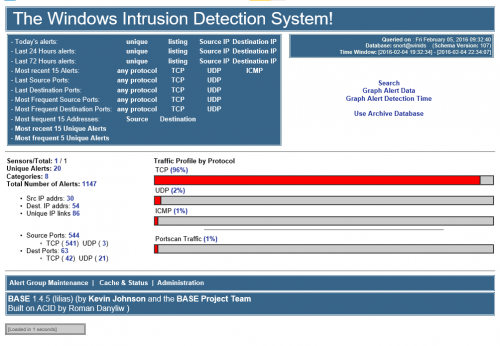 This is the latest Windows Intrusion Detection Systems (WinIDS) software pack for all WinIDS companion add-ons. Only use the software supplied in the Windows Intrusion Detection Systems (WinIDS) Companion Software Pack. The versions of support files included may be old or outdated; however, they are the last versions that have been fully tested with all WinIDS guided installations. The Windows Intrusion Detection System (WinIDS) Companion Software Development Pack is password-protected. Wrapper Password: w1nsn03t.c0m After downloading the Windows Intrusion Detection System (WinIDS) Core Software Support Pack and before attempting to install it, you should verify that it is intact and has not been tampered with. Use the SHA-1 checksum below to confirm integrity. SHA-1 Hash value: 114F53B88F69BC71F217D22288554892E30675D5 What's New in Version 06.20.2022 Updates to companion software: Added Visual Syslog 1.6.4.19 Added Event Watch 2.3.3 Kindest Regards, Winsnort.com Management
 -
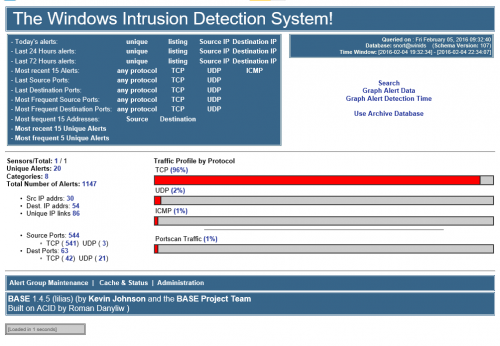 This is the latest Windows Intrusion Detection Systems (WinIDS) Barnyard2 Software Development Pack, intended for compiling Barnyard2 on Windows. The only reason to compile Barnyard2 for an existing Windows Intrusion Detection System (WinIDS) is when the MySQL or PostgreSQL database is being updated. Note: It is highly recommended that the version of the database compiled into Barnyard2 matches the version running on the live Windows Intrusion Detection System (WinIDS). The Windows Intrusion Detection System (WinIDS) Barnyard2 Software Development Pack is password-protected. Wrapper Password: w1nsn03t.c0m Note: It is highly recommended that the SHA-1 value listed below matches the SHA-1 value of the downloaded Windows Intrusion Detection System (WinIDS) Barnyard2 Software Development Pack. SHA-1 Hash value: 66D6E944DAB0DFB3EF18715BB357E39A3BA8E1FF What's New in Version 4.29.2026 Updating the compile of Barnyard2 on Windows: MySQL has been updated from 8.0.44 to 8.0.46 The compiling script has major updates What's New in Version 2.15.2026 Updating the compile of Barnyard2 on Windows: PostgreSQL has been updated from 18.1 to 18.2 The compiling script has been converted to PowerShell Added an option to keep Cygwin installed What's New in Version 1.16.2026 Updating the compile of Barnyard2 on Windows: Further script revisions What's New in Version 12.24.2025 Updating the compile of Barnyard2 on Windows: Updated the scripts What's New in Version 11.21.2025 Updating the compile of Barnyard2 on Windows: PostgreSQL has been updated from 18.0 to 18.1 What's New in Version 10.22.2025 Updating the compile of Barnyard2 on Windows: MySQL has been updated from 8.0.43 to 8.0.44 What's New in Version 10.2.2025 Updating the compile of Barnyard2 on Windows: PostgreSQL has been updated from 17.6 to 18.0 What's New in Version 8.18.2025 Updating the compile of Barnyard2 on Windows: PostgreSQL has been updated from 17.5 to 17.6 What's New in Version 7.30.2025 Updating the compile of Barnyard2 on Windows: MySQL has been updated from 8.0.42 to 8.0.43 What's New in Version 5.14.2025 Updating the compile of Barnyard2 on Windows: PostgreSQL has been updated from 17.4 to 17.5 What's New in Version 4.23.2025 Updating the compile of Barnyard2 on Windows: MySQL has been updated from 8.0.41 to 8.0.42 What's New in Version 2.23.2025 Updating the compile of Barnyard2 on Windows: PostgreSQL has been updated from 17.3 to 17.4 What's New in Version 2.19.2025 Updating the compile of Barnyard2 on Windows: MySQL has been updated from 8.0.40 to 8.0.41 PostgreSQL has been updated from 17.2 to 17.3 What's New in Version 2.5.2025 Updating the compile of Barnyard2 on Windows: Updated the scripts What's New in Version 1.24.2025 Updating the compile of Barnyard2 on Windows: MySQL has been updated from 8.0.37 to 8.0.40 PostgreSQL has been updated from 16.3 to 17.2 What's New in Version 5.14.2024 Updating the compile of Barnyard2 on Windows: MySQL has been updated from 8.0.36 to 8.0.37 PostgreSQL has been updated from 16.2 to 16.3 What's New in Version 1.22.2024 Updating the compile of Barnyard2 on Windows: MySQL has been updated from 8.0.35 to 8.0.36 What's New in Version 11.18.2023 Updating the compile of Barnyard2 on Windows: PostgreSQL has been updated from 15.5 to 16.1 What's New in Version 11.7.2023 Updating the compile of Barnyard2 on Windows: Updated the scripts to include step‑by‑step explanations What's New in Version 10.3.2023 Updating the compile of Barnyard2 on Windows: PostgreSQL has been updated from 15.4 to 15.5 What's New in Version 9.5.2023 Updating the compile of Barnyard2 on Windows: PostgreSQL has been updated from 15.3 to 15.4 What's New in Version 7.22.2023 Updating the compile of Barnyard2 on Windows: MySQL has been updated from 8.0.33 to 8.0.34 What's New in Version 5.16.2023 Updating the compile of Barnyard2 on Windows: PostgreSQL has been updated from 15.2 to 15.3 What's New in Version 2.15.2023 Updating the compile of Barnyard2 on Windows: PostgreSQL has been updated from 10.23 to 15.2 What's New in Version 1.20.2023 Updating the compile of Barnyard2 on Windows: MySQL has been updated from 8.0.30 to 8.0.31 What's New in Version 11.13.2022 Updating the compile of Barnyard2 on Windows: MySQL has been updated from 8.0.30 to 8.0.31 PostgreSQL has been updated from 10.22 to 10.23 What's New in Version 8.18.2022 Updating the compile of Barnyard2 on Windows: The automated system has been updated with menu options MySQL has been updated from 8.0.29 to 8.0.30 PostgreSQL has been updated from 10.21 to 10.22 What's New in Version 6.22.2022 Updating the compile of Barnyard2 on Windows: The automated system has been updated with menu options MySQL has been updated from 8.0.28 to 8.0.29 PostgreSQL has been updated from 10.20 to 10.21 Kindest Regards, Winsnort.com Management ```
 -
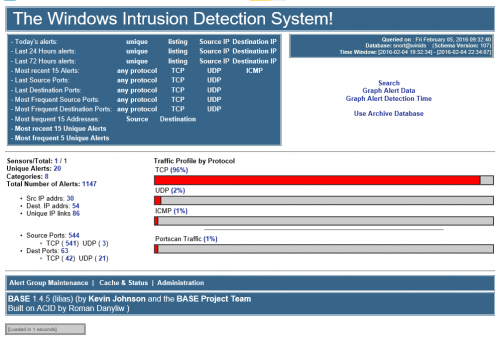 This is the latest Windows Intrusion Detection System Core Software Support Pack and is required for all Windows Intrusion Detection Systems (WinIDS) installs. The Windows Intrusion Detection System (WinIDS) Core Software Support Pack is password-protected. Wrapper Password: w1nsn03t.c0m Note: It is highly recommended that the SHA-1 value listed below matches the SHA-1 value of the downloaded Windows Intrusion Detection System (WinIDS) Core Software Support Pack. SHA-1 Hash value: CF2FBF9655CB0B91EADB0682B3303C69EE431DF7 What's New in Version 5.16.2026 Updates to this Core Software Pack: PostgreSQL has been updated from 18.3-1 to 18.4-1 MySQL has been updated from 8.0.45 to 8.0.46 PHP has been updated from 8.4.55 to 8.5.6 Apache2 has been updated from 2.4.66-260107 to 2.4.67-260504 Npcap has been updated from 1.87 to 1.88 What's New in Version 4.29.2026 Updates to this Core Software Pack: MySQL has been updated from 8.0.44 to 8.0.45 What's New in Version 3.1.2026 Updates to this Core Software Pack: PostgreSQL has been updated from 18.2-1 to 18.3-1 What's New in Version 2.12.2026 Updates to this Core Software Pack: PostgreSQL has been updated from 18.1-1 to 18.2-1 What's New in Version 1.27.2026 Updates to this Core Software Pack: MySQL has been updated from 8.0.44 to 8.0.45 What's New in Version 1.10.2026 Updates to this Core Software Pack: Apache2 has been updated from 2.4.65-250724 (vs17) to 2.4.66-260107 (vs18) FastCGI ASF module from 2.3.10 (vs17) to 2.3.10 (vs18) Npcap has been updated from 1.85 to 1.86 Visual C++ x86/x64 updated from 2015-2022 to 2017-2026 What's New in Version 12.24.2025 Updates to this Core Software Pack: Updated all the scripts PHP has been updated from 8.4.50 to 8.5.1 What's New in Version 11.21.2025 Updates to this Core Software Pack: PostgreSQL has been updated from 18.0 to 18.1 PHP has been updated from 8.4.13 to 8.5.0 Npcap has been updated from 1.83 to 1.84 What's New in Version 10.22.2025 Updates to this Core Software Pack: MySQL has been updated from 8.0.43 to 8.0.44 PHP has been updated from 8.4.13 to 8.4.14 What's New in Version 10.2.2025 Updates to this Core Software Pack: PostgreSQL has been updated from 17.6 to 18.0 PHP has been updated from 8.4.11 to 8.4.13 Strawberry Perl has been updated from 5.41.2.1 to 5.42.0.1 What's New in Version 7.30.2025 Updates to this Core Software Pack: MySQL has been updated from 8.0.42 to 8.0.43 PHP has been updated from 8.4.10 to 8.4.11 Apache2 has been updated from 2.4.65-250207 to 2.4.65-250724 Barnyard2 recompiled for database updates What's New in Version 4.23.2025 Updates to this Core Software Pack: MySQL has been updated from 8.0.41 to 8.0.42 PHP has been updated from 8.4.3 to 8.4.6 Barnyard2 recompiled for database updates What's New in Version 2.22.2025 Updates to this Core Software Pack: PostgreSQL has been updated from 17.3 to 17.4 Npcap has been updated from 1.80 to 1.81 Barnyard2 recompiled for database updates What's New in Version 2.14.2025 Updates to this Core Software Pack: PostgreSQL has been updated from 17.2 to 17.3 PHP has been updated from 8.4.3 to 8.4.4 Barnyard2 recompiled for database updates What's New in Version 2.10.2025 Updates to this Core Software Pack: Added a PowerShell script to update the rules from the desktop or via silent scheduling with optional email reporting What's New in Version 1.24.2025 Updates to this Core Software Pack: Updated Modder from Visual Basic to PowerShell Updated VS C++ to the latest 2015-2022 PostgreSQL has been updated from 16.3 to 17.2 MySQL has been updated from 8.0.40 to 8.0.41 PHP has been updated from 8.3.7 (vs16) to 8.4.3 (vs17) Npcap has been updated from 1.79 to 1.80 Strawberry Perl has been updated from 5.38.1.1 to 5.40.0.1 Apache has been updated from 2.4.55 (vs17) to 2.4.62 (vs17) What's New in Version 4.8.2024 Updates to this Core Software Pack: VC_redist_2015-2022.x64 has been updated from 14.38.33133 to 14.38.33135 (required for Apache2) What's New in Version 2.28.2024 Updates to this Core Software Pack: PostgreSQL has been updated from 16.1 to 16.2 PHP has been updated from 8.2.10 to 8.3.3 Strawberry Perl has been updated from 5.38.1.1 to 5.38.2.2 What's New in Version 1.22.2024 Updates to this Core Software Pack: MySQL has been updated from 8.0.35 to 8.0.36 Npcap has been updated from 1.78 to 1.79 What's New in Version 11.18.2023 Updates to this Core Software Pack: PostgreSQL has been updated from 15.5 to 16.1 ADOdb has been updated from 5.22.6 to 5.22.7 Npcap has been updated from 1.77 to 1.78 What's New in Version 9.5.2023 Updates to this Core Software Pack: PostgreSQL has been updated from 15.3 to 15.4 PHP has been updated from 8.2.8 to 8.2.10 What's New in Version 7.22.2023 Updates to this Core Software Pack: MySQL has been updated from 8.0.33 to 8.0.34 Npcap has been updated from 1.75 to 1.76 What's New in Version 5.16.2023 Updates to this Core Software Pack: PostgreSQL has been updated from 15.2 to 15.3 What's New in Version 4.30.2023 Updates to this Core Software Pack: MySQL has been updated from 8.0.31 to 8.0.33 What's New in Version 2.15.2023 Updates to this Core Software Pack: PostgreSQL has been updated from 10.23 to 15.2 What's New in Version 1.22.2023 Updates to this Core Software Pack: MySQL has been updated from 8.0.30 to 8.0.31 Apache has been updated from 2.4.54 (vs16) to 2.4.55 (vs17) What's New in Version 11.13.2022 Updates to this Core Software Pack: PostgreSQL has been updated from 10.22 to 10.23 What's New in Version 8.18.2022 Updates to this Core Software Pack: MySQL has been updated from 8.0.29 to 8.0.30 PostgreSQL has been updated from 10.21 to 10.22 What's New in Version 6.22.2022 Updates to this Core Software Pack: MySQL has been updated from 8.0.28 to 8.0.29 PostgreSQL has been updated from 10.20 to 10.21 Kindest Regards, Winsnort.com Management