scowles
Members
-
Joined
-
Last visited
Everything posted by scowles
-
I have completed installing and configuring for PulledPork. Now I see all of these SO_RULES in the snort.conf file. They are all commented out. I am not catching any events. I see no other rules in snort.conf other than SO_RULEs. Are there supposed to be regular rules there? If yes, how do I get them there? I have started to read- SO_Rules are not compatible with Windows.
-
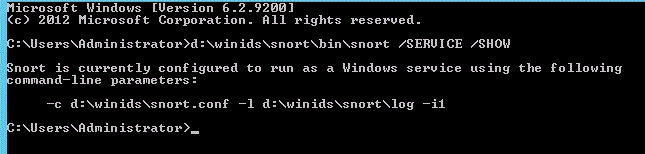
scowles replied to scowles's topic in Discussing Manual Installation for IIS with PostgreSQL LoggingYes, I have rebooted many times. Results of the requested command run are attached. Thanks.
-
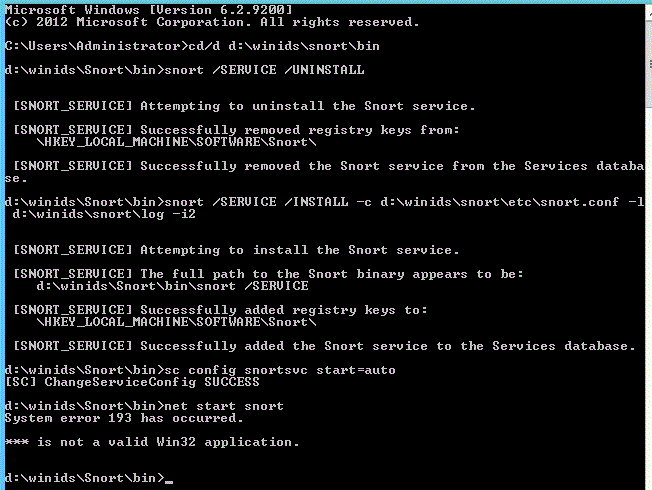
scowles replied to scowles's topic in Discussing Manual Installation for IIS with PostgreSQL LoggingMissing Results attached
-
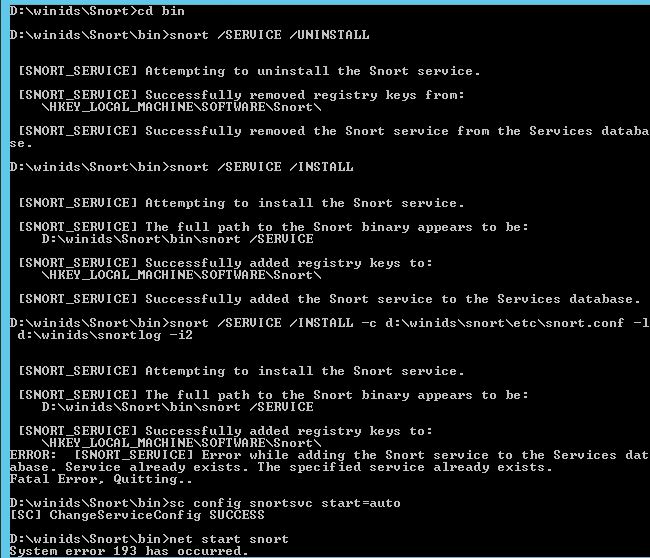
scowles replied to scowles's topic in Discussing Manual Installation for IIS with PostgreSQL LoggingHere's the result of my going back and executing the instructions more carefully-
-
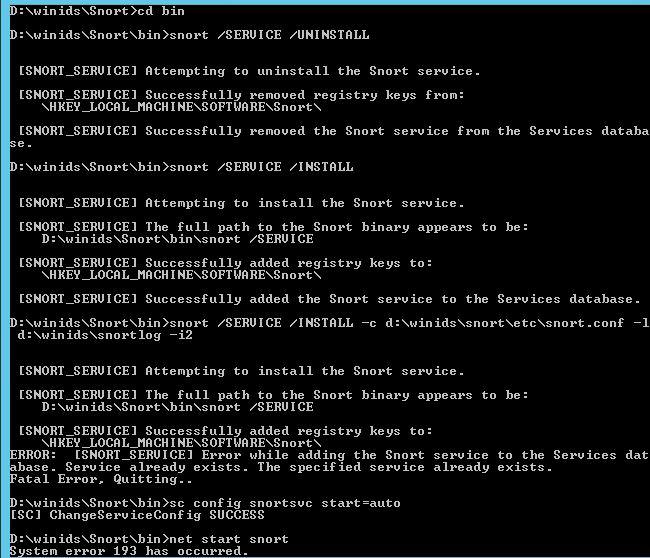
scowles replied to scowles's topic in Discussing Manual Installation for IIS with PostgreSQL LoggingMorpheus, Thanks. Good recommendation but I think the registry might be where the issue is?
-
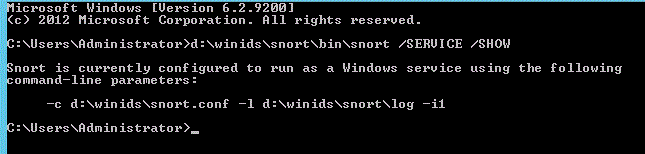
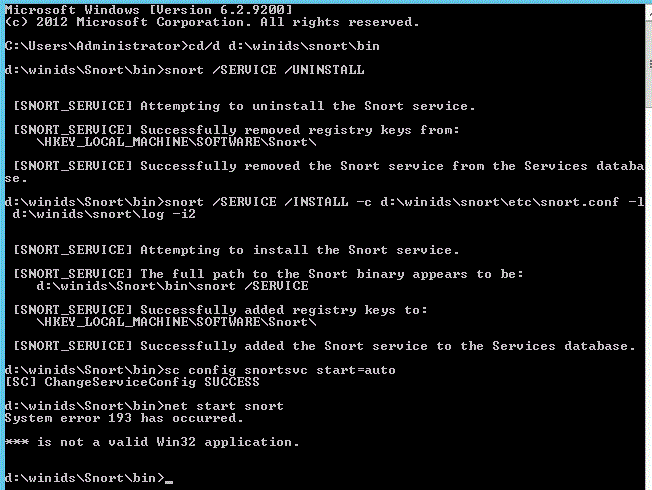
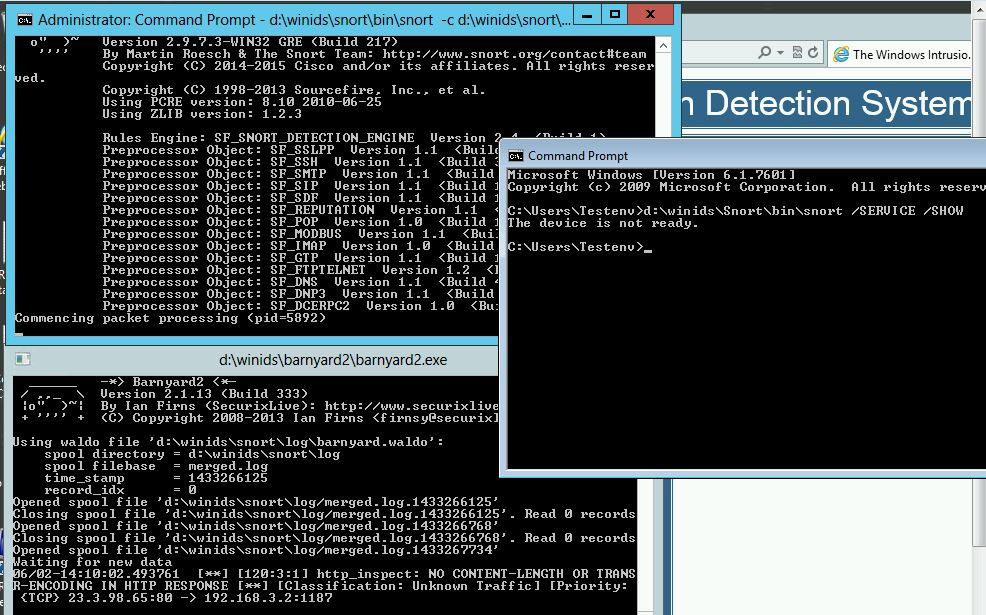
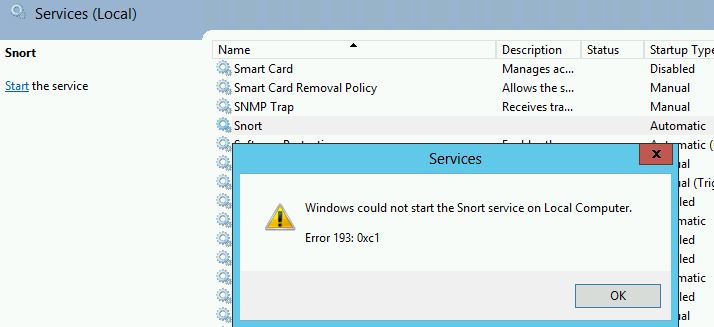
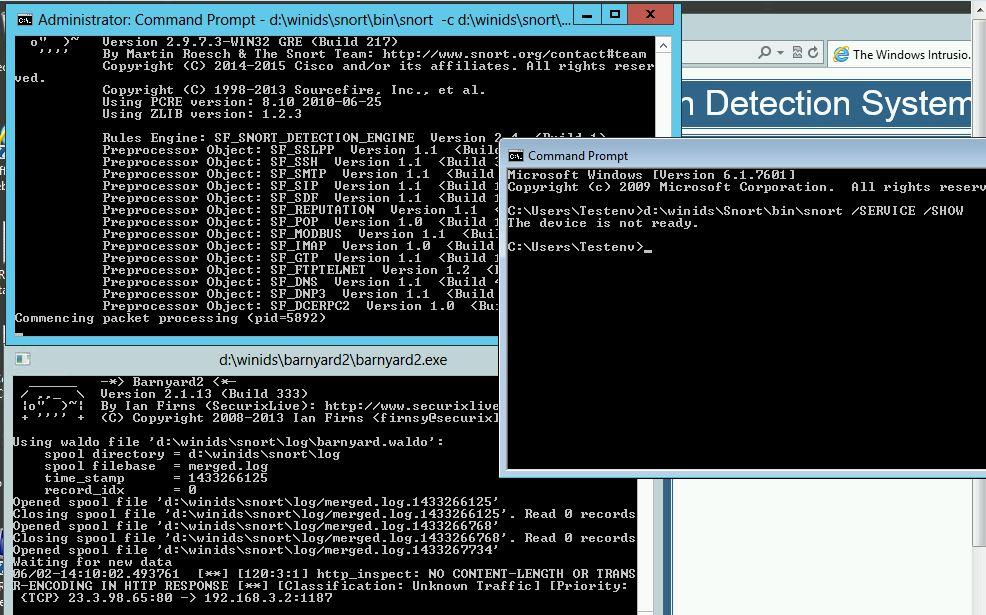
scowles replied to scowles's topic in Discussing Manual Installation for IIS with PostgreSQL LoggingI got all the way through the How to Install This Windows Intrusion Detection System (WinIDS) tutorial and was getting thousands of alerts. But, I always had to manually start snort from the command line. Barnyard 2 always started automatically.
-
-
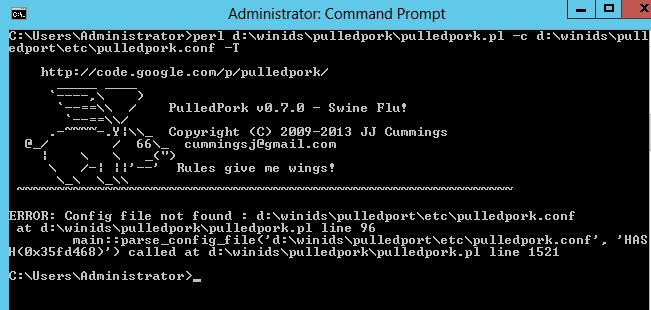
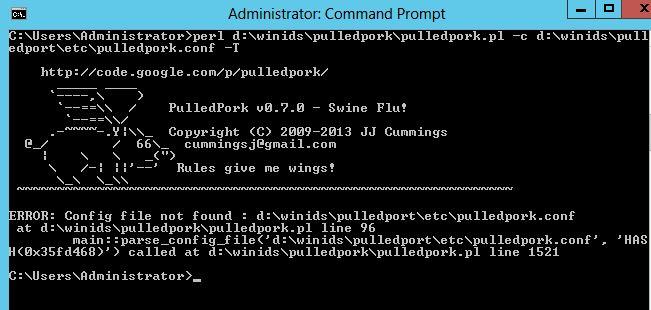
The configuration of Pulled Pork installation is verified. Now testing update of rules and signatures using Pulledpork. The attachment shows the error that results from the test. I have gone to the referenced line numbers shown in the error message but have not been able to determine a resolution. Please advise.
-
Is there some type of message to acknowledge that the command has completed? perl d:\winids\pulledpork\pulledpork.pl -c d:\winids\pulledpork\etc\pulledpork.conf -T The first time I've run it, seems to be stuck at "Prepping rules from opensource.gz for work...." for hours now.
-
scowles replied to scowles's topic in Discussing Manual Installation for IIS with PostgreSQL LoggingUpdate: I've successfully completed the Barnyard2 testing with a good result. Thanks.
-
scowles replied to scowles's topic in Discussing Manual Installation for IIS with PostgreSQL LoggingThis has NOT been resolved by correcting configuration errors. Barnyard2 fails with "ERROR: database connection to database 'snort' failed Barnyard2 exiting database: Closing connection to database "snort" Postresql Error Msg.docx
-
scowles replied to scowles's topic in Discussing Manual Installation for IIS with PostgreSQL LoggingGood thought. However, I took your advice and did DROP DATABASE snort successfully and then created it again. Same result- The Barnyard2 configuration test fails with the following result- ERROR: database Connection to database 'snort' failed Fatal Error, exiting database: Closing connection to database "snort" Note also: I can connect to the snort database as user postgres via '\connect snort;' Any further suggestions for resolving would be appreciated.
-
After checking and double-checking the Barnyard2.conf file which is including the line 'output database: log, postgresql, user=snort password=l0gg3r dbname=snort host=winids sensor_name=WinIDS-Home' The Barnyard2 configuration test fails with the following result- ERROR: database Connection to database 'snort' failed Fatal Error, exiting database: Closing connection to database "snort" Any suggestions for resolving would be appreciated.
-
scowles replied to scowles's topic in Discussing Manual Installation for IIS with PostgreSQL LoggingOne more command under the install tutorial heading of "Creating the Windows Intrusion Detection System Database Tables " \i d:/temp/snort_user.sql; the result is WARNING: sequence "reference_ref_id_seq" only supports USAGE, SELECT, and UPDATE privileges but after that I get GRANT Is that the expected result?
-
scowles replied to scowles's topic in Discussing Manual Installation for IIS with PostgreSQL LoggingThank you. Reversing the slashes as you suggested and keeping the semi-colon worked...so far
-
When I try to run the command \i d:\winids\barnyard2\schemas\create_postgresql; or try to run any of the other \i commands under the install tutorial heading of "Creating the Windows Intrusion Detection System Database Tables " the result is always "d:: Permission denied" I've tried many things to try and get around this blockage but I've not been successful. Any suggestions would be appreciated.